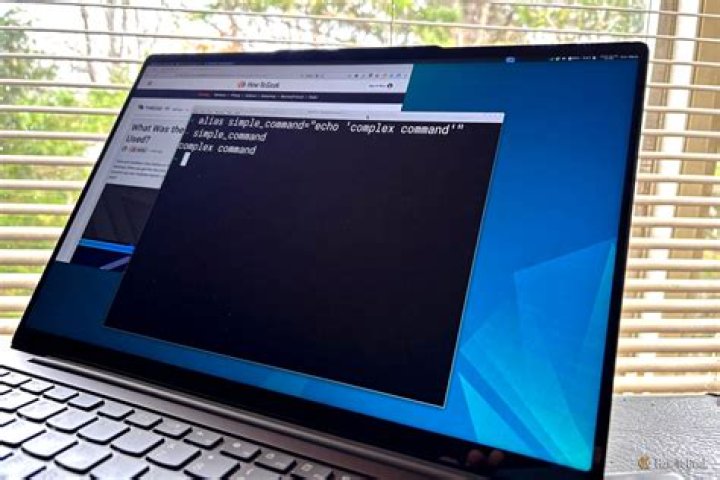

I'm using OhMyZsh with the PowerLevel9K theme and ZSH always prints the command I ran first (just the command without the arguments) before actually showing the output:
$ ls ls<dir1> <dir2> <dir3> - I have been facing this issue for a long time, so maybe it's a feature, and haven't been able to find any way to disable this, even after googling around a lot; perhaps there's a name for this feature and I'm using the incorrect terminology?
I want to disable this so that it works like Bash, where I just see the output of the command:
$ ls <dir1> <dir2> <dir3>...
How do I resolve this?
powerlevel9k.zsh-theme
(default is used and is too large to include as text).zshrc:export ZSH="/home/anish/.oh-my-zsh" export TERM=screen-256color POWERLEVEL9K_MODE='awesome-fontconfig' ZSH_THEME="powerlevel9k/powerlevel9k" POWERLEVEL9K_CONTEXT_TEMPLATE='%n' POWERLEVEL9K_CONTEXT_DEFAULT_FOREGROUND='yellow' POWERLEVEL9K_BATTERY_CHARGING='yellow' POWERLEVEL9K_BATTERY_CHARGED='green' POWERLEVEL9K_BATTERY_DISCONNECTED='$DEFAULT_COLOR' POWERLEVEL9K_BATTERY_LOW_THRESHOLD='10' POWERLEVEL9K_BATTERY_LOW_COLOR='red' POWERLEVEL9K_MULTILINE_FIRST_PROMPT_PREFIX='' POWERLEVEL9K_BATTERY_ICON='\uf1e6 ' POWERLEVEL9K_PROMPT_ON_NEWLINE=false POWERLEVEL9K_VCS_MODIFIED_BACKGROUND='yellow' POWERLEVEL9K_VCS_UNTRACKED_BACKGROUND='yellow' POWERLEVEL9K_VCS_UNTRACKED_ICON='?' POWERLEVEL9K_LEFT_PROMPT_ELEMENTS=(os_icon context battery dir vcs) POWERLEVEL9K_RIGHT_PROMPT_ELEMENTS=(status time) POWERLEVEL9K_SHORTEN_DIR_LENGTH=1 POWERLEVEL9K_TIME_FORMAT="%D{%l:%M %p \uf073 %d %b}" POWERLEVEL9K_TIME_BACKGROUND='black' POWERLEVEL9K_TIME_FOREGROUND='white' POWERLEVEL9K_RAM_BACKGROUND='yellow' POWERLEVEL9K_STATUS_VERBOSE=true POWERLEVEL9K_STATUS_CROSS=true plugins=(git) source $ZSH/oh-my-zsh.sh
1 Answer
The problem was with the .zshrc file. Replacing the line -
export TERM=screen-256color with -
export TERM=xterm-256color Solves the problem.
1