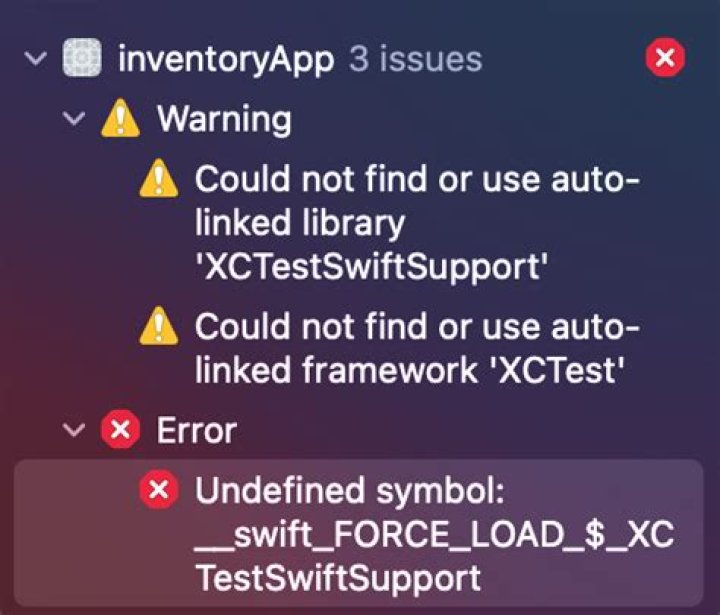

My app was running perfectly without any errors or warnings yesterday. But when I tried to run it today, the build failed - I haven't changed anything in the code:
Undefined symbol: __swift_FORCE_LOAD_$_XCTestSwiftSupport How to fix this, and why would something like this occur suddenly when it was working before?
And this is an issue I've been experiencing with XCode a lot lately. My code will be running smoothly without any errors, but then XCode will randomly start throwing errors when I relaunch it at a different time - without making any changes in the actual code.
53 Answers
I solved this error by navigation to target app settings > Build Phases > Link Binary With Libraries > add the linked library "XCTest.framework".
If afterwards your app starts crashing, aborting with the following errors:
dyld: Library not loaded: @rpath/ 0_abort_with_payload Then you can take a look at the suggestions on this thread: Xcode 5.0.2 dyld: Library not loaded: @rpath/
The solution that worked for me was: Navigate to target app > Build Settings > Linking > Other Linker Flags > editing or adding -weak_framework "XCTest"
2This condition also occurs if you add
import XCTest to a file in a non-test bundle.
2This error randomly started to occur on my Xcode project today. I changed the setting.
PROJECT -> Build Settings -> Build Options -> Enable Testing Search Paths from No to Yes, and the build succeeded.