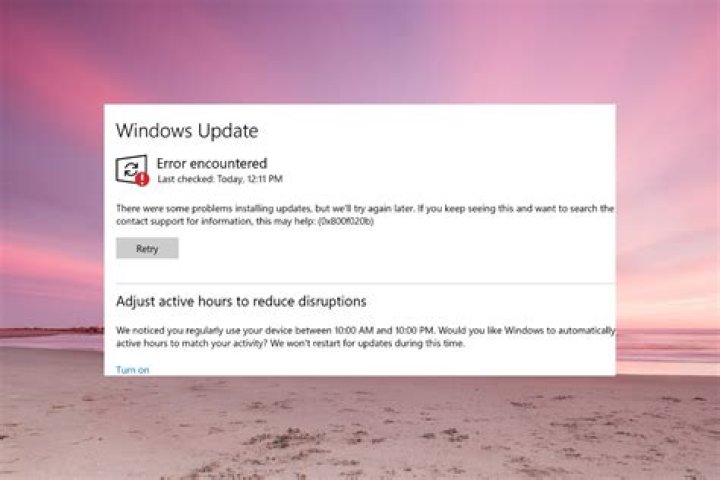
My Windows Updates is always failing with error 80070bc9 and tries to restart my computer with this message:
This is really annoying :/ I'm using Windows 7 Ultimate SP1 + MS Security Essentials.
Some errors:
{85093ABE-950D-492D-A775-FD58A8F73A16} 2012-08-18 22:57:04:288+0200 1 202 102 {00000000-0000-0000-0000-000000000000} 0 0 AutomaticUpdates Success Content Install Reboot completed. {ABF22B98-C1B2-4111-90C4-BF2F9C5F23E4} 2012-08-19 11:25:44:801+0200 1 148 101 {00000000-0000-0000-0000-000000000000} 0 8024a005 AutomaticUpdates Failure Software Synchronization Windows Update Client failed to detect with error 0x8024a005. {035C8280-AEAC-4C7D-99F3-3EBEDA7BB69F} 2012-08-19 13:57:18:119+0200 1 148 101 {61CA813A-7585-442E-A66B-B0D15CE6BDC0} 1 80070bc9 SelfUpdate Failure Software Synchronization Windows Update Client failed to detect with error 0x80070bc9. {C247868B-CB97-4B3F-9C97-E727644ED486} 2012-08-19 14:04:02:660+0200 1 147 101 {00000000-0000-0000-0000-000000000000} 0 0 Microsoft Security Essentials ( Success Software Synchronization Windows Update Client successfully detected 1 updates. {ACD1DD67-C577-4C86-A2CE-17E31FFBAD86} 2012-08-19 14:04:38:126+0200 1 162 101 {85FD8DA6-2AD3-495D-97D1-F0F9973F2F27} 100 0 Microsoft Security Essentials ( Success Content Download Download succeeded. {CC650378-1CC4-4ABD-AA1E-0C9966D287A7} 2012-08-19 14:04:47:611+0200 1 183 101 {85FD8DA6-2AD3-495D-97D1-F0F9973F2F27} 100 0 Microsoft Security Essentials ( Success Content Install Installation Successful: Windows successfully installed the following update: Definition Update for Microsoft Security Essentials - KB2310138 (Definition 1.131.2339.0) {D5DDA904-A3B2-48FC-B817-80F3EE2C01F8} 2012-08-19 18:57:27:595+0200 1 148 101 {61CA813A-7585-442E-A66B-B0D15CE6BDC0} 1 80070bc9 SelfUpdate Failure Software Synchronization Windows Update Client failed to detect with error 0x80070bc9. {83AC079D-6D2E-4B63-B108-5DD386F965B7} 2012-08-19 23:49:23:993+0200 1 202 102 {00000000-0000-0000-0000-000000000000} 0 0 AutomaticUpdates Success Content Install Reboot completed. {4C3B8F7F-39AE-449A-8B54-E7B15B13A680} 2012-08-19 23:49:34:242+0200 1 148 101 {61CA813A-7585-442E-A66B-B0D15CE6BDC0} 1 80070bc9 SelfUpdate Failure Software Synchronization Windows Update Client failed to detect with error 0x80070bc9. {FEE6E175-D180-4363-9DFB-5E61077B94FF} 2012-08-20 00:08:16:119+0200 1 202 102 {00000000-0000-0000-0000-000000000000} 0 0 AutomaticUpdates Success Content Install Reboot completed. {C8555D1E-3B7B-459B-B4B4-6385DDD078C4} 2012-08-20 11:17:43:985+0200 1 148 101 {61CA813A-7585-442E-A66B-B0D15CE6BDC0} 1 80070bc9 SelfUpdate Failure Software Synchronization Windows Update Client failed to detect with error 0x80070bc9. {CFD7D316-4426-4CE7-9EA8-D57357C2C9D9} 2012-08-20 12:10:19:513+0200 1 148 101 {61CA813A-7585-442E-A66B-B0D15CE6BDC0} 1 80070bc9 SelfUpdate Failure Software Synchronization Windows Update Client failed to detect with error 0x80070bc9. {D3396DB7-61F0-40C1-A133-E02AB70E877B} 2012-08-20 12:24:34:597+0200 1 202 102 {00000000-0000-0000-0000-000000000000} 0 0 AutomaticUpdates Success Content Install Reboot completed. {0E24612F-6148-46B5-9C14-FA1DE860A9AA} 2012-08-20 12:24:45:720+0200 1 148 101 {61CA813A-7585-442E-A66B-B0D15CE6BDC0} 1 80070bc9 SelfUpdate Failure Software Synchronization Windows Update Client failed to detect with error 0x80070bc9. {15E41A7F-4067-43A4-B4B7-41C85B39ED36} 2012-08-20 12:39:47:312+0200 1 202 102 {00000000-0000-0000-0000-000000000000} 0 0 AutomaticUpdates Success Content Install Reboot completed. {4438E4EC-FB1F-4B7C-A251-D183C865C7AE} 2012-08-20 12:39:56:766+0200 1 148 101 {61CA813A-7585-442E-A66B-B0D15CE6BDC0} 1 80070bc9 SelfUpdate Failure Software Synchronization Windows Update Client failed to detect with error 0x80070bc9. {F99AD1BE-768E-46F7-8BAA-8C9ACD7158D4} 2012-08-20 12:41:57:112+0200 1 148 101 {61CA813A-7585-442E-A66B-B0D15CE6BDC0} 1 80070bc9 SelfUpdate Failure Software Synchronization Windows Update Client failed to detect with error 0x80070bc9. 3 Answers
Logon with administrator rights.
Type cmd in the bottom left windows button
I fix it with:
fsutil resource setautoreset true c:\ Then in safe mode try to delete these files:
C:\WINDOWS\system32>cd %SystemRoot%\System32\SMI\Store\Machine C:\WINDOWS\System32\SMI\Store\Machine>attrib -s -h * C:\WINDOWS\System32\SMI\Store\Machine>del *.blf C:\WINDOWS\System32\SMI\Store\Machine>del *.regtrans-ms C:\WINDOWS\system32\SMI\Store\Machine>cd %SystemRoot%\System32\config\TxR C:\WINDOWS\System32\config\TxR>attrib -s -h * C:\WINDOWS\System32\config\TxR>del /q * Reboot and it will all work !
1Try installing the oldest update first, and do it one at a time to see if that works. I had a similar issue where the Troubleshooter in Control Panel didn't work, installing the System Update Readiness Tool for Windows 7 for x64-based Systems (KB947821) didn't work, and finally just installing each one, one at a time, while a pain in the ass actually got the 4 updates that were failing to install for me after reboot and reverting back to original state to actually install.
I suggest that you follow the below steps:
- Disable any Firewall, Antivirus.
- Manually install the security update from the Microsoft Download Center, and then click Ignore when the error message is displayed. Download standalone packages of these updates and install. Download the Update for Windows 7 for x64-based Systems (KB976098) package now.
- Re-enable Firewall, Antivirus once the update is installed. You may also try resetting Windows Update Components.
To do this:
- Click on the following link:
- Click Run in the File Download dialog box, and then follow the steps in the Fix it wizard.




