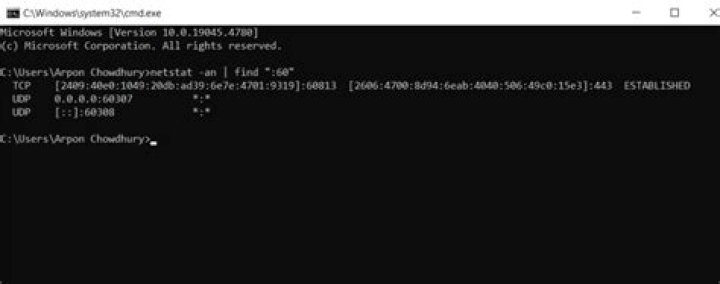

I have two Windows Servers.. Server A and Server B. There is a service configured on Server A to listen on port P. Is there a way to check if the port is opened in Windows Server B irrespective of service running or not. One way is telnet ..but this would work only if the service is running and listening on Port. But, is there a way to find if the port is opened irrespective of the service state? Linux has an "nc" command to achieve the same. Do we have something similar in Windows?
Thanks.!
11 Answer
You can use netstat.exe to query for open ports.
netstat.exe:
C:\Users\user>netstat.exe /? Displays protocol statistics and current TCP/IP network connections. NETSTAT [-a] [-b] [-e] [-f] [-n] [-o] [-p proto] [-r] [-s] [-x] [-t] [interval] -a Displays all connections and listening ports. example netstat -a:
C:\Users\user>netstat -a Active Connections Proto Local Address Foreign Address State TCP 0.0.0.0:135 10.10.11.20:0 LISTENING TCP 0.0.0.0:445 10.10.11.20:0 LISTENING TCP 0.0.0.0:1433 10.10.11.20:0 LISTENING TCP 0.0.0.0:1801 10.10.11.20:0 LISTENING TCP 0.0.0.0:2103 10.10.11.20:0 LISTENING To do a remote netstat.exe you can use psexec tool (free avaiable from here)
example:
C:\Users\user>psexec \\10.10.21.145 netstat -a PsExec v2.11 - Execute processes remotely Copyright (C) 2001-2014 Mark Russinovich Sysinternals - Active Connections Proto Local Address Foreign Address State TCP 0.0.0.0:135 10.10.21.145:0 LISTENING TCP 0.0.0.0:445 10.10.21.145:0 LISTENING TCP 0.0.0.0:2701 10.10.21.145:0 LISTENING TCP 0.0.0.0:3389 10.10.21.145:0 LISTENING 



