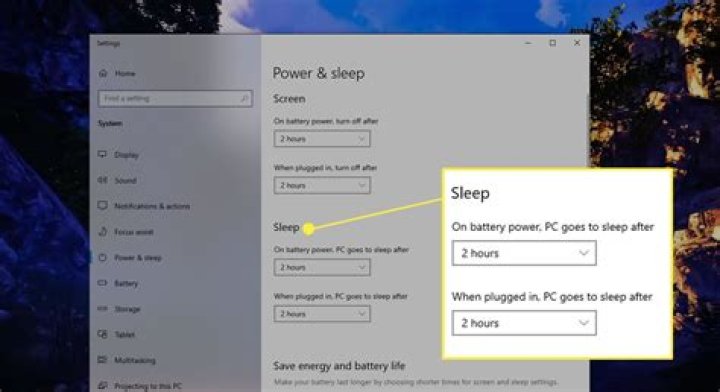

My Lenovo laptop's settings:
- is plugged in
- no screensaver
- "never" go to sleep/hybernate set to all settings in advanced power options
When music is playing or watching video everything works fine.
But when nothing is happening pc goes to sleep after ~1 min.
Not sure, but it doesn't happen right after restart, only after I begin working.
Here is the system log for sleep event:
System
- Provider
[ Name] Microsoft-Windows-Kernel-Power [ Guid] {331C3B3A-2005-44C2-AC5E-77220C37D6B4} EventID 42 Version 2 Level 4 Task 64 Opcode 0 Keywords 0x8000000000000004
- TimeCreated
[ SystemTime] 2015-10-13T20:02:20.555603100Z EventRecordID 1736 Correlation
- Execution
[ ProcessID] 4 [ ThreadID] 4412 Channel System Computer pcname Security
EventData
TargetState 4 EffectiveState 4 Reason 7 Flags 0
How can I solve it?
22 Answers
It is the System unattended sleep timeout setting.
By default it is set to 120 seconds and is hidden.
Setting the registry data Attributes under key HKEY_LOCAL_MACHINE\SYSTEM\CurrentControlSet\Control\Power\PowerSettings\238C9FA8-0AAD-41ED-83F4-97BE242C8F20\7bc4a2f9-d8fc-4469-b07b-33eb785aaca0 to value 2 (or 0) makes the option appear in the advanced power settings, under Sleep and can be set to something normal.
have had issues with Windows not using the sleep settings configured in settings and found that on some machines there is a hidden power setting called Sytem Unattended Sleep Time-out in the advanced power config. The link below shows you how to view / change this setting. If I ever come across a machine that goes to sleep irrespective of the time set in settings this is the first thing I check
2



