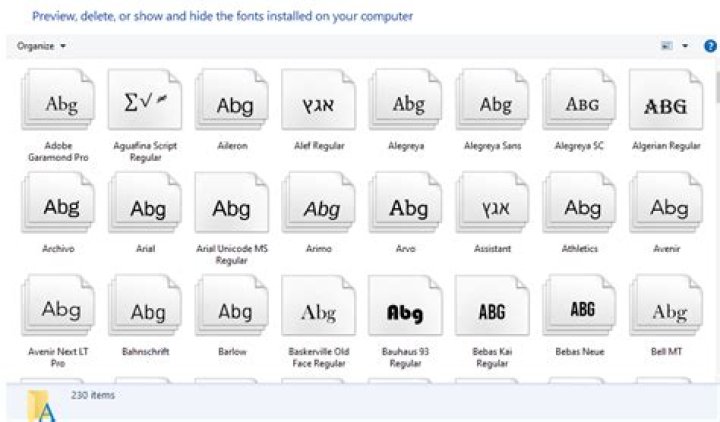
I do not know why but opening C:\Windows\Fonts leads to this view:

when I know I should be getting this:
Is there something wrong with my Windows 10 install? I just did a fresh installation yesterday.
2 Answers
The folder has either lost its desktop.ini file or the folder's ReadOnly attribute has been cleared, which means its desktop.ini file won't be processed.
- Open the
C:\Windowsfolder in aDetailsview. - Add the
Attributescolumn. - Verify that an
Ris displayed for theFontsfolder.
If it's not set, open a PowerShell window to C:\WIndows and execute the command:
(gi Fonts).Attributes += 'ReadOnly'
If that doesn't fix the issue, check the contents of the desktop.ini file:
- In the PowerShell window, execute the follwoing:
notepad c:\Windows\Fonts\desktop.ini
The contents should be as follows:
If the file doesn't exist, create it. Set its attributes to Hidden and System:
PowerShell:
@' [.ShellClassInfo] CLSID={BD84B380-8CA2-1069-AB1D-08000948F534} '@ | sc c:\Windows\Fonts\desktop.ini -Force (gi c:\Windows\Fonts\desktop.ini).Attributes += 'System' (gi c:\Windows\Fonts\desktop.ini).Attributes += 'Hidden' Just change the icon size from drop down menu at bottom right from small to large.
2



