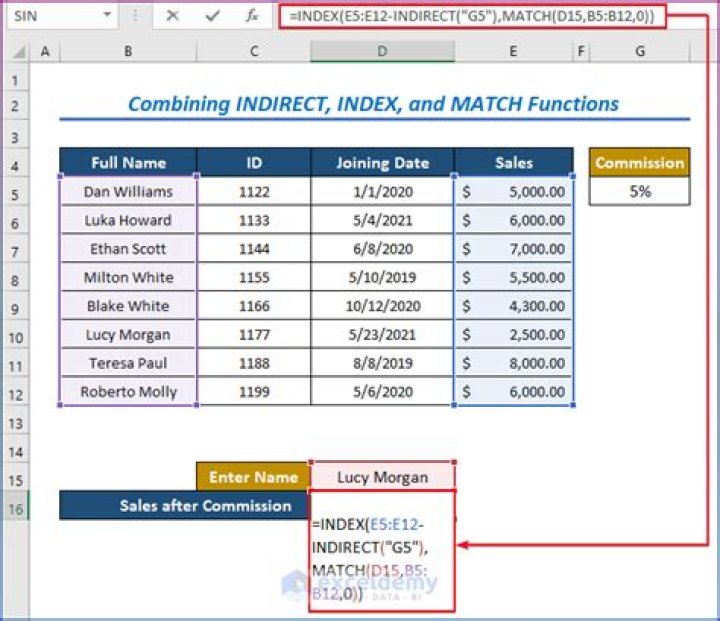
Why would one use INDIRECT(cell) instead of a direct reference to cell?
Eg, I see a sheet where there are many references
A B C 1 SHEET1 B1 =INDIRECT("'"&A1&"'!"&B1) 2 SHEET1 B2 =INDIRECT("'"&A2&"'!"&B2) 3 SHEET1 B3 =INDIRECT("'"&A3&"'!"&B3) Why not just
A B C 1 =SHEET1$B1 2 =SHEET1$B2 3 =SHEET1$B3 4 Answers
Indirect vs Direct Cell Reference
does not generally auto update vs does update
example adding or removing columns
arithmetic to change row or column vs what you type is what you get
example indirect("A"&3+5) vs =A3+5 is totally different
If you want to organize your formula references and change them all on the fly it is easier with indirect (although even easier just using the naming feature) but the real reason you "need" indirect is how else are you going to change the reference in your formula without manually typing it (answer: indirect)?
use case - programmatically list and loop a range of worksheets: sheet references using formulas and values useful for addressing cells at scale. 
Build references to many different cells, worksheets or workbooks that follow a logic
The most common use of the INDIRECT function is probably when someone wants to reference to many cells which cell references follow a logical rule. For example, assume you have an Excel workbook with hundreds of sheets, one for each day and the sheet names are the dates. Now you would like to summarize some of the values in those sheets on an overview sheet. In this case, you can type in your starting date, drag it down to your final date (Excel will increment the dates). Using the INDIRECT function, you can now easily build up the references within seconds.
However, consider that INDIRECT is a volatile function which will slow down your workbook. Further, if you insert rows/columns, the INDIRECT function won’t adapt. It get’s even worse when you reference to external sheets. Since INDIRECT updates it’s value with every change in the workbook, you will get #REF errors as soon as you close the referenced sheets. I personally avoid INDIRECT for such cases (either using VBA or by choosing a different design for my workbooks, so no INDIRECT function is necessary)
Lock a cell reference
If you have a cell reference like let’s say =A10, Excel will always adapt the reference when you insert new rows or columns (if you for example insert a row above row 10, the reference changes to =A11). You can use the INDIRECT function in order to always keep the absolute cell reference: =INDIRECT(“A10”).
With named ranges
INDIRECT can be handy with named references. Have a look at the example where you have three named ranges:
NorthAmerica:
B2:B5Europe:
C2:C5Asia:
D2:D5
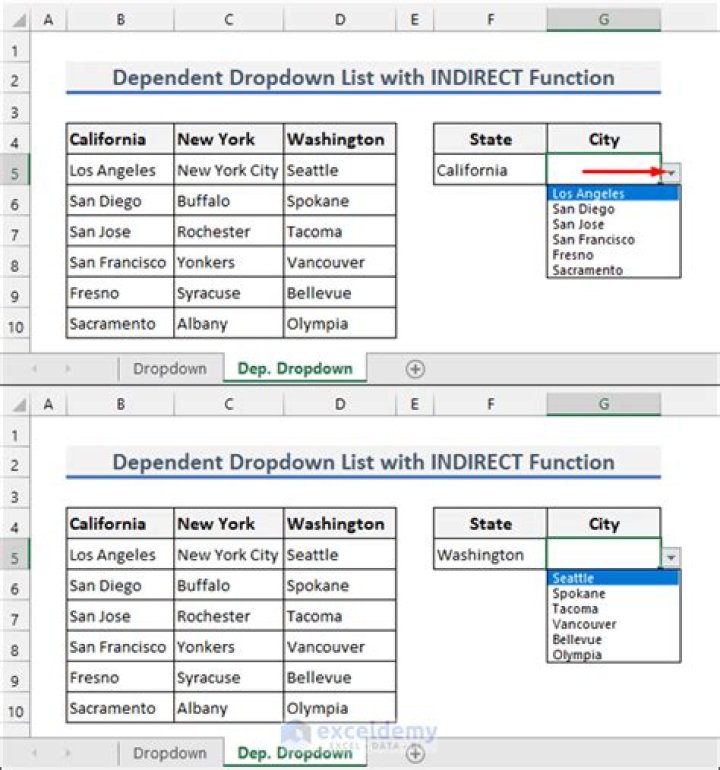
You can now combine the INDIRECT function with many other Excel functions like SUM, MIN, MAX and so on. In the example, the drop down selection in G1 is referenced using INDIRECT to perform the calculation for the selected range.
Dynamic dropdowns
A similar example where you can use the INDIRECT function are dynamic drop downs. In this example there are two named ranges:
- Fruits:
A2:A4 - Vegetables:
B2:B4

In cell D3, there is a dropdown where you can select “Fruits” or “Vegetables”. In E3, we have a dynamic drop down with the source =INDIRECT($D$3). If you choose “Fruits” in D3, you will have a list with the fruits in the drop down.
So, there are definitely some things where INDIRECT might be an easy solution. But as I said, it is a volatile function that locks the cell reference. In most cases you can find different, better solutions. The main reason people use it is probably the lack of knowledge of better alternatives. In addition, I assume that the average Excel user is not aware of possible problems you might run into when using INDIRECT.
Indirect is very useful with Tables. For example, I create a table tblFindings with 10 rows. Then I assign the list to =Indirect("tblFindings"). Now I add 5 rows to the table, the dropdown list automatically updates.