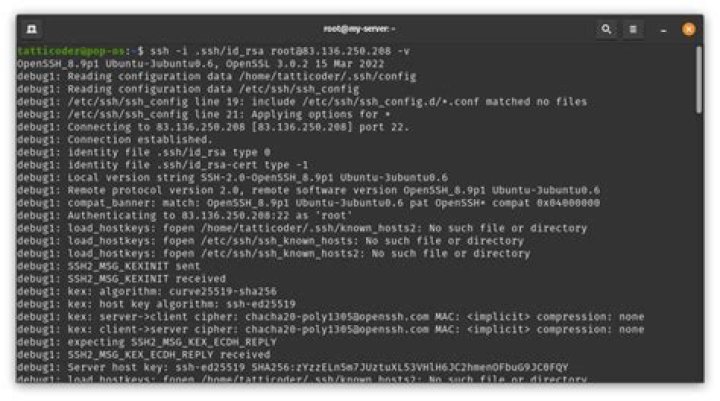

So I'm trying to get a connection between two Ubuntu computers. This is what happens when I try to connect:
jordan@0.0.0.2:~$ ssh david@0.0.0.1 david@0.0.0.1's password: Welcome to Ubuntu 12.04.1 LTS (GNU/Linux 3.2.0-29-generic-pae i686) * Documentation: Last login: Tue Sep 24 13:18:04 2013 from jordan-h8-1437c.local You'll feel devilish tonight. Toss dynamite caps under a flamenco dancer's heel. Connection to 0.0.0.1 closed. It doesn't give an error it just closes the connection.
Output of ssh -vvv david@0.0.0.1:
jordan@0.0.0.2:~$ ssh -vvv david@0.0.0.1 OpenSSH_6.0p1 Debian-3ubuntu1, OpenSSL 1.0.1c 10 May 2012 debug1: Reading configuration data /etc/ssh/ssh_config debug1: /etc/ssh/ssh_config line 19: Applying options for * debug2: ssh_connect: needpriv 0 debug1: Connecting to 0.0.0.1 [0.0.0.1] port 22. debug1: Connection established. debug3: Incorrect RSA1 identifier debug3: Could not load "/home/jordan/.ssh/id_rsa" as a RSA1 public key debug1: identity file /home/jordan/.ssh/id_rsa type 1 debug1: Checking blacklist file /usr/share/ssh/blacklist.RSA-2048 debug1: Checking blacklist file /etc/ssh/blacklist.RSA-2048 debug1: identity file /home/jordan/.ssh/id_rsa-cert type -1 debug1: identity file /home/jordan/.ssh/id_dsa type -1 debug1: identity file /home/jordan/.ssh/id_dsa-cert type -1 debug1: identity file /home/jordan/.ssh/id_ecdsa type -1 debug1: identity file /home/jordan/.ssh/id_ecdsa-cert type -1 debug1: Remote protocol version 2.0, remote software version OpenSSH_5.9p1 Debian 5ubuntu1.1 debug1: match: OpenSSH_5.9p1 Debian-5ubuntu1.1 pat OpenSSH_5* debug1: Enabling compatibility mode for protocol 2.0 debug1: Local version string SSH-2.0-OpenSSH_6.0p1 Debian-3ubuntu1 debug2: fd 3 setting O_NONBLOCK debug3: load_hostkeys: loading entries for host "0.0.0.1" from file "/home/jordan/.ssh/known_hosts" debug3: load_hostkeys: found key type ECDSA in file /home/jordan/.ssh/known_hosts:31 debug3: load_hostkeys: loaded 1 keys debug3: order_hostkeyalgs: prefer hostkeyalgs: ecdsa-sha2-nistp256-cert- ,,ecdsa-sha2-nistp521-cert- ,ecdsa-sha2-nistp256,ecdsa-sha2-nistp384,ecdsa-sha2-nistp521 debug1: SSH2_MSG_KEXINIT sent debug1: SSH2_MSG_KEXINIT received debug2: kex_parse_kexinit: ecdh-sha2-nistp256,ecdh-sha2-nistp384,ecdh-sha2- nistp521,diffie-hellman-group-exchange-sha256,diffie-hellman-group-exchange-sha1,diffie- hellman-group14-sha1,diffie-hellman-group1-sha1 debug2: kex_parse_kexinit: ,ecdsa-sha2- ,,ecdsa-sha2- nistp256,ecdsa-sha2-nistp384,ecdsa-sha2-nistp521,,ssh-dss- ,,,ssh- rsa,ssh-dss debug2: kex_parse_kexinit: aes128-ctr,aes192-ctr,aes256- ctr,arcfour256,arcfour128,aes128-cbc,3des-cbc,blowfish-cbc,cast128-cbc,aes192-cbc,aes256- cbc,arcfour, debug2: kex_parse_kexinit: aes128-ctr,aes192-ctr,aes256-ctr,arcfour256,arcfour128,aes128-cbc,3des-cbc,blowfish-cbc,cast128-cbc,aes192-cbc,aes256-cbc,arcfour, debug2: kex_parse_kexinit: hmac-md5,hmac-sha1,,hmac-sha2-256,hmac- sha2-256-96,hmac-sha2-512,hmac-sha2-512-96,hmac-ripemd160,hmac- ,hmac-sha1-96,hmac-md5-96 debug2: kex_parse_kexinit: hmac-md5,hmac-sha1,,hmac-sha2-256,hmac-sha2-256-96,hmac-sha2-512,hmac-sha2-512-96,hmac-ripemd160,hmac- ,hmac-sha1-96,hmac-md5-96 debug2: kex_parse_kexinit: none,,zlib debug2: kex_parse_kexinit: none,,zlib debug2: kex_parse_kexinit: debug2: kex_parse_kexinit: debug2: kex_parse_kexinit: first_kex_follows 0 debug2: kex_parse_kexinit: reserved 0 debug2: kex_parse_kexinit: ecdh-sha2-nistp256,ecdh-sha2-nistp384,ecdh-sha2-nistp521,diffie-hellman-group-exchange-sha256,diffie-hellman-group-exchange-sha1,diffie-hellman-group14-sha1,diffie-hellman-group1-sha1 debug2: kex_parse_kexinit: ssh-rsa,ssh-dss,ecdsa-sha2-nistp256 debug2: kex_parse_kexinit: aes128-ctr,aes192-ctr,aes256-ctr,arcfour256,arcfour128,aes128-cbc,3des-cbc,blowfish-cbc,cast128-cbc,aes192-cbc,aes256-cbc,arcfour, debug2: kex_parse_kexinit: aes128-ctr,aes192-ctr,aes256-ctr,arcfour256,arcfour128,aes128-cbc,3des-cbc,blowfish-cbc,cast128-cbc,aes192-cbc,aes256-cbc,arcfour, debug2: kex_parse_kexinit: hmac-md5,hmac-sha1,,hmac-sha2-256,hmac- sha2-256-96,hmac-sha2-512,hmac-sha2-512-96,hmac-ripemd160,hmac- ,hmac-sha1-96,hmac-md5-96 debug2: kex_parse_kexinit: hmac-md5,hmac-sha1,,hmac-sha2-256,hmac-sha2-256-96,hmac-sha2-512,hmac-sha2-512-96,hmac-ripemd160,,hmac-sha1-96,hmac-md5-96 debug2: kex_parse_kexinit: none, debug2: kex_parse_kexinit: none, debug2: kex_parse_kexinit: debug2: kex_parse_kexinit: debug2: kex_parse_kexinit: first_kex_follows 0 debug2: kex_parse_kexinit: reserved 0 debug2: mac_setup: found hmac-md5 debug1: kex: server->client aes128-ctr hmac-md5 none debug2: mac_setup: found hmac-md5 debug1: kex: client->server aes128-ctr hmac-md5 none debug1: sending SSH2_MSG_KEX_ECDH_INIT debug1: expecting SSH2_MSG_KEX_ECDH_REPLY debug1: Server host key: ECDSA 4f:0f:e0:40:19:6d:4b:66:99:d1:cc:06:9d:b8:d2:05 debug3: load_hostkeys: loading entries for host "0.0.0.1" from file "/home/jordan/.ssh/known_hosts" debug3: load_hostkeys: found key type ECDSA in file /home/jordan/.ssh/known_hosts:31 debug3: load_hostkeys: loaded 1 keys debug1: Host '0.0.0.1' is known and matches the ECDSA host key. debug1: Found key in /home/jordan/.ssh/known_hosts:31 debug1: ssh_ecdsa_verify: signature correct debug2: kex_derive_keys debug2: set_newkeys: mode 1 debug1: SSH2_MSG_NEWKEYS sent debug1: expecting SSH2_MSG_NEWKEYS debug2: set_newkeys: mode 0 debug1: SSH2_MSG_NEWKEYS received debug1: Roaming not allowed by server debug1: SSH2_MSG_SERVICE_REQUEST sent debug2: service_accept: ssh-userauth debug1: SSH2_MSG_SERVICE_ACCEPT received debug2: key: /home/jordan/.ssh/id_rsa (0x7f5c591c97b0) debug2: key: /home/jordan/.ssh/id_dsa ((nil)) debug2: key: /home/jordan/.ssh/id_ecdsa ((nil)) debug1: Authentications that can continue: publickey,password debug3: start over, passed a different list publickey,password debug3: preferred gssapi-keyex,gssapi-with-mic,publickey,keyboard-interactive,password debug3: authmethod_lookup publickey debug3: remaining preferred: keyboard-interactive,password debug3: authmethod_is_enabled publickey debug1: Next authentication method: publickey debug1: Offering RSA public key: /home/jordan/.ssh/id_rsa debug3: send_pubkey_test debug2: we sent a publickey packet, wait for reply debug1: Authentications that can continue: publickey,password debug1: Trying private key: /home/jordan/.ssh/id_dsa debug3: no such identity: /home/jordan/.ssh/id_dsa debug1: Trying private key: /home/jordan/.ssh/id_ecdsa debug3: no such identity: /home/jordan/.ssh/id_ecdsa debug2: we did not send a packet, disable method debug3: authmethod_lookup password debug3: remaining preferred: ,password debug3: authmethod_is_enabled password debug1: Next authentication method: password david@0.0.0.1's password: debug3: packet_send2: adding 64 (len 57 padlen 7 extra_pad 64) debug2: we sent a password packet, wait for reply debug1: Authentication succeeded (password). Authenticated to 0.0.0.1 ([0.0.0.1]:22). debug1: channel 0: new [client-session] debug3: ssh_session2_open: channel_new: 0 debug2: channel 0: send open debug1: Requesting debug1: Entering interactive session. debug2: callback start debug2: client_session2_setup: id 0 debug2: fd 3 setting TCP_NODELAY debug3: packet_set_tos: set IP_TOS 0x10 debug2: channel 0: request pty-req confirm 1 debug1: Sending environment. debug3: Ignored env SSH_AGENT_PID debug3: Ignored env GPG_AGENT_INFO debug3: Ignored env TERM debug3: Ignored env SHELL debug3: Ignored env XDG_SESSION_COOKIE debug3: Ignored env WINDOWID debug3: Ignored env GNOME_KEYRING_CONTROL debug3: Ignored env GTK_MODULES debug3: Ignored env USER debug3: Ignored env LS_COLORS debug3: Ignored env XDG_SESSION_PATH debug3: Ignored env XDG_SEAT_PATH debug3: Ignored env SSH_AUTH_SOCK debug3: Ignored env SESSION_MANAGER debug3: Ignored env DEFAULTS_PATH debug3: Ignored env XDG_CONFIG_DIRS debug3: Ignored env PATH debug3: Ignored env DESKTOP_SESSION debug3: Ignored env PWD debug3: Ignored env GNOME_KEYRING_PID debug1: Sending env LANG = en_US.UTF-8 debug2: channel 0: request env confirm 0 debug3: Ignored env MANDATORY_PATH debug3: Ignored env UBUNTU_MENUPROXY debug3: Ignored env COMPIZ_CONFIG_PROFILE debug3: Ignored env GDMSESSION debug3: Ignored env SHLVL debug3: Ignored env HOME debug3: Ignored env GNOME_DESKTOP_SESSION_ID debug3: Ignored env LOGNAME debug3: Ignored env COMPIZ_BIN_PATH debug3: Ignored env XDG_DATA_DIRS debug3: Ignored env DBUS_SESSION_BUS_ADDRESS debug3: Ignored env LESSOPEN debug3: Ignored env XDG_RUNTIME_DIR debug3: Ignored env DISPLAY debug3: Ignored env XDG_CURRENT_DESKTOP debug3: Ignored env LESSCLOSE debug3: Ignored env COLORTERM debug3: Ignored env XAUTHORITY debug3: Ignored env _ debug2: channel 0: request shell confirm 1 debug2: callback done debug2: channel 0: open confirm rwindow 0 rmax 32768 debug2: channel_input_status_confirm: type 99 id 0 debug2: PTY allocation request accepted on channel 0 debug2: channel 0: rcvd adjust 2097152 debug2: channel_input_status_confirm: type 99 id 0 debug2: shell request accepted on channel 0 Welcome to Ubuntu 12.04.1 LTS (GNU/Linux 3.2.0-29-generic-pae i686) * Documentation: Last login: Tue Sep 24 13:25:28 2013 from jordan-h8-1437c.local A gift of a flower will soon be made to you. debug2: channel 0: rcvd eof debug2: channel 0: output open -> drain debug2: channel 0: obuf empty debug2: channel 0: close_write debug2: channel 0: output drain -> closed debug1: client_input_channel_req: channel 0 rtype exit-status reply 0 debug1: client_input_channel_req: channel 0 rtype reply 0 debug2: channel 0: rcvd eow debug2: channel 0: close_read debug2: channel 0: input open -> closed debug2: channel 0: rcvd close debug3: channel 0: will not send data after close debug2: channel 0: almost dead debug2: channel 0: gc: notify user debug2: channel 0: gc: user detached debug2: channel 0: send close debug2: channel 0: is dead debug2: channel 0: garbage collecting debug1: channel 0: free: client-session, nchannels 1 debug3: channel 0: status: The following connections are open: #0 client-session (t4 r0 i3/0 o3/0 fd -1/-1 cc -1) Connection to 0.0.0.1 closed. Transferred: sent 2488, received 1936 bytes, in 0.4 seconds Bytes per second: sent 6062.2, received 4717.2 debug1: Exit status 0` Output of ssh david@0.0.0.1 cat .bashrc .bash_profile .profile .login:
# ~/.bashrc: executed by bash(1) for non-login shells. # see /usr/share/doc/bash/examples/startup-files (in the package bash-doc) # for examples # If not running interactively, don't do anything [ -z "$PS1" ] && return # don't put duplicate lines or lines starting with space in the history. # See bash(1) for more options HISTCONTROL=ignoreboth # append to the history file, don't overwrite it shopt -s histappend # for setting history length see HISTSIZE and HISTFILESIZE in bash(1) HISTSIZE=1000 HISTFILESIZE=2000 # check the window size after each command and, if necessary, # update the values of LINES and COLUMNS. shopt -s checkwinsize # If set, the pattern "**" used in a pathname expansion context will # match all files and zero or more directories and subdirectories. #shopt -s globstar # make less more friendly for non-text input files, see lesspipe(1) [ -x /usr/bin/lesspipe ] && eval "$(SHELL=/bin/sh lesspipe)" # set variable identifying the chroot you work in (used in the prompt below) if [ -z "$debian_chroot" ] && [ -r /etc/debian_chroot ]; then debian_chroot=$(cat /etc/debian_chroot) fi # set a fancy prompt (non-color, unless we know we "want" color) case "$TERM" in xterm-color) color_prompt=yes;; esac # uncomment for a colored prompt, if the terminal has the capability; turned # off by default to not distract the user: the focus in a terminal window # should be on the output of commands, not on the prompt #force_color_prompt=yes if [ -n "$force_color_prompt" ]; then if [ -x /usr/bin/tput ] && tput setaf 1 >&/dev/null; then # We have color support; assume it's compliant with Ecma-48 # (ISO/IEC-6429). (Lack of such support is extremely rare, and such # a case would tend to support setf rather than setaf.) color_prompt=yes else color_prompt= fi fi if [ "$color_prompt" = yes ]; then PS1='${debian_chroot:+($debian_chroot)}\[\033[01;32m\]\u@\h\[\033[00m\]:\ [\033[01;34m\]\w\[\033[00m\]\$ ' else PS1='${debian_chroot:+($debian_chroot)}\u@\h:\w\$ ' fi unset color_prompt force_color_prompt # If this is an xterm set the title to user@host:dir case "$TERM" in xterm*|rxvt*) PS1="\[\e]0;${debian_chroot:+($debian_chroot)}\u@\h: \w\a\]$PS1" ;; *) ;; esac # enable color support of ls and also add handy aliases if [ -x /usr/bin/dircolors ]; then test -r ~/.dircolors && eval "$(dircolors -b ~/.dircolors)" || eval "$(dircolors -b)" alias ls='ls --color=auto' #alias dir='dir --color=auto' #alias vdir='vdir --color=auto' alias grep='grep --color=auto' alias fgrep='fgrep --color=auto' alias egrep='egrep --color=auto' fi # some more ls aliases alias ll='ls -alF' alias la='ls -A' alias l='ls -CF' # Add an "alert" alias for long running commands. Use like so: # sleep 10; alert alias alert='notify-send --urgency=low -i "$([ $? = 0 ] && echo terminal || echo error)" "$(history|tail -n1|sed -e '\''s/^\s*[0-9]\+\s*//;s/[;&|]\s*alert$//'\'')"' # Alias definitions. # You may want to put all your additions into a separate file like # ~/.bash_aliases, instead of adding them here directly. # See /usr/share/doc/bash-doc/examples in the bash-doc package. if [ -f ~/.bash_aliases ]; then . ~/.bash_aliases fi # enable programmable completion features (you don't need to enable # this, if it's already enabled in /etc/bash.bashrc and /etc/profile # sources /etc/bash.bashrc). if [ -f /etc/bash_completion ] && ! shopt -oq posix; then . /etc/bash_completion fi PATH=$PATH:$HOME/.rvm/bin # Add RVM to PATH for scripting [[ -s "/home/david/.rvm/scripts/rvm" ]] && source "/home/david/.rvm/scripts/rvm" [[ -s "/home/david/.rvm/scripts/rvm" ]] && source "/home/david/.rvm/scripts/rvm" fortune #[[ -s "$HOME/.rvm/scripts/rvm" ]] && source "$HOME/.rvm/scripts/rvm" # Load RVM into a shell session *as a function* fortune exit 0 # ~/.profile: executed by the command interpreter for login shells. # This file is not read by bash(1), if ~/.bash_profile or ~/.bash_login # exists. # see /usr/share/doc/bash/examples/startup-files for examples. # the files are located in the bash-doc package. # the default umask is set in /etc/profile; for setting the umask # for ssh logins, install and configure the libpam-umask package. #umask 022 # if running bash if [ -n "$BASH_VERSION" ]; then # include .bashrc if it exists if [ -f "$HOME/.bashrc" ]; then . "$HOME/.bashrc" fi fi # set PATH so it includes user's private bin if it exists if [ -d "$HOME/bin" ] ; then PATH="$HOME/bin:$PATH" fi cat: .login: No such file or directory 2 Answers
There is a exit 0 in your .bash_profile file that provokes bash to exit. Remove it as it's not necessary:
ssh david@0.0.0.1 sed -i '/exit\ 0/d' .bashrc .bash_profile .profile .login I was facing the same problem..
but when i checked for the users, the user which i was using was not permitted to access SSH over the server.
So I recommend you to cross check the user permission that your user (david) is permitted to access SSH on server.
3



