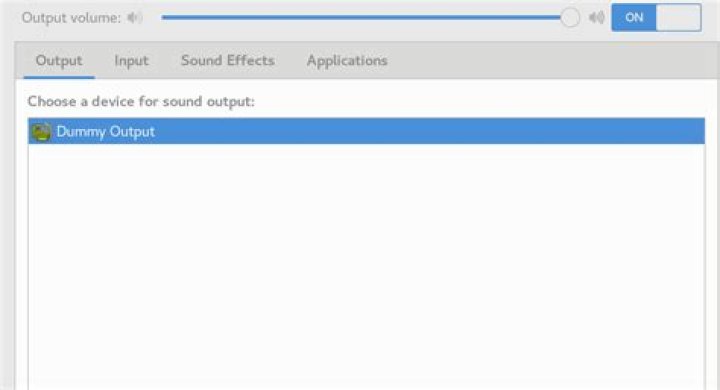
[msingh@localhost KVMfiles]$ aplay --list-devices aplay: device_list:272: no soundcards found... [msingh@localhost Extrasoftware]$ lspci -v | grep -A7 -i "audio" 00:1f.3 Audio device: Intel Corporation Device a3f0 Subsystem: ASUSTeK Computer Inc. Device 87d3 Flags: bus master, fast devsel, latency 32, IRQ 16 Memory at 6001020000 (64-bit, non-prefetchable) [size=16K] Memory at 6001000000 (64-bit, non-prefetchable) [size=64K] Capabilities: <access denied> Kernel driver in use: snd_hda_intel Kernel modules: snd_hda_intel [msingh@localhost Extrasoftware]$ dmesg | grep -iC 3 snd [ 4.159787] iwlwifi 0000:03:00.0: Direct firmware load for iwlwifi-cc-a0-50.ucode failed with error -2 [ 4.159794] iwlwifi 0000:03:00.0: Direct firmware load for iwlwifi-cc-a0-49.ucode failed with error -2 [ 4.159876] Bluetooth: hci0: Found device firmware: intel/ibt-20-1-3.sfi [ 4.160535] snd_hda_intel 0000:00:1f.3: enabling device (0400 -> 0402) [ 4.160664] snd_hda_intel 0000:00:1f.3: number of I/O streams is 16, forcing separate stream tags [ 4.161806] iwlwifi 0000:03:00.0: TLV_FW_FSEQ_VERSION: FSEQ Version: 43.2.23.17 [ 4.161808] iwlwifi 0000:03:00.0: Found debug destination: EXTERNAL_DRAM [ 4.161809] iwlwifi 0000:03:00.0: Found debug configuration: 0 -- [ 6.339324] IPv6: ADDRCONF(NETDEV_UP): wlp3s0: link is not ready [ 6.342194] IPv6: ADDRCONF(NETDEV_UP): eno1: link is not ready [ 6.372547] IPv6: ADDRCONF(NETDEV_UP): wlp3s0: link is not ready [ 7.167043] snd_hda_intel 0000:00:1f.3: azx_get_response timeout, switching to polling mode: last cmd=0x000f0000 [ 8.168139] snd_hda_intel 0000:00:1f.3: No response from codec, disabling MSI: last cmd=0x000f0000 [ 9.170036] snd_hda_intel 0000:00:1f.3: Codec #0 probe error; disabling it... [ 9.180425] snd_hda_codec_hdmi hdaudioC0D2: No i915 binding for Intel HDMI/DP codec [ 9.180782] hdaudio hdaudioC0D2: Unable to bind the codec [ 11.843661] logitech-hidpp-device 0003:046D:4022.0005: HID++ 2.0 device connected. [ 12.103290] bridge: filtering via arp/ip/ip6tables is no longer available by default. Update your scripts to load br_netfilter if you need this. [msingh@localhost Extrasoftware]$ [msingh@localhost Extrasoftware]$ lsmod | grep snd snd_hda_codec_hdmi 69632 0 snd_hda_intel 40960 0 snd_intel_dspcfg 24576 1 snd_hda_intel snd_hda_codec 151552 2 snd_hda_codec_hdmi,snd_hda_intel snd_hda_core 90112 3 snd_hda_codec_hdmi,snd_hda_intel,snd_hda_codec snd_hwdep 16384 1 snd_hda_codec snd_seq 81920 0 snd_seq_device 16384 1 snd_seq snd_pcm 110592 4 snd_hda_codec_hdmi,snd_hda_intel,snd_hda_codec,snd_hda_core snd_timer 36864 2 snd_seq,snd_pcm snd 94208 8 snd_seq,snd_seq_device,snd_hda_codec_hdmi,snd_hwdep,snd_hda_intel,snd_hda_codec,snd_timer,snd_pcm soundcore 16384 1 snd Also, the output is dummy 
1 Answer
OK, i got the working sol from here:
open alsa-base.conf as root - e.g.:
sudo gedit /etc/modprobe.d/alsa-base.conf and add the following lines at the end of the file options snd-hda-intel single_cmd=1 options snd-hda-intel probe_mask=1 options snd-hda-intel model=basic 



