
Like that of .txt or .html
9 Answers
easiest are cat, head, tail, tac (for reverse output)
less and more let you scroll the text files (less being more powerful)
you can also use text editors like nano, pico, vi, emacs
cat and less are good for this.
To Display the contents of a file use this command:
cat
Code: cat test.txt you can use cat, although its really meant for concatenation of files. more or less are 2 other tools you can use. Other's include awk, eg using awk
$ awk '1' file using sed
$ sed -n '1,$p' file using grep
$ grep "." file using head/tail to display some parts of the file
$ head -1000 file $ tail -1000 file Tools aside, you can also use just the shell to display your file
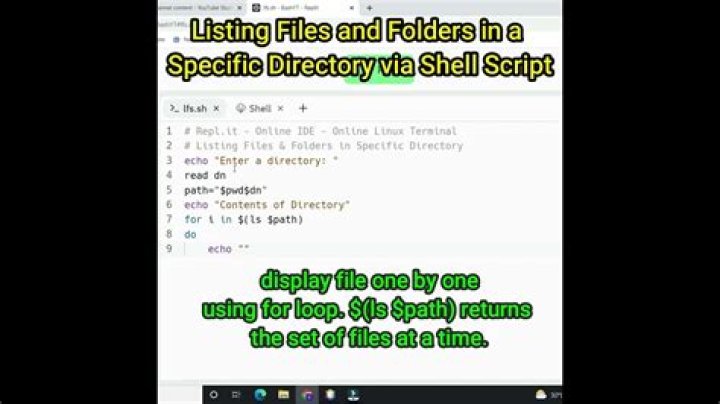
#!/bin/bash while read -r line do echo "$line" done <"file" Try cat , head or tail.
For viewing HTML files you can also use lynx, links, elinks or w3m which are text-mode browsers. They can also be used to view .txt files.
file : Display the type of file cat : Display the content of the file and outputs it on stdout.
You can use vi, emacs command to edit the file in Unix environment. If you do not have expertise in using vi/emacs you might find it little difficult to edit the file.
If you have X11 enabled, You can use a number of Linux editors like gvim, kate, kwrite, kdevelop etc.
Kwrite is my personal favorite in Linux.
Or, less or more. See the man pages for more information. :)
cat Works fine with txt or html. (or less or more if you want tosee it page by page) or any text ediotr... (vi, emcas, gedit...).
Also know that if it's a binary file it's may contain control char that will do some displeasing things with your terminal (like changing charset). If that happen use reset to put it back in sane state.
You can also use file on file before displaying it's content, the system will guess it's type (based on content not filename name) and show it to you.