
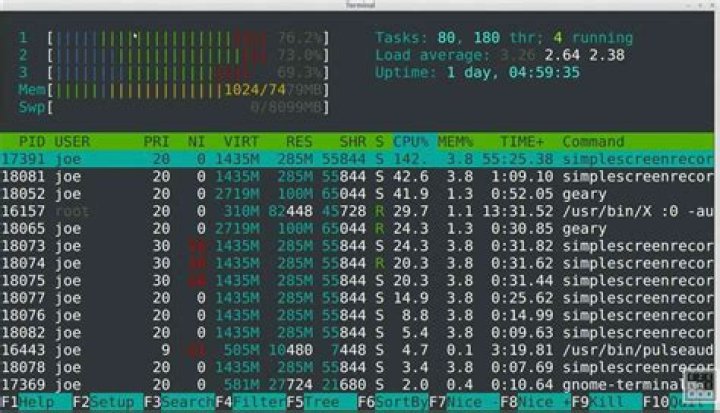
For the CPU cores, I think that blue means nice, green normal CPU use and red I/O. But I'm not sure and I haven't found a definite answer.
Then there are the colors for memory. What do green, blue and yellow mean there?
22 Answers
Press h inside htop for quick help.
CPU
Blue : Low-priority threads Green : Normal priority threads Red : Kernel threads Turquoise : Virtualization threads Memory
Green : Used memory Blue : Buffers Yellow/Orange : Cache Also, in the list of processes, there are some that appear in Green. The black ones are main processes and the Green ones are threads. In my example below, I'm running a repair on a Cassandra node and as we can see most entries are threads.





