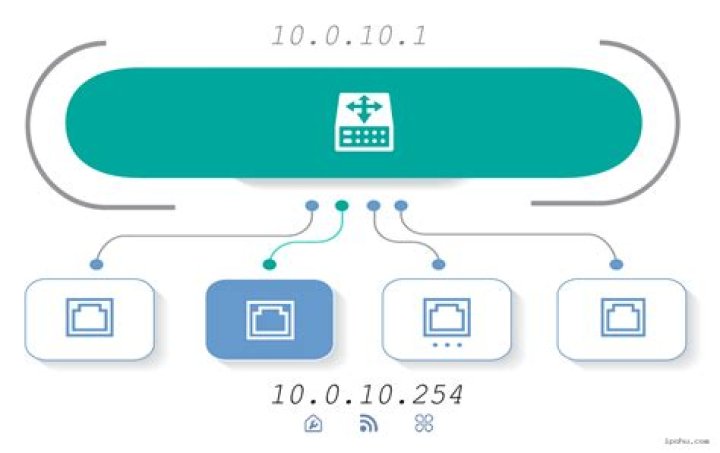

These are two questions probably referring to the same matter. I'm really new to this and even when I've dared to create my own private network. Although, I have an IP conflict between my wireless router and a WIFI repeater. The IP assigned to the router is 10.10.0.1 and the repeater is 10.0.10.254. When I connect the repeater I receive the message say that there is another network with the same IP address. Am I right? what should I do to correct the problem?
Edit One
Ok! my bad I didn't provide you with enough information. Thanks for being so kind on trying to help me solve the problem. According to what you wrote I'm adding some screenshots for you to have a better look of my scenary. First a screenshot where I captured my Dlink DIR-836L router's network settingsDLINK DIR-836L Network settings. And another screenshot showing my DIAMOND WR300N repeater network settings DIAMOND WR300N Network Settings.
My INTERNET source is DSL2 connection from a wired modem connected to the router. Initially I had to change the default IP address of the router because the modem came with same 192 IP so they wouldn't connect due to an obvios conflict. Later I bought the repeater to cover some dead-signal areas in my house and it came with that 10.0.10.254 IP by default. May be it's important to say that even when I get that windows 10 message, once I click on accept It seems to work fine. From time to time I experience problems connecting my wireless printer and then I have to disconnect the repeater, turn the printer on and then plug the repeater back. This conflict, in my way to understand things, might be causing my WIFI signal to slow down or drop some times.
Again, thanks for helping me.
73 Answers
The answer to your question depends on the subnet mask which is something you should be able to specify in the settings.
Keeping it simple though ... generally, you want to make sure everything is using the same subnet mask. With a 10.x.x.x network, your subnet mask can be 255.0.0.0 or /8 and then you can use any IP 10.X.X.X anywhere on your network (except the first 10.0.0.0 and the last 10.255.255.255)
If your subnet mask is 255.255.0.0 or /16, the first two numbers of the IP address need to be the same for everything that has to talk to each other. It restricts the range to 10.X.0.0 to 10.X.255.255 (you can pick anything you want for X - just have to keep it the same everywhere)
So if your subnet mask is 255.255.0.0 or /16 the 10.0.X.X and 10.10.X.X addresses you're using need to be the same, not different. Pick 0 or 10 for both addresses in that spot and stick with it consistently through everything in your router/repeater settings.
If your subnet mask is anything but 255.0.0.0 (or /8) or 255.255.0.0 (or /16) you should change it as then it starts to get complicated if you are dealing with values other than 255 or 0 in the subnet mask.
2What's the difference between the IP 10.10.0.1 and 10.0.10.254?
Other's answers cover the technical answer to this rather thoroughly.
To give a more practical answer for your case, the difference between them depends almost entirely on what subnet the devices are configured to use. In this case both devices are configured for 255.255.255.0. Thus:
- A device using subnet mask
255.255.255.0and the ip10.10.0.1will refuse to communicate via TCP/IP with any device that not using a10.10.0.xxxaddress. - A device using subnet mask
255.255.255.0and the ip10.0.10.254will like wise refuse to talk via TCP/IP with any device not using a10.0.10.xxxaddress. - Ergo, these two devices will not talk via TCP/IP (though... there's no need for them to, more on that in a bit).
This is because they are configured to be on different subnets... which is a way of dividing TCP/IP based networks in to smaller logical networks that do not talk directly with each other (though they do... just not via TCP/IP or anything that needs TCP/IP to work).
However, this should not affect your ability to repeat your wifi signal. TCP/IP is a layer 3 protocol. WiFi is a layer 2 protocol. Lower layer protocols, by design, do not depend on higher layer protocols to function correctly.
Only access to the management page of your repeater should be affected by it being on a different subnet (and then only when not plugged into the repeter directly with an ethernet cable). This has less to do with your router's / repeater's ip address and more to do with the DHCP range your router makes available to devices on your network. This will cause your wifi devices to have ip addresses in the range of 10.10.0.100 - 10.10.0.200 (and they will use the router's subnet mask, by default). This means your wifi devices will also be on a different subnet from the repeater and thus unwilling to communicate over TCP/IP with the repeater. And because HTTP(S) (which is used by your repeater and router to serve their management pages to you) is a layer 7 protocol which depends specifically on TCP/IP to work you wont be able to access the repeater's management page remotely.
The ideal fix here, given your router is at 10.10.0.1 is to change the ip address of your repeater to use an unused 10.10.0.x address as well. 10.10.0.254 would be preferable as it falls outside your DCHP range but is on the same subnet. If this change (and everything else) is working correctly you should then be able to access your repeater's management page at 10.10.0.254 while connected to your router. If not then try changing the ip to 10.10.0.200. Some poorly designed routers refuse to route TCP/IP traffic to any device that isn't within it's configured DHCP range. However, be aware this may lead to ip address conflicts later on. Note that when you change the repeater's ip you will need to use the new ip to access the management page for it from then on (including to refresh the page and see your change).
Once you can open the repeater's management page while connected to the router you will know two things:
- Your router and repeater are communicating properly with each other.
- The above ip settings you are using work correctly for your network.
Changing your subnet mask to 255.0.0.0 is also an option, but given this is intended for a home network you can't possibly have enough computers to need that many addresses available... and there are potential problems with poorly designed / non-standards compliant network devices (home routers and home wifi devices among them) that may surface when doing so.
Given that the question you ask in the heading has already been answered amply, I'll attempt to address the underlying issue you mention in the body. First, a couple of details here are critical. I'm going to make a few assumptions and you can correct me on anything that is wrong.
When I connect the repeater I receive the message say that there is another network with the same IP address.
You receive this message from where? The router's management page? Window's/*nix's notifications? Are you sure it said "IP address"? Are you sure it said "network"? Seeing the message itself would be a big help. (I would have asked all this in a comment but I'm not allowed to do that yet... apparently).
As it stands this message you describe doesn't make much sense. Networks don't have IP addresses. Individual devices (computers, smart phones, smart tvs, routers, etc) on a network do. Even then, not necessarily all devices will have an IP address (e.g. soho hubs, unmanaged switches, some home security devices, some networked cameras, etc).
From the screenshots you shared I don't see any evidence of an ip address conflict between your repeater and your router or any other device your router is aware of. I don't believe an ip address conflict is your issue.
I'm thinking your router/operating system may have notified you that it has picked up another device advertising the same wireless network id. This is a security feature in some newer wireless routers and newer operating systems that attempts to warn you if someone may be trying to trick you into connecting to their network to intercept your internet traffic. In your case, assuming this is the case, it's detecting that the wifi repeater is the broadcasting same SSID (wireless network name) and warning you about it. Using the same SSID is, however, exactly what you want. This is how wifi repeaters do their job. They should, however, be broadcasting on different channels (preferably 2-4 channels apart to reduce interference). You would have to see your devices documentation to know how to turn such security features off. You should try changing your ip as I described above first, as that may also correct the issue without needing to turn off security features.
7What's the difference between the IP 10.10.0.1 and 10.0.10.254?
They are both IP addresses. There's nothing very special about them. However, knowledgeable networking experts will instantly identify a few things:
- They look like IPv4 addresses (not IPv6 addresses)
- They both start with "10.", and so they fit within the IPv4 address range described by RFC 1918
- 10.10.0.1 looks like the first usable address of a /24 subnet, and 10.0.10.254 looks like the last usable address of a /24 subnet
I'm first going to describe subnet masks, so you can understand why multiple early comments were focusing on that segment of information. (Both Attie's first comment, and Rakibul Islam's (first) comment involve trying to check what subnet masks are being used.) In a nutshell, they are trying to figure out the size of the network that each device is trying to use.
With a /24 subnet, you can have up to 256 IP addresses in the network. The number in /24 refers to how many bits you are using to identify a network. IPv4 addresses are 32 bits. So when you are using a /24 subnet, that means 24 of your bits identify your network. The remaining 8 bits are used to identify individual devices in your network.
With IPv4, most devices use a "subnet mask" notation/style to specify the size of the network. Modern standards specify that when viewing a subnet mask's binary value, all the ones in a subnet mask start at the beginning. So, for a /24 network, this means you have 24 ones at the start, and then 8 zeroes at the end. Then, you split up the subnet mask into groups of 8, so you have: 11111111 11111111 11111111 00000000. Then, you convert each of those groups into a decimal number: 255 255 255 0. Then you stick periods in them, and get 255.255.255.0
Another possible subnet mask may be a /16 network (which is 11111111 11111111 00000000 00000000 = 255.255.0.0) and another possible subnet mask is /8 (11111111 00000000 00000000 00000000 = 255.0.0.0). Anything between /7 and /31 is possible, so you could have a subnet mask like a /23 (11111111 00000000 11111110 00000000 = 255.255.254.0), but people often like to use subnet masks that start with 255's and end with zeros.
The point of the subnet mask is to identify how big each network is. RFC 1918 says you can use the 10.0.0.0 /8 network for private use. That network consists of 16,777,216 addresses going from 10.0.0.0 through 10.255.255.255
However, what many people do is to split that one large network up into smaller networks (also called subnets). Since you said you are using a /24, the first 24 bits are treated as the "network ID" portion of every Internet address. So with an address like 10.10.0.1 and 10.10.0.150 are part of the same network, because the "network ID" portion of the address is "10.10.0." However, the 10.0.10.254 address is on a different network, because it has a different "network ID" portion of the address, which is "10.0.10."
This is why people wanted to know your subnet mask. If you were using /8 networks (with a subnet mask of 255.0.0.0), then fewer bits would be used to identify the "network ID" portion of the IP addresses. Your "network ID" portion would have just been "10.", so both 10.0.10.254 and 10.10.0.1 would have been part of the same network.
The first address of any network is often called the "network ID" address of that network. So, if you are using /24 networks, one of the possible available networks goes from 10.0.10.0 through 10.0.10.255, and the "network ID" address is "10.0.10.0". (With IPv4, though not IPv6, the last address of each network is called the "broadcast address". Modern IPv4 standards have decided both the "network ID" and the "broadcast address" are "unusable" for normal communication, so that leaves 10.0.10.1 through 10.0.10.254 to be the "usable" addresses.)
When I connect the repeater I receive the message say that there is another network with the same IP address. Am I right?
Are you right about what? If you say you're getting the message, we have no reason to doubt you.
what should I do to correct the problem?
We don't know. That's why you haven't received any prior answers. What would be helpful for us to figure out the problem is to know every IP address assigned to each "network connection" on your devices. By a "network connection", I'm referring to a wired network port and/or a wireless connection (using the antennas).
Offhand, I'm not sure how Wi-Fi repeaters work. They might require that the IP addresses are part of different networks. For Wi-Fi repeaters might require that the IP addresses are part of the same network. Maybe the device's behavior is configurable, and that might have an impact on the related requirements.
The other detail that you might be able to provide, which could potentially help this community to identify what is happening, is just what kind of equipment you are using. "Router" and "repeater" were good descriptions, but having the make/manufacturer and model numbers of the devices might be more helpful.
Although, I have an IP conflict between my wireless router and a WIFI repeater.
This does sound like a problem.
This usually means that multiple "network connections" (using the definition I provide above) are using the exact same IP address. That is typically always very bad. You probably do want multiple network connections to use the same networks, so devices can communicate. e.g., if one device uses 10.10.0.100 and one device uses 10.10.0.200, and your networks are sufficiently big (a /24 is fine, and if you have fewer network ID bits like a /16 or /8 then you have a bigger network so that is also fine), then both of those will be in a network like "10.10.0." and so could communicate okay. However, the ends of the addresses need to be different, or else you have an absolutely identical address, and that is the problem that usually exists when you hear the term "IP address conflict" (or just "IP conflict", or possibly "address conflict").
1



