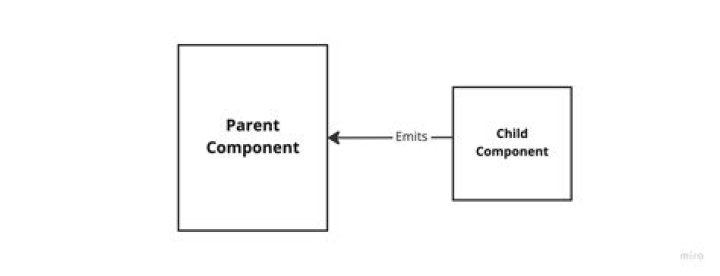

I've recently started working with VueJS, I'm using v3 and seem to be having an issue calling a method on a parent. The emit function in the child doesn't seem to be emitting the event and nothing is getting picked up in the parent.
I've included the parent and child to show how I have it set up
Parent
<template> <First/> < Child v-bind:sample="sample" @enlarge-text="onEnlargeText"/> </template> <script lang="ts"> import { defineComponent } from 'vue'; import axios from 'axios'; import First from './First.vue'; import Child from './Child.vue'; export default defineComponent({ name: 'Container', components: { First, Child, }, methods: { onEnlargeText() { console.log('enlargeText'); }, }, data: () => ({ sample: [], parentmessage: '', }), created() { axios.get(') .then((response) => { console.log(response); this.sample = response.data; }) .catch((error) => { console.log(error); }); }, }); </script> Child
<template> <div> <form @submit.prevent="submit"> <label for="text">Text:</label> <input type="text" v-model="text" required> <p >{{ error }}</p> <div> <button type="submit">Submit</button> </div> </form> <button v-on:click="tryThis"> Enlarge text </button> </div> </template> <script lang="ts"> import { defineComponent, ref } from 'vue'; import axios from 'axios'; interface SampleInterface { text: string; error: string; } export default defineComponent({ name: 'Add', data: (): AddInterface => ({ text: '', error: '', }), methods: { tryThis() { this.$emit('enlarge-text'); }, submit() { this.$emit('enlarge-text'); }, }, }); </script> How should this be done? Is there something I've missed?
I was wondering can I still use $emit here?
1 Answer
You should add the new emits option containing the emitted event names :
child :
<template> <div> <button v-on:click="tryThis">Enlarge text</button> </div> </template> <script lang="ts"> import { defineComponent } from "vue"; export default defineComponent({ name: "Child", emits: ["enlargeText"], methods: { tryThis() { console.log("trying"); this.$emit("enlargeText", "someValue"); }, }, }); </script> Parent :
<template> <div> <p>Container</p> <Child @enlargeText="onEnlargeText" /> </div> </template> <script lang="ts"> import { defineComponent } from "vue"; import Child from "./Child.vue"; export default defineComponent({ name: "UrlContainer", components: { Child, }, methods: { onEnlargeText() { console.log("enlarging text"); }, }, }); </script> 



