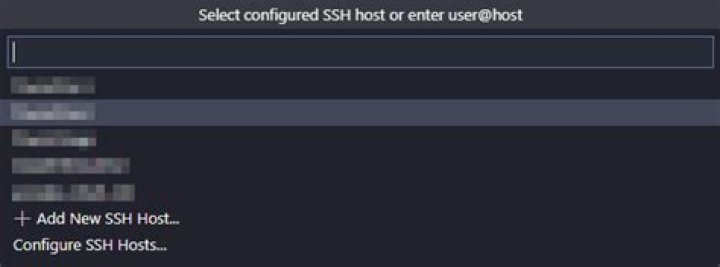
I'm trying to connect to a server via remote-ssh extension for Visual Studio Code, however, I'm getting the following error:
The vscode server failed to start SSH
Everything is fine on the server-side, and the connection to this host worked fine for a while.
Any suggestions to re-access the server via remote-ssh extension?
10 Answers
After a while, I found a solution that can be useful to others.
In VS Code press:
CTRL + SHIFT + P
Type or select the option:
Remote-SSH: kill VS Code Server on Host...

Select the host name:
And after this procedure, try connecting again to the host.
That worked for me.
4In my case it was ssh plugin issue. I updated remote ssh plugin then it worked
1Remote-SSH: kill VS Code Server on Host...
Didn't work for me, so I tried the other option:
Remote-SSH: Uninstall VS Code Server from Host...
It took a bit more time but worked for me!
For raspberry pi this helped me
Ok so it seems I was able to find a workaround provided here.
"I think you're having the same issue as me, but it's actually caused by an update to the pi. VScode is reading the uname -m value, the machine hardware name, which is returning aarch64, and so it is trying to run the 64 bit version of the remote server. In reality, your pi is likely using a armv7l (32 bit) user space. Remove the vscode remote server currently on the pi, then add arm_64bit=0 to /boot/config.txt and restart. If uname -m returns armv7l, then vscode should work again."
- Remove vscode server from RPi:
rm -rf ~/.vscode-serveron the RPi.- Add the
arm_64bit=0to/boot/config.txtand restart as stated above on the RPi.- Start your vscode again from the host and start your remote connection. This will download the correct server.
Remove vscode server config from home dir
- run
rm -rf ~/.vscode-server - then try connecting again, it worked for me
One other possible reason is your remote machine may not have enough space. So check that.
wrong proxy setting may cause problem. If Remote-SSH: kill VS Code Server on Host command not work for you, open settings and clear proxy setting and retry.
Everything is fine on the server-side, and the connection to this host worked fine for a while.
In case it is a simple intermittent network issue, VSCode 1.70 (July 2022) will retry the connection for you (up to 5 times)
See issue 127565 and PR 156444
Retry up to 5 times the initial authority resolving and also retry up to 5 times the initial connection
When connecting to a remote, if the initial connection fails, we will give up. The idea was that retrying would be useless, since the initial setup might have failed.
But it is possible that perhaps it was an intermittent network error.
This is available in VSCode insiders today.
Update the Remote ssh check file groups belongs to same group if you manually copied .vscode-server
1If you also have dev containers running on the remote host. You may fail to kill the vscode-server (thus somehow fail to reconnect) since the vscode-server in containers are running as root on the remote host. You need to first kill the running containers (docker stop <container_name>) and try reconnecting again.




