In VLC PLayer for Windows and Linux when playing a video file I can click a button or press CTRL + L to "hide" the video and view the playlist/library, handy for (pseudo) music videos.
In the view menu there is an option which shows the shortcut, this is not the case on macOS. Control and L do nothing, ⌘+L is for repeat all.
VLC Windows View Playlist Screenshot:

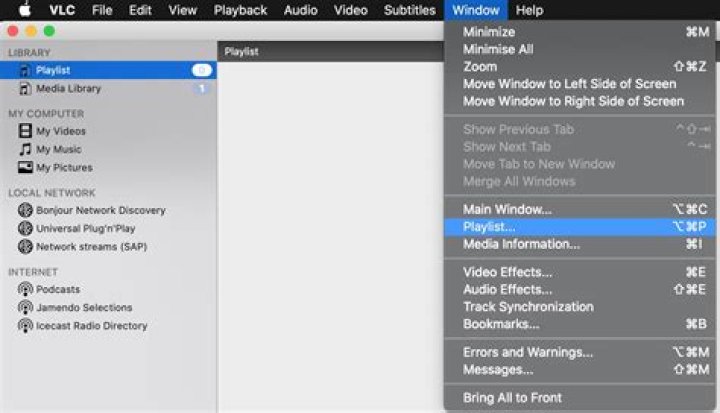
VLC Player macOS View Menu Screenshot:
Is there a keyboard shortcut to do this on macOS?
81 Answer
On macOS VLC Version 3.0.11 (where the screenshot is taken from):

option + cmd + p => shows/hides playlist, it is in the Window menu - with the note that doesn't work in full screen.




