
Running Mate 16.04 LTS I tried to upgrade the kernel because I swapped my crappy wifi for an Intel AC 9260 and wanted the kernel support.
After running through the steps listed on How to Install Linux Kernel 4.16 on Ubuntu 17.10 and Ubuntu 16.04 LTS (Softpedia) I am running into:
$ uname -a Linux CQF-MSI 4.13.0-38-generic #43~16.04.1-Ubuntu SMP Wed Mar 14 17:48:43 UTC 2018 x86_64 x86_64 x86_64 GNU/Linu Any ideas?
32 Answers
To Upgrade Ubuntu Kernal :
Check your current version of Ubuntu :
$ lsb_release -a Check your current ke0rnel :
$ uname -mrs Find Latest Release :
$ sudo apt update $ apt-cache search linux-generic Or use :
$ apt-cache search linux-image Install latest Version :
$ sudo apt install linux-image-4.xx Reboot :
$ sudo reboot Verify the updated version :
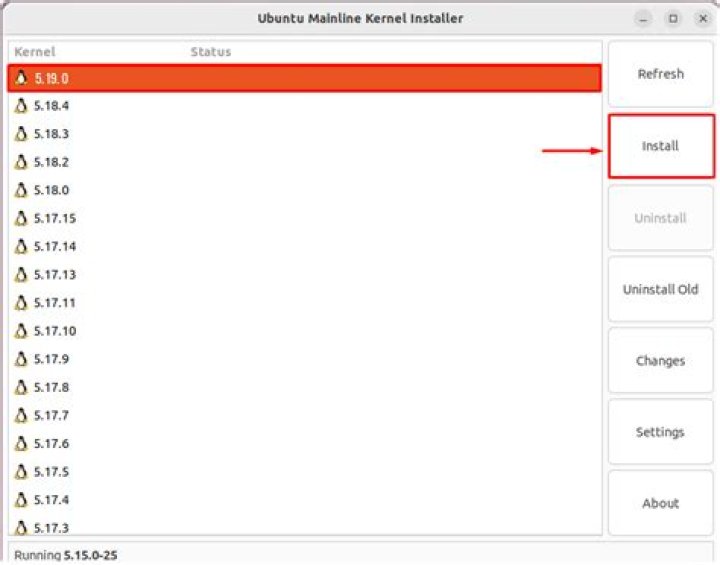
$ uname -mrs Alternatively you can use UKUU:
$ sudo add-apt-repository ppa:teejee2008/ppa $ sudo apt-get update $ sudo apt-get install ukuu -y $ ukuu –help # To show commands Now to use UKUU :
$ ukuu –list $ xhost + $ sudo ukuu --install v4.xx.x # x is the version number you want to install Reboot and check:
$ reboot $ uname -r Thanks to @An0n for the help It turns out it was my EFI bootloader (rEFInd) where I needed to select the correct kernel.
UKUU is a great tool here.




