
I am trying to install the R package marmap on my workstation at the uni. I am running Xubuntu LTS 14.04.5, kernel version 4.4.0-45, with RStudio Version 0.99.903 and R version 3.3.1. When installing the marmap package, there is a a lot (!) of information buzzing by, ending with
** R ** demo ** inst ** preparing package for lazy loading ** help *** installing help indices ** building package indices ** testing if installed package can be loaded * DONE (igraph) * installing *source* package ‘gdistance’ ... ** package ‘gdistance’ successfully unpacked and MD5 sums checked ** R ** data ** inst ** preparing package for lazy loading ** help *** installing help indices ** building package indices ** installing vignettes ** testing if installed package can be loaded * DONE (gdistance) ERROR: dependency ‘ncdf4’ is not available for package ‘marmap’ * removing ‘/home/francesc/R/x86_64-pc-linux-gnu-library/3.3/marmap’ Warning in install.packages : installation of package ‘marmap’ had non-zero exit status Here, I figured that "non-zero exit status" means, that it didn't install correctly. So, I'd install the package ncdf4 first, only to be confronted with the following:
install.packages("ncdf4") Installing package into ‘/home/francesc/R/x86_64-pc-linux-gnu-library/3.3’ (as ‘lib’ is unspecified) trying URL ' Content type 'unknown' length 119570 bytes (116 KB) ================================================== downloaded 116 KB * installing *source* package ‘ncdf4’ ... ** package ‘ncdf4’ successfully unpacked and MD5 sums checked configure.ac: starting checking for nc-config... no ----------------------------------------------------------------------------------- Error, nc-config not found or not executable. This is a script that comes with the netcdf library, version 4.1-beta2 or later, and must be present for configuration to succeed. If you installed the netcdf library (and nc-config) in a standard location, nc-config should be found automatically. Otherwise, you can specify the full path and name of the nc-config script by passing the --with-nc-config=/full/path/nc-config argument flag to the configure script. For example: ./configure --with-nc-config=/sw/dist/netcdf4/bin/nc-config Special note for R users: ------------------------- To pass the configure flag to R, use something like this: R CMD INSTALL --configure-args="--with-nc-config=/home/joe/bin/nc-config" ncdf4 where you should replace /home/joe/bin etc. with the location where you have installed the nc-config script that came with the netcdf 4 distribution. ----------------------------------------------------------------------------------- ERROR: configuration failed for package ‘ncdf4’ * removing ‘/home/francesc/R/x86_64-pc-linux-gnu-library/3.3/ncdf4’ Warning in install.packages : installation of package ‘ncdf4’ had non-zero exit status The downloaded source packages are in ‘/tmp/RtmpC5Luhz/downloaded_packages When I tried to run the suggested command in a terminal:
R CMD INSTALL --configure-args="--with-nc-config=/home/francesc/bin/nc-config" ncdf4 The response was the following:
~$ sudo R CMD INSTALL --configure-args="--with-nc-config=/home/francesc/bin/nc-config" ncdf4 [sudo] password for : Warning: invalid package ‘ncdf4’ Error: ERROR: no packages specified
Now I am a bit at a loss, can anyone point me in the right direction ? Much appreciated !
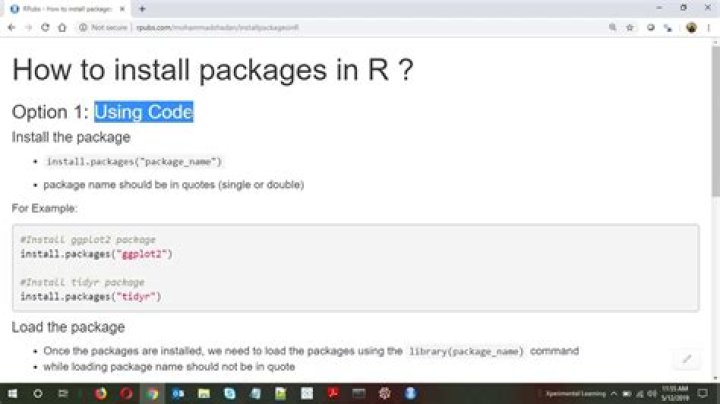
PS Earlier this month, I found and applied a super-simple command in the command line, to install an R package, but I can't seem to find anymore. Literally a five-word string, which faultlessly installed an R package from the terminal. Is there an easy way to install R packages from the command line ?
Francesc
21 Answer
ncdf4 require system libraries be installed, so you have a couple of options:
Install the pre-built
ncdf4package from the repositories:sudo apt-get install r-cran-ncdf4This will automatically pull in the required system dependencies.
Or, you can install the system dependencies explicitly:
sudo apt-get install netcdf-binThen, install the R package:
> install.packages('ncdf4')