
I installed expressvpn with Chrome extension. And even when I disable the VPN my system keeps changing my DNS to 127.0.0.53 and I have to manually change it back to 192.168.1.1 for internet to work. And I have to do this every hour or so.
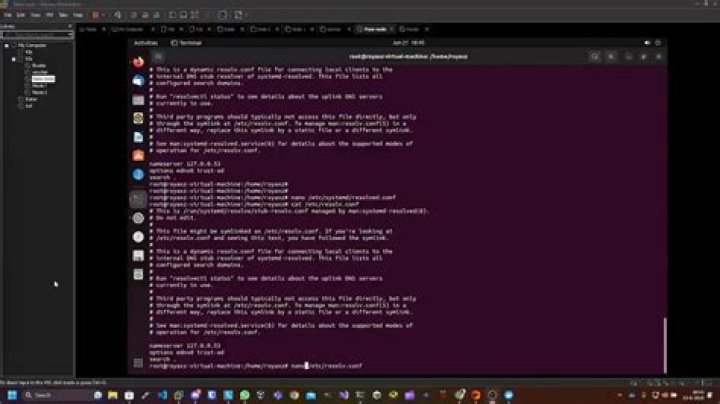
Ubuntu changes /etc/resolv.conf to this
# Generated by NetworkManager nameserver 127.0.0.53 What I have tried: I tried to set DNS globally but it didn't help
/etc/systemd/resolved.conf # This file is part of systemd. [Resolve] DNS=192.160.1.1 I am running Ubuntu 20.04.2 LTS
UPDATE: Here is ls -al /etc/resolv.con
$ ls -al /etc/resolv.con -rw-r--r-- 1 root root 53 Jun 15 16:20 /etc/resolv.conf UPDATE 2 I had also installed dnsmasq a while ago
3 Answers
The file /etc/resolv.conf is intended to be a symbolic link for networking, dnsmasq, etc. to work properly. Yours is faulty so let’s fix it:
sudo rm -f /etc/resolv.conf sudo ln -s /run/systemd/resolve/resolv.conf /etc/resolv.conf I suspect that the improvement will be immediate; please check:
ping -c3 If you get ping returns, you’re all set.
Generated by NetworkManager
Means that DNS is not taken care of by Systemd but by NetworkManager, so modifying systemd-resolved config will not do anything, here is a way to set that up
The annoying thing here is that you basically have to "hack" either Network Manager or systemd-resolved to configure a custom DNS.
Here is a way to do it using a package called resolvconf. This package ensures that /etc/resolv.conf is updated with your custom DNS info.
Install:
$ sudo apt update $ sudo apt install resolvconf Check service is running: (if not enable and start)
$ sudo systemctl enable resolvconf.service $ sudo systemctl start resolvconf.service $ sudo systemctl status resolvconf.service Edit config file:
$ sudo nano /etc/resolvconf/resolv.conf.d/head Add the following lines: (your custom and Google for fallback)
nameserver 192.168.1.1 nameserver 8.8.8.8 nameserver 8.8.4.4 Save the file and restart the service:
$ sudo systemctl restart resolvconf.service Check that your custom DNS have been added to /etc/resolv.conf:
$ cat /etc/resolv.conf