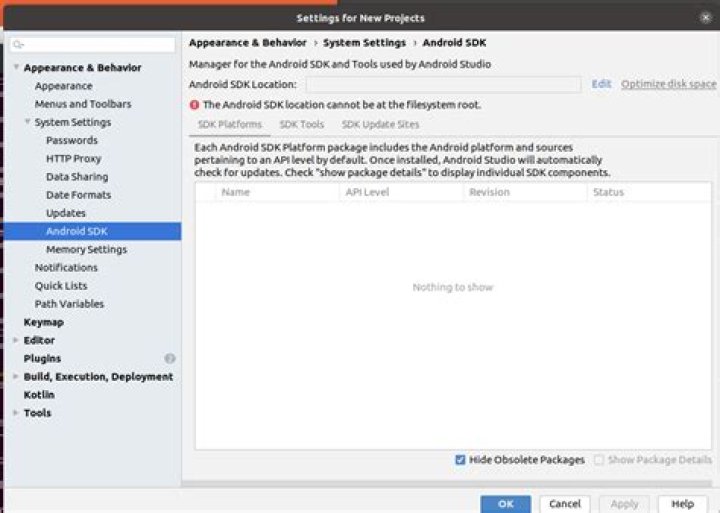
I have the "Ubuntu android sdk location can not be at the filesystem root" Error with android studio :

in this os :
so@sosa:~$ lsb_release -a No LSB modules are available. Distributor ID: Ubuntu Description: Ubuntu Groovy Gorilla (development branch) Release: 20.10 Codename: groovy I have tried google it and don't find any solution, so Would you mind, help me to solve it?
Thanks.
1 Answer
Click on Edit just beside the Android SDK Location box
You'd be redirected to a window with a couple of components to install, and a new location automatically selected for where to install them. Go ahead and install, and take note of your new SDK location