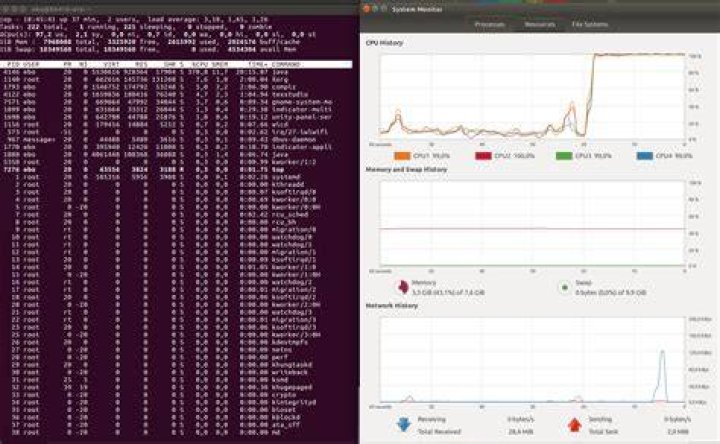

On Mar 2, 2020, I tried booting my Ubuntu 18.04.1 VM (VirtualMachine) for the first time since Feb 13, and found that it was unstable. Actually, I first found it locked up. I got a blank purple screen. I deleted my whole VHD (Virtual Hard Drive) and restored it from my backup of Feb 13, my Ubuntu_18.04.1 folder containing my VHD, Ubuntu_18.04.1-2.vdi. Then I got a login screen and got in. However, it soon locked up. I was using VirtualBox ver 6.1.2-135663. It's on Windows 10. VirtualBox version 6.1.4 was available, so I upgraded to version 6.1.4-136177. Then after booting my VM, it was unstable. It would show a mis-coloured pixel or two and lock up briefly after I opened a terminal window and moved it. Desktop background and icons disappeared. They reappeared and then I could move the terminal window again. But then it logged out and when I logged back in, my terminal window was closed. That's no good. It's a sick puppy. I'm using a 20 GB dynamically-allocated VHD, up to ~12,900,000 kB as of Feb 13.
I tried changing the display adapter in VB (VirtualBox) back and forth, and also changing the Linux display manager from gdm3 to lightdm, but it didn't help. Googling, I didn't find any other complaint about this exact problem, but entering my title, there are a few other related complaints that I can look at, so I'll look at those in the meantime. I have a native install of Ubuntu 18.04.1 on a separate PC, and it's solid. I tend to suspect VirtualBox, but why would ver 6.1.2 suddenly go funny on me? Maybe a Windows 10 automatic update?
Any ideas?
3 Reset to default