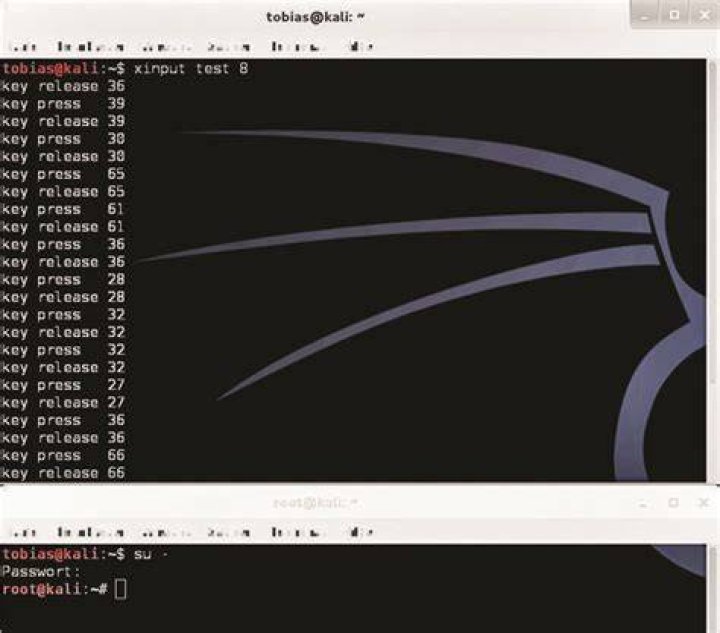

I have xinput test 8 to see touch screen inputs. But since 5 hours i can not see where its touching. Before 5 hours it was working fine.
Then i updated the kernel and also updated to latest kernel but the problem remain same as always. How can i make sure the xinput test 8 capture of touchscreen is working at all or not?
$ download wget wget wget wget sudo dpkg -i linux*.deb $ init 6 $ udevadm info --export-db | grep Elo E: ID_MODEL=Elo_TouchSystems_2700_IntelliTouch_r__USB_Touchmonitor_Interfac E: ID_MODEL_ENC=Elo\x20TouchSystems\x202700\x20IntelliTouch\x28r\x29\x20USB\x20Touchmonitor\x20Interface E: ID_SERIAL=Elo_TouchSystems__Inc._Elo_TouchSystems_2700_IntelliTouch_r__USB_Touchmonitor_Interfac_20E10439 E: ID_VENDOR=Elo_TouchSystems__Inc. E: ID_VENDOR_ENC=Elo\x20TouchSystems\x2c\x20Inc. $ sudo evtest /dev/input/event3 Input driver version is 1.0.1 Input device ID: bus 0x3 vendor 0x4e7 product 0x20 version 0x100 Input device name: "Elo TouchSystems, Inc. Elo TouchSystems 2700 IntelliTouch(r) USB Touchmonitor Interface" Supported events: Event type 0 (EV_SYN) Event type 1 (EV_KEY) Event code 272 (BTN_LEFT) Event type 3 (EV_ABS) Event code 0 (ABS_X) Value 0 Min 0 Max 4095 Event code 1 (ABS_Y) Value 0 Min 0 Max 4095 Event code 40 (ABS_MISC) Value 0 Min 0 Max 256 Event type 4 (EV_MSC) Event code 4 (MSC_SCAN) Testing ... (interrupt to exit) 2 Answers
It's not entirely clear from your question whether your touch screen completely stopped working, or that it's just xinput test that stopped working.
In the latter case: It is possible that the device id 8 has changed. Try running
xinput list and see what id number it says next to your touch screen. Then substitute it like
xinput test NUMBER Its working with old kernel, latest all kernels does not work and its slow when touch is pressed.
$ sudo modprobe elo` $ uname -r 3.2.0-29-generic