I have a Acer w700 Windows tablet and I have installed Windows 10.
However the on screen keyboard is not launching automatically.
On Windows 8 when you tapped on something you could type into the keyboard pop up automatically, but I can't find where to configure this on Windows 10.
1 Answer
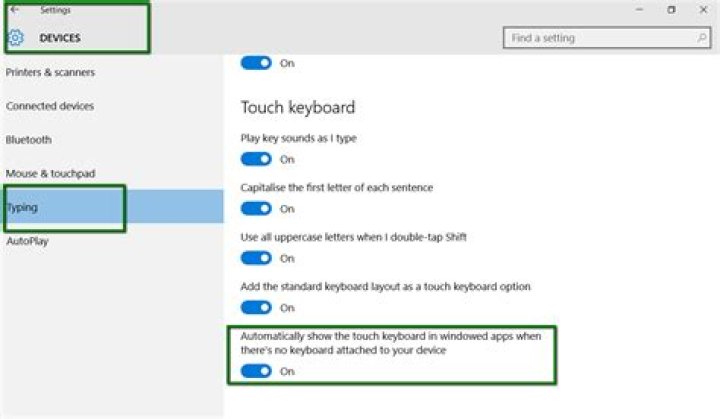
This can be configured under Settings, Devices, Typing:

However, you may find it's already switched on. I noticed on a tablet after putting Windows 10 on it that the on-screen keyboard didn't pop up automatically. I had to use the Accessibility icon to get a keyboard when logging on, or I had no way enter my password. But then it seemed to settle down and it started working. You may find the same thing, and it will start working eventually.
2



