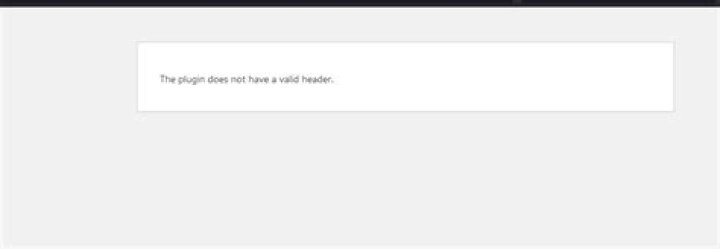
I have wordpress version 3.4.2
Whenever I try to activate a plugin after installing it I get
The plugin does not have a valid header. I tried removing the blank spaces between
<?php /* plugin info inside the plugin_name.php file. However, it does not resolve the issue.
Any workaround?
45 Answers
One of your plugins is bad. I'm guessing you know which one is likely to be the culprit.
Delete its wp-content/plugins/myplugin directory from your server entirely. Then, when you display your Plugins page you should get a notice announcing that the plugin you just deleted has been disabled. The other stuff should work.
Fix your plugin code. Make sure you know precisely what's in the zip file or directory hierarchy you upload. Get rid of extra stuff like nested zip files or .svn directories.
Upload it and try to activate it again.
1Maybe in your header, there are such characters $ : % / & (or etc), like:
<?php /* Plugin Name: Simple:Press & % $ */ ?> Try to remove that, and then activate again.
Back up your WP site and update your Wordpress version and the relevant plug-in.
I faced the same issue with a plug-in I've used for over 2 years - Page Builder by SiteOrigin. It wasn't compatible with Wordpress 4.9.9 as well as before and the developers had not informed us about the updates to the plug-in.
Solution:
I have solved this error "The plugin does not have a valid header".
The following code is the "Header" of every WordPress plugin that you must use in your plugin PHP files.
/* * Plugin Name: My Basics Plugin * Plugin URI: * Description: Handle the basics with this plugin. * Version: 1.10.3 * Requires at least: 5.2 * Requires PHP: 7.2 * Author: John Smith * Author URI: * License: GPL v2 or later * License URI: * Update URI: * Text Domain: my-basics-plugin * Domain Path: /languages */Important: If your plugin main folder also has sub-folders that contain other php files then you must add the same "Header" in all those PHP files.
I read a few comments where developers said that it works with double activation. This is a misconception. When you want to install the plugin zip file from the "Upload Plugin" section, it installs the plugin and asks you to "Activate" it. And when you click the "Activate" blue button you get the error "The plugin does not have a valid header". It actually checks the "Plugin Header" of all the PHP files of your plugin. And if any PHP file header is missing then it will reflect this error.
Try this and comment here if it works for you.
Thanks and Regards
1This error occurs when the plugin name specifically has nonalphabetic characters. For example in the plugin name you can see an author using & as seen in the code below:
/** * Plugin Name: Plugin Name & Some Text * Plugin URI: * Description: Plugin description * Version: 1.0.0 * Author: Joe Njenga * Author URI: * License: GPL-2.0+ * License URI: * Text Domain: text-domain * Domain Path: /languages */ This results in the error

You can correct it by removing such a character in the plugin name or you can activate the plugin by visiting the wp-admin/plugins.php? admin page after the upload of the plugin zip.




