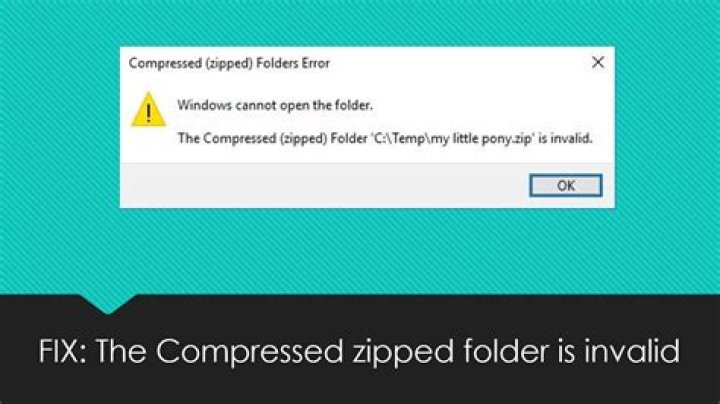

I have a zip archive of ~250Mb located on an Apache HTTP server. Several users have complained of a "corrupt zip folder" after downloading the file directly from the website (albeit the site is built on Drupal but it is using the public download method so it should be a direct download)
The error message when they try to open it in Windows is:
The compressed (zip) folder is invalid or corrupted
I have tried this myself on Windows XP and using both Firefox 14 and IE8. Sometimes it downloads and opens correctly, sometimes I get the error.
Another user is on Windows 7 and using Internet Explorer and has got this message after several download attempts.
When I download via FTP using Filezilla I can open the zip file without errors.
As FTP and HTTP download works at times, then I assume the file on the server is not corrupted but something happens during download and re-uploading the file would not fix anything (and I have tried this).
I created the zip file using IZArc but I am not so sure the method of creation is relevant in this case as it sometimes works.
- What causes the above error messages?
- Why does it happen some of the time and not all of the time?
- What could I do to ensure zip files open without any errors in future?
6 Answers
What causes the above error messages?
The download is probably corrupted or truncated (incomplete). Check if the downloaded filesize is same as the size on the server.
Why does it happen some of the time and not all of the time?
The download could be truncated due to the connection being dropped, which is something random - it might happen and might not happen. If your connection quality is better, it'll probably be less likely to occur.
What could I do to ensure zip files open without any errors in future?
Provide checksums for all your downloads, and get your users to verify them. You can't really avoid network issues, however. You may wish to speak to your host.
6One thing you can do to troubleshoot what's going on is to use MD5 or SHA-1 hashes of that zip file. I assume you have the original zip available to you offline.
Using Cygwin, you can compute a SHA-1 or MD5 hash of your zip file then publish the result. Hashes are really cool because they can be used to verify to the bit level that one file is exactly the same as another. For example: The hash for a file containing "0123456789" is 3749f52bb326ae96782b42dc0a97b4c1. The hash for a file containing "1123456789" is b0b7fa225796be83e7fea1345c13d3dd.
If I remember my ASCII right, there's only a single bit difference between the two strings but as you can see there's a huge difference in the resulting hashes. Publishing an MD5 or SHA-1 hash is a very common thing to do in the software development world since it's a very good way to ensure that you're files aren't corrupted. After publishing the MD5/SHA-1 hash, you could have your customers take a hash of the zip to see if it's actually corrupted or not.
There are plenty of utilities out there for Windows, Linux and Mac that will generate MD5 and SHA-1 hashes. I use Cygwin because it's free.
1This usually occurs when one of the file names in your folders has a special character, such as quotation marks ". You have to ignore those files.
But it is difficult when you have several thousand files, maybe you can try 7-zip.
1Ah, user110346 is onto something.
I had the same issue - created a .zip on a Mac that resulted in an error on Windows 7 (but extracted properly on the Mac).
Following his hint, I noticed that I have a bunch of folders with a bullet in the name (option-8 on the Mac keyboard). Removed all those folders, re-zipped and presto - the .zip file works without issue on Windows.
So, apparently, using characters that are illegal in Windows in the filenames contained in the zip-file will cause Windows to report the "the compressed (zipped) file XYZXYZ is invalid" error with opening the .zip file.
1If file on client side have correct size, this situation might be caused by faulty memory on client PC or faulty network equipment in between. Often random bit-switching is not especially apparent in many applications, but when it comes to checksums that are used to check archive integrity, every bit matter and those errors become obvious.
I am running Windows XP. I was getting that same message and was unable to open a zip file until I downloaded winzip185 off the internet. Then, from inside winzip, I was able to easily open the file and drag and drop it onto my desktop. Hope that helps!
1



