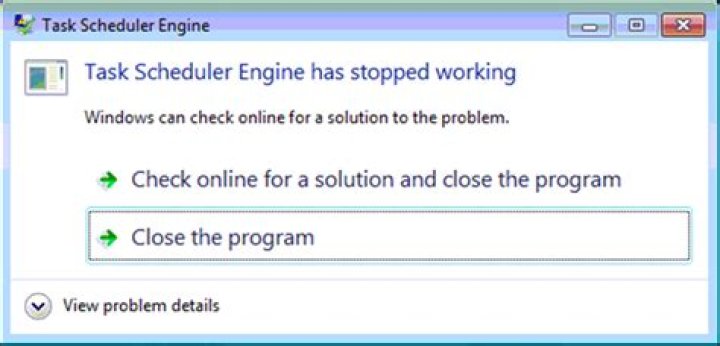
What could be the cause of the following error on Windows 7?
How can I debug the root cause of this reoccurring error?

The message reads:
Task Scheduler Engine has stopped working Windows can check online for a solution to the problem. - Check online for a solution and close the program - Close the program 2 Answers
Do the following:
Open the Start menu
Type
cmdinto the search field and press Enter to open a command promptType the following command and press Enter
bcdedit.exe /set {current} nx AlwaysOff
I found this to explain the bcdedit command:
Data Execution Prevention (DEP) is security feature that first introduced in Windows XP Service Pack 2 (SP2) and is included in Windows XP Tablet PC Edition 2005, Windows Server 2003 Service Pack 1 (SP1) and Windows Vista, plus future operating system. DEP is intended to prevent an application or service from executing code from a non-executable memory region. DEP is enforced by hardware technology that detects code that is running from the default heap and the stack and raises an exception to terminate the process when execution occurs, and software-enforcer that prevent malicious code from taking advantage of exception-handling mechanisms in Windows. In short, DEP perform additional checks on memory to prevent malicious code or exploits from running on the system by shut down the process once detected.
However, Data Execution Prevention may accidentally shut down legitimate process from valid applications or services, particularly third-party installers used by software developers that release their products for download through the Web, or software programs that are less commonly used. To make thing worse, DEP normally does not or fails to display or show any warning or information or acknowledgment message prompt that can let you know that DEP has shut down a process, thus causing you unaware of the reason why your setup file cannot run, or why your computer cannot start a service and etc.
Good news is that you can disable or turn off Data Execution Prevention (DEP) globally in Windows Vista. To stop the DEP protection, launch an elevated command prompt shell with administrative priviledges and credentials (log on to Windows Vista with a user account with administrator rights, and then right click on Command Prompt icon and select “Run as Administrator, or turn off UAC). Then execute the following command:
bcdedit.exe /set {current} nx AlwaysOff
If you regret your decision and now wants to enable or turn back on the DEP protection for your Windows Vista, simply use the following command instead:
bcdedit.exe /set {current} nx AlwaysOn




