
Here is my hardware configuration:
- Mainboard: B550M-HDV
- CPU: AMD Ryzen 7 5700G
OS: Ubuntu 20.04.3
When I run sensors :
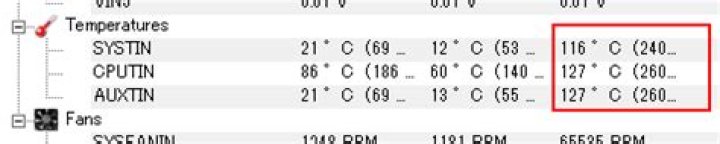
stulluk ~ $ sensors nct6793-isa-0290 Adapter: ISA adapter in0: 752.00 mV (min = +0.00 V, max = +1.74 V) in1: 1.87 V (min = +0.00 V, max = +0.00 V) ALARM in2: 3.46 V (min = +0.00 V, max = +0.00 V) ALARM in3: 3.39 V (min = +0.00 V, max = +0.00 V) ALARM in4: 240.00 mV (min = +0.00 V, max = +0.00 V) ALARM in5: 120.00 mV (min = +0.00 V, max = +0.00 V) ALARM in6: 904.00 mV (min = +0.00 V, max = +0.00 V) ALARM in7: 3.46 V (min = +0.00 V, max = +0.00 V) ALARM in8: 3.30 V (min = +0.00 V, max = +0.00 V) ALARM in9: 1.84 V (min = +0.00 V, max = +0.00 V) ALARM in10: 168.00 mV (min = +0.00 V, max = +0.00 V) ALARM in11: 120.00 mV (min = +0.00 V, max = +0.00 V) ALARM in12: 1.87 V (min = +0.00 V, max = +0.00 V) ALARM in13: 1.70 V (min = +0.00 V, max = +0.00 V) ALARM in14: 184.00 mV (min = +0.00 V, max = +0.00 V) ALARM fan1: 0 RPM (min = 0 RPM) fan2: 2532 RPM (min = 0 RPM) fan3: 0 RPM (min = 0 RPM) fan4: 0 RPM (min = 0 RPM) fan5: 0 RPM (min = 0 RPM) SYSTIN: +120.0°C (high = +0.0°C, hyst = +0.0°C) sensor = thermistor CPUTIN: +45.0°C (high = +80.0°C, hyst = +75.0°C) sensor = thermistor AUXTIN0: +31.0°C (high = +0.0°C, hyst = +0.0°C) ALARM sensor = thermistor AUXTIN1: +111.0°C sensor = thermistor AUXTIN2: +111.0°C sensor = thermistor AUXTIN3: +111.0°C sensor = thermistor SMBUSMASTER 0: +78.5°C PCH_CHIP_CPU_MAX_TEMP: +0.0°C PCH_CHIP_TEMP: +0.0°C PCH_CPU_TEMP: +0.0°C intrusion0: OK intrusion1: ALARM beep_enable: disabled nvme-pci-0400 Adapter: PCI adapter Composite: +34.9°C (low = -273.1°C, high = +81.8°C) (crit = +84.8°C) Sensor 1: +34.9°C (low = -273.1°C, high = +65261.8°C) Sensor 2: +42.9°C (low = -273.1°C, high = +65261.8°C) amdgpu-pci-0500 Adapter: PCI adapter vddgfx: 912.00 mV vddnb: 1.02 V edge: +45.0°C power1: 2.00 mW stulluk ~ $ Are these SYSTIN or AUXTIN temperatures normal ?
1 Answer
These temperatures don't make sense, or your case would have melted down by now.
These are most likely for AUX temp sensors which you don't have or are not connected. Not all motherboards have all sensors, but this doesn't stop the software from looking for them, so not finding real values.
You may ignore these numbers (unless you do see smoke coming out).
3



