I normally use the WebStorm IDE for Node.js and FE JavaScript development. However I was thinking of using Sublime Text 3 since I am running out of computing power on a crappy old Macbook Pro and ST3 should be lighter on memory and CPU.
However, my one hangup is that ST3 doesn't seem to have a command line terminal integration possible. I find this to be a very useful feature that's available in Eclipse and WebStorm.
I did some Googling and I don't see any great terminal integration plugins for ST3, is there such a thing or not?
Here is WebStorm with the terminal integrated:

6 Answers
Terminus does this. Supports both Unix and Windows. Works great. 👍
In View (on Windows)
Ctrl + Shift + P --> Terminus: Open Default Shell in Tab (View)
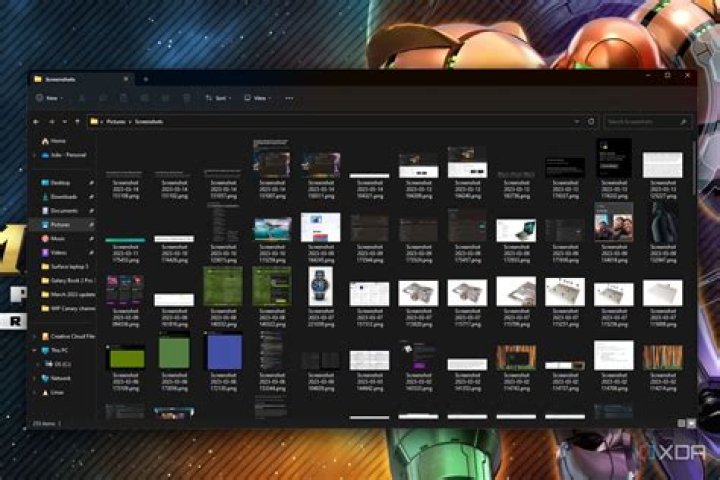
In Panel (on Unix)
Ctrl + Shift + P --> Terminus: Open Default Shell in Panel
Type exit to exit and close the terminal opened in a panel.
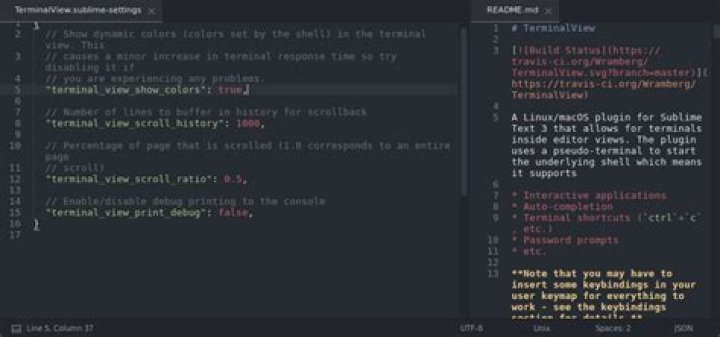
I installed the Sublime package TerminalView that can show a terminal window within Sublime in a separate tab.
It works with MacOS or Linux but is no longer actively supported.
Installation:
- Open the command palette (Cmd+Shift+P on Mac, Ctrl+Shift+P on Windows) and find
Package Control: Install Package - Search for
TerminalViewand hit Return to install.
The terminal windows has a few flaws (at least on macOS) as it seems to conflict with Sublime's keyboard shortcuts. I however use it only to automatically run unit tests when the edited program code changes. Therefore it works just fine. In that case it works best if I show the terminal window below the text editor. You can do so in the menu View > Layout > Rows: 2.
5In sublime 3,
- ctrl + shift + p search
Package Control: Install Package - Search and install
TerminalView - to set shortcuts, go to
Preferences -> Key Bindings
on right side Pane paste this,
[ { "keys": ["ctrl+shift+t"], "command": "terminal_view_open" } ] - Now ctrl+shift+t is your shortcuts
I prefer Terminus and it's the first cross platform terminal for Sublime Text. Check this video it might help you

I tried Sublime package - TerminalView, quickly realized I couldn't copy paste things. Tried on MacOS.
Terminus( ) looks good to me, it has two options
(i) opens in a tab(view)
(ii) opens also in a panel. (which I prefer most)
2The below original answer is now outdated; see below answer by Svish.
I was wondering the same thing a while back, and I believe the answer is: no.
There's no good terminal integration in ST3, except, maybe, for Terminal, which simply takes you to the terminal from any given project folder. Works ok, but not sure how much it really saves.
No way to have it in the ST3 window AFAIK.
5



