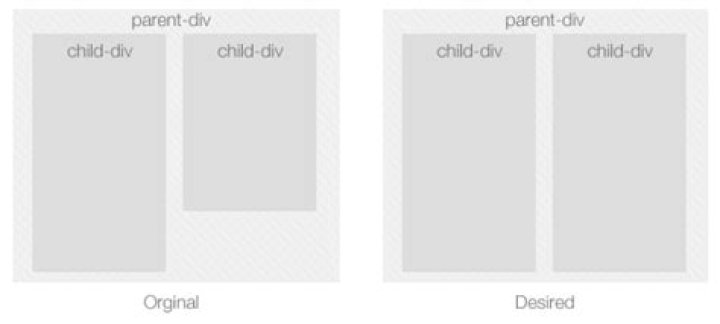
As it can be seen in the following fiddle, I have two divs, contained in a parent div that have stretched to contain the big div, my goal is to make those child divs equal in height.

5 Answers
Use display: flex to stretch your divs:
div#container { padding:20px; background:#F1F1F1; display: flex; } .content { width:150px; background:#ddd; padding:10px; margin-left: 10px; } The solution is to use display: table-cell to bring those elements inline instead of using display: inline-block or float: left.
div#container { padding: 20px; background: #F1F1F1 } .content { width: 150px; background: #ddd; padding: 10px; display: table-cell; vertical-align: top; } .text { font-family: 12px Tahoma, Geneva, sans-serif; color: #555; }<div> <div> <h1>Title 1</h1> <div>Sample Text. Sample Text. Sample Text. Sample Text. Sample Text. Sample Text. Sample Text. Sample Text. Sample Text. <br>Sample Text. Sample Text. Sample Text. <br>Sample Text. <br> </div> </div> <div> <h1>Title 2</h1> <div>Sample Text. Sample Text. Sample Text. Sample Text. Sample Text. Sample Text. Sample Text. Sample Text. Sample Text.</div> </div> </div>Add the following CSS:
For the parent div:
style="display: flex;" For child div:
style="align-items: stretch;" I think you can use display as grid:
.parent { display: grid }; You can do it easily with a bit of jQuery
$(document).ready(function(){ var parentHeight = $("#parentDiv").parent().height(); $("#childDiv").height(parentHeight); });