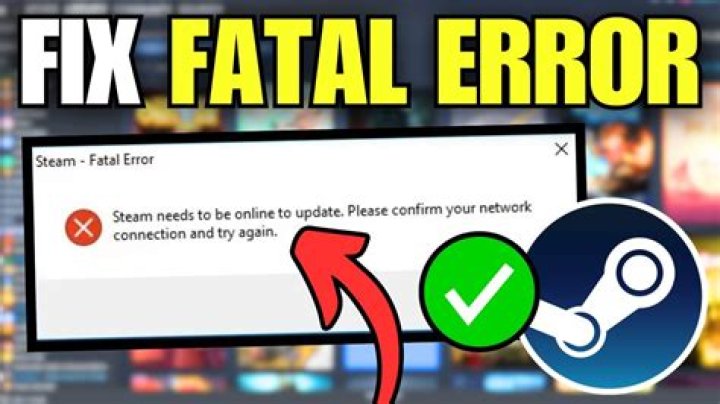

I tried re-installing it but it simply keeps giving me this error in a little window. When I close it, an identical error pops up some 3 seconds later without any new provocation.
08 Answers
I have installed libnss-resolve:i386 by running the following command.
apt-get install libnss-resolve:i386 And now it works for me.
1Make sure steam isn't running at all in ~/.steam/.
Delete
~/.steam/steam.pidEdit
~/.steam/registry.vdfline 29 from "Offline" "1" to "Offline" "0"
This solved it for me
sudo apt-get install xfonts-75dpi xfonts-100dpi Try it! if first time dont work, restart!
2I am running Ubuntu 17.04 and the other answers didn't solve it. I had force an entry on /etc/hosts for media.steampowered.com.
So, first get the IP with
ping media.steampowered.com # returns 200.143.247.11 for me then add that to /etc/hosts, like this:
200.143.247.11 media.steampowered.com And it should work as expected.
2This is a solution that worked for me with (gnome 3) Ubuntu 17.04 Install the package libnss-resolve:i386 (sudo apt-get install libnss-resolve:i386)
After following all solutions on this page, steam would still fail on first start after install.
Steam's cdn has stale files. In order to fix this, you must bypass all cdn's and directly download from the origin servers.
In order to do that, I've added the following to /etc/hosts:
208.64.200.30 media.steampowered.com 208.64.200.30 media1.steampowered.com 208.64.200.30 media2.steampowered.com 208.64.200.30 media3.steampowered.com 208.64.200.30 media4.steampowered.com The 208.64.200.30 ip correponds to cdn-01-origin.steampowered.com.
In my case there was not enough space on the disk. At least 250MB are required. After freeing space, the install process started correctly.
I tried the above solutions, and while I was finally able to update the client,and log in, the problem I was facing. Actually being able to play a game (content server unreachable) was not possible.
I was able to solve the problem by adding
207.173.177.11 steam1.steampowered.com To /etc/hosts file. And then launching steam from command line.
Hope this helps someone!