I got this issue on one of my machines when I installed MSSQL Server 2016 with SSIS, SSAS and SSRS.
SSIS and SSAS is working fine but SSRS does not.
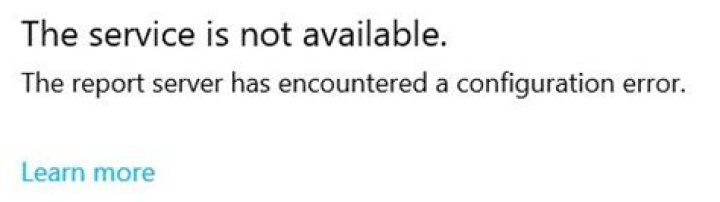
After the installation, I opened the Reporting Services Configuration Manager and leave everything to default. This usually the end of it, but for some reason when opening the Portal, I got this:
When I check the log, the error is
ERROR: Throwing Microsoft.ReportingServices.Diagnostics.Utilities.ServerConfigurationErrorException: Invalid PBI Configuration, Microsoft.ReportingServices.Diagnostics.Utilities.ServerConfigurationErrorException: The report server has encountered a configuration error. ; What is Invalid PBI Configuration? And how do I identify the problem?
Thank you in advance.
21 Answer
Took a while to sort this out, but it's a simple fix.
- Open SQL Server Reporting Services Configuration Manager
- Click on Web Service URL menu and make sure that the URL's match the ones located in Web Portal URL menu.
- If they're different, open the rsreportserver.config file (C:\Program Files\Microsoft SQL Server Reporting Services\SSRS\ReportServer) and remove any entries not listed in Web Service URL.
- Open your web portal ie. and see if it's resolved. If so, all done.
- If not, click the Encryption Keys menu, in the "Delete Encrypted Content" section, click "Delete".
- Open your web portal again and see if it's resolved.
- Locate and update your datasource credentials.




