
I tried searching around, but I couldn't find anything that would help me out.
I'm trying to do this in SQL:
declare @locationType varchar(50); declare @locationID int; SELECT column1, column2 FROM viewWhatever WHERE CASE @locationType WHEN 'location' THEN account_location = @locationID WHEN 'area' THEN xxx_location_area = @locationID WHEN 'division' THEN xxx_location_division = @locationID I know that I shouldn't have to put '= @locationID' at the end of each one, but I can't get the syntax even close to being correct. SQL keeps complaining about my '=' on the first WHEN line...
How can I do this?
13 Answers
declare @locationType varchar(50); declare @locationID int; SELECT column1, column2 FROM viewWhatever WHERE @locationID = CASE @locationType WHEN 'location' THEN account_location WHEN 'area' THEN xxx_location_area WHEN 'division' THEN xxx_location_division END without a case statement...
SELECT column1, column2 FROM viewWhatever WHERE (@locationType = 'location' AND account_location = @locationID) OR (@locationType = 'area' AND xxx_location_area = @locationID) OR (@locationType = 'division' AND xxx_location_division = @locationID) Here you go.
SELECT column1, column2 FROM viewWhatever WHERE CASE WHEN @locationType = 'location' AND account_location = @locationID THEN 1 WHEN @locationType = 'area' AND xxx_location_area = @locationID THEN 1 WHEN @locationType = 'division' AND xxx_location_division = @locationID THEN 1 ELSE 0 END = 1 The problem with this is that when the SQL engine goes to evaluate the expression, it checks the FROM portion to pull the proper tables, and then the WHERE portion to provide some base criteria, so it cannot properly evaluate a dynamic condition on which column to check against.
You can use a WHERE clause when you're checking the WHERE criteria in the predicate, such as
WHERE account_location = CASE @locationType WHEN 'business' THEN 45 WHEN 'area' THEN 52 END so in your particular case, you're going to need put the query into a stored procedure or create three separate queries.
I'd say this is an indicator of a flawed table structure. Perhaps the different location types should be separated in different tables, enabling you to do much richer querying and also avoid having superfluous columns around.
If you're unable to change the structure, something like the below might work:
SELECT * FROM Test WHERE Account_Location = ( CASE LocationType WHEN 'location' THEN @locationID ELSE Account_Location END ) AND Account_Location_Area = ( CASE LocationType WHEN 'area' THEN @locationID ELSE Account_Location_Area END ) And so forth... We can't change the structure of the query on the fly, but we can override it by making the predicates equal themselves out.
EDIT: The above suggestions are of course much better, just ignore mine.
1OR operator can be alternative of case when in where condition
ALTER PROCEDURE [dbo].[RPT_340bClinicDrugInventorySummary] -- Add the parameters for the stored procedure here @ClinicId BIGINT = 0, @selecttype int, @selectedValue varchar (50) AS BEGIN -- SET NOCOUNT ON added to prevent extra result sets from -- interfering with SELECT statements. SET NOCOUNT ON; SELECT drugstock_drugname.n_cur_bal,drugname.cdrugname,clinic.cclinicname FROM drugstock_drugname INNER JOIN drugname ON drugstock_drugname.drugnameid_FK = drugname.drugnameid_PK INNER JOIN drugstock_drugndc ON drugname.drugnameid_PK = drugstock_drugndc.drugnameid_FK INNER JOIN drugndc ON drugstock_drugndc.drugndcid_FK = drugndc.drugid_PK LEFT JOIN clinic ON drugstock_drugname.clinicid_FK = clinic.clinicid_PK WHERE (@ClinicId = 0 AND 1 = 1) OR (@ClinicId != 0 AND drugstock_drugname.clinicid_FK = @ClinicId) -- Alternative Case When You can use OR AND ((@selecttype = 1 AND 1 = 1) OR (@selecttype = 2 AND drugname.drugnameid_PK = @selectedValue) OR (@selecttype = 3 AND drugndc.drugid_PK = @selectedValue) OR (@selecttype = 4 AND drugname.cdrugclass = 'C2') OR (@selecttype = 5 AND LEFT(drugname.cdrugclass, 1) = 'C')) ORDER BY clinic.cclinicname, drugname.cdrugname END Please try this query. Answer To above post:
select @msgID, account_id from viewMailAccountsHeirachy where CASE @smartLocationType WHEN 'store' THEN account_location WHEN 'area' THEN xxx_location_area WHEN 'division' THEN xxx_location_division WHEN 'company' THEN xxx_location_company END = @smartLocation Try this:
WHERE ( @smartLocationType IS NULL OR account_location = ( CASE WHEN @smartLocationType IS NOT NULL THEN @smartLocationType ELSE account_location END ) ) CREATE PROCEDURE [dbo].[Temp_Proc_Select_City] @StateId INT AS BEGIN SELECT * FROM tbl_City WHERE @StateID = CASE WHEN ISNULL(@StateId,0) = 0 THEN 0 ELSE StateId END ORDER BY CityName END Try this query, it's very easy and useful: Its ready to execute!
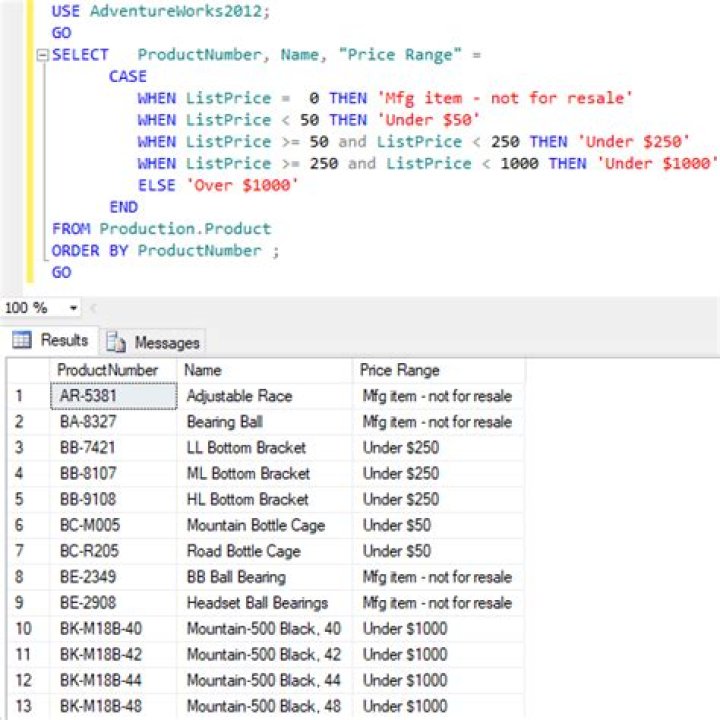
USE tempdb GO IF NOT OBJECT_ID('Tempdb..Contacts') IS NULL DROP TABLE Contacts CREATE TABLE Contacts(ID INT, FirstName VARCHAR(100), LastName VARCHAR(100)) INSERT INTO Contacts (ID, FirstName, LastName) SELECT 1, 'Omid', 'Karami' UNION ALL SELECT 2, 'Alen', 'Fars' UNION ALL SELECT 3, 'Sharon', 'b' UNION ALL SELECT 4, 'Poja', 'Kar' UNION ALL SELECT 5, 'Ryan', 'Lasr' GO DECLARE @FirstName VARCHAR(100) SET @FirstName = 'Omid' DECLARE @LastName VARCHAR(100) SET @LastName = '' SELECT FirstName, LastName FROM Contacts WHERE FirstName = CASE WHEN LEN(@FirstName) > 0 THEN @FirstName ELSE FirstName END AND LastName = CASE WHEN LEN(@LastName) > 0 THEN @LastName ELSE LastName END GO Case Statement in SQL Server Example Syntax CASE [ expression ] WHEN condition_1 THEN result_1 WHEN condition_2 THEN result_2 ... WHEN condition_n THEN result_n ELSE result END Example SELECT contact_id, CASE website_id WHEN 1 THEN 'TechOnTheNet.com' WHEN 2 THEN 'CheckYourMath.com' ELSE 'BigActivities.com' END FROM contacts; OR SELECT contact_id, CASE WHEN website_id = 1 THEN 'TechOnTheNet.com' WHEN website_id = 2 THEN 'CheckYourMath.com' ELSE 'BigActivities.com' END FROM contacts; This worked for me.
CREATE TABLE PER_CAL ( CAL_YEAR INT, CAL_PER INT ) INSERT INTO PER_CAL( CAL_YEAR, CAL_PER ) VALUES ( 20,1 ), ( 20,2 ), ( 20,3 ), ( 20,4 ), ( 20,5 ), ( 20,6 ), ( 20,7 ), ( 20,8 ), ( 20,9 ), ( 20,10 ), ( 20,11 ), ( 20,12 ), ( 99,1 ), ( 99,2 ), ( 99,3 ), ( 99,4 ), ( 99,5 ), ( 99,6 ), ( 99,7 ), ( 99,8 ), ( 99,9 ), ( 99,10 ), ( 99,11 ), ( 99,12 ) The 4 digit century is determined by the rule, if the year is 50 or more, the century is 1900, otherwise 2000.
Given two 6 digit periods that mark the start and end period, like a quarter, return the rows that fall in that range.
-- 1st quarter of 2020 SELECT * FROM PER_CAL WHERE (( CASE WHEN CAL_YEAR > 50 THEN 1900 ELSE 2000 END + CAL_YEAR ) * 100 + CAL_PER ) BETWEEN 202001 AND 202003 -- 4th quarter of 1999 SELECT * FROM PER_CAL WHERE (( CASE WHEN CAL_YEAR > 50 THEN 1900 ELSE 2000 END + CAL_YEAR ) * 100 + CAL_PER ) BETWEEN 199910 AND 199912 Try this query. Its very easy to understand:
CREATE TABLE PersonsDetail(FirstName nvarchar(20), LastName nvarchar(20), GenderID int); GO INSERT INTO PersonsDetail VALUES(N'Gourav', N'Bhatia', 2), (N'Ramesh', N'Kumar', 1), (N'Ram', N'Lal', 2), (N'Sunil', N'Kumar', 3), (N'Sunny', N'Sehgal', 1), (N'Malkeet', N'Shaoul', 3), (N'Jassy', N'Sohal', 2); GO SELECT FirstName, LastName, Gender = CASE GenderID WHEN 1 THEN 'Male' WHEN 2 THEN 'Female' ELSE 'Unknown' END FROM PersonsDetail 



