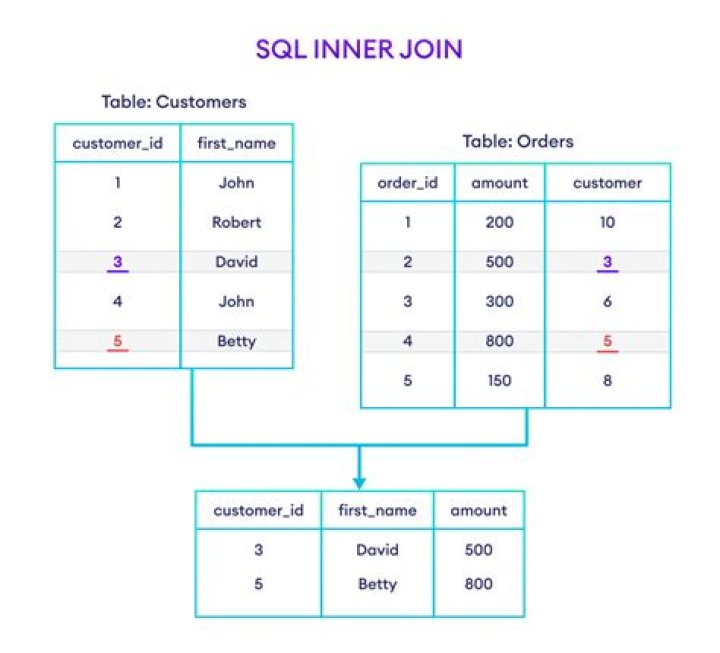

What is the problem with following SQL. Can table variable not be used in JOIN clause?
Error msg is of "Msg 170, Level 15, State 1, Line 8 Line 8: Incorrect syntax near 't1'."
Declare @t TABLE ( _SportName varchar(50), _Lang varchar(3) ) insert @t VALUES('Basketball', 'ENG') -- ENG UPDATE tblSport t1 SET t1.SportName = @t._SportName FROM @t INNER JOIN tblSport ON (t1.Lang = @t._Lang) Thanks.
05 Answers
Change your last statement to:
UPDATE t1, temp SET t1.SportName = temp._SportName FROM tblSport AS t1 INNER JOIN @t AS temp ON t1.Lang = temp._Lang (need to check exact syntax)
Apart from the t1 alias being in the wrong place, nobody else mentioned using square brackets around the table variable, instead of an alias. Changing the update statement to the following will work too:
UPDATE t1 SET t1.SportName = [@t]._SportName FROM @t INNER JOIN tblSport t1 ON t1.Lang = [@t]._Lang [Tested on SQL Server 2005.]
2Justin's answer is correct syntactically - you need to assign an alias to the temp table (same for table type variables in 2008).
However, be aware that neither table variables nor table-type variables have any statistics associated with them, and therefore can lead the query optimiser to make very dubious choices with regard to execution plans (because it will always estimate that the table variable contains 1 row - and therefore usually chooses nested loops as a join operator).
Your alias t1 is in the wrong place
UPDATE t1 SET SportName = @t._SportName FROM @t INNER JOIN tblSport t1 ON (t1.Lang = @t._Lang) don't forget use alias for variable tables
Declare @t TABLE ( _SportName varchar(50), _Lang varchar(3) ) insert @t VALUES('Basketball', 'ENG') -- ENG UPDATE t1 SET t1.SportName = t2._SportName FROM tblSport t1 INNER JOIN @t as t2 ON (t1.Lang = t2._Lang) 



