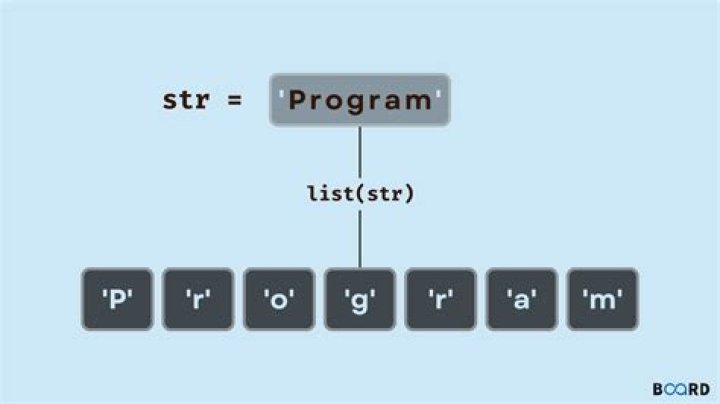

How is it possible to split a VBA string into an array of characters?
I tried Split(my_string, "") but this didn't work.
7 Answers
Safest & simplest is to just loop;
Dim buff() As String ReDim buff(Len(my_string) - 1) For i = 1 To Len(my_string) buff(i - 1) = Mid$(my_string, i, 1) Next If your guaranteed to use ansi characters only you can;
Dim buff() As String buff = Split(StrConv(my_string, vbUnicode), Chr$(0)) ReDim Preserve buff(UBound(buff) - 1) You can just assign the string to a byte array (the reverse is also possible). The result is 2 numbers for each character, so Xmas converts to a byte array containing {88,0,109,0,97,0,115,0}
or you can use StrConv
Dim bytes() as Byte bytes = StrConv("Xmas", vbFromUnicode) which will give you {88,109,97,115} but in that case you cannot assign the byte array back to a string.
You can convert the numbers in the byte array back to characters using the Chr() function
Here's another way to do it in VBA.
Function ConvertToArray(ByVal value As String) value = StrConv(value, vbUnicode) ConvertToArray = Split(Left(value, Len(value) - 1), vbNullChar) End Function Sub example() Dim originalString As String originalString = "hi there" Dim myArray() As String myArray = ConvertToArray(originalString) End Sub According to this code golfing solution by Gaffi, the following works:
a = Split(StrConv(s, 64), Chr(0)) the problem is that there is no built in method (or at least none of us could find one) to do this in vb. However, there is one to split a string on the spaces, so I just rebuild the string and added in spaces....
Private Function characterArray(ByVal my_string As String) As String() 'create a temporary string to store a new string of the same characters with spaces Dim tempString As String = "" 'cycle through the characters and rebuild my_string as a string with spaces 'and assign the result to tempString. For Each c In my_string tempString &= c & " " Next 'return return tempString as a character array. Return tempString.Split() End Function To split a string into an array of sub-strings of any desired length:
Function charSplitMulti(s As Variant, splitLen As Long) As Variant Dim padding As Long: padding = 0 Dim l As Long: l = 0 Dim v As Variant 'Pad the string so it divides evenly by ' the length of the desired sub-strings Do While Len(s) Mod splitLen > 0 s = s & "x" padding = padding + 1 Loop 'Create an array with sufficient ' elements to hold all the sub-strings Do Until Len(v) = (Len(s) / splitLen) - 1 v = v & "," Loop v = Split(v, ",") 'Populate the array by repeatedly ' adding in the first [splitLen] ' characters of the string, then ' removing them from the string Do While Not s Like "" v(l) = Mid(s, 1, splitLen) s = Right(s, Len(s) - splitLen) l = l + 1 Loop 'Remove any padding characters added at step one v(UBound(v)) = Left(v(UBound(v)), Len(v(UBound(v))) - padding) 'Output the array charSplitMulti = v End Function You can pass the string into it either as a string:
Sub test_charSplitMulti_stringInput() Dim s As String: s = "123456789abc" Dim subStrLen As Long: subStrLen = 4 Dim myArray As Variant myArray = charSplitMulti(s, subStrLen) For i = 0 To UBound(myArray) MsgBox myArray(i) Next End Sub …or already declard as a variant:
Sub test_charSplitMulti_variantInput() Dim s As Variant: s = "123456789abc" Dim subStrLen As Long: subStrLen = 5 s = charSplitMulti(s, subStrLen) For i = 0 To UBound(s) MsgBox s(i) Next End Sub If the length of the desired sub-string doesn't divide equally into the length of the string, the uppermost element of the array will be shorter. (It'll be equal to strLength Mod subStrLength. Which is probably obvious.)
I found that most-often I use it to split a string into single characters, so I added another function, so I can be lazy and not have to pass two variables in that case:
Function charSplit(s As Variant) As Variant charSplit = charSplitMulti(s, 1) End Function Sub test_charSplit() Dim s As String: s = "123456789abc" Dim myArray As Variant myArray = charSplit(s) For i = 0 To UBound(myArray) MsgBox myArray(i) Next End Sub Try this minicode From Rara:
Function charSplitMulti(TheString As Variant, SplitLen As Long) As Variant 'Defining a temporary array. Dim TmpArray() As String 'Checking if the SplitLen is not less than one. if so the function returns the whole string without any changing. SplitLen = IIf(SplitLen >= 1, SplitLen, Len(TheString)) 'Redefining the temporary array as needed. ReDim TmpArray(Len(TheString) \ SplitLen + IIf(Len(TheString) Mod SplitLen <> 0, 1, 0)) 'Splitting the input string. For i = 1 To UBound(TmpArray) TmpArray(i) = Mid(TheString, (i - 1) * SplitLen + 1, SplitLen) Next 'Outputing the result. charSplitMulti = TmpArray End Function 



