
Have a very strange problem, cannot figure it out on my own.
Archlinux server with openssh 8.8p1-1 I'm not using password for authentication, only SSH-RSA keys. Public key is stored on server inside /home/stiw47/.ssh/authorized_keys .ssh directory permissions are 700 and authorized_keys file permissions are 600 Everything was worked flawlessly for years until few days ago when openssh on server was updated from 8.7p1-2 to 8.8p1-1 Everything is still working in all ssh/sftp clients except from MobaXterm.
Let me try to explain little better:
- If I try to connect from FileZilla (sftp) or from JuiceSSH on Android (ssh), everything is ok with same private key as always, as for all these years.
- If I try to connect manually from terminal on other Linux machine or from MobaXterm terminal, with manually I mean with command:
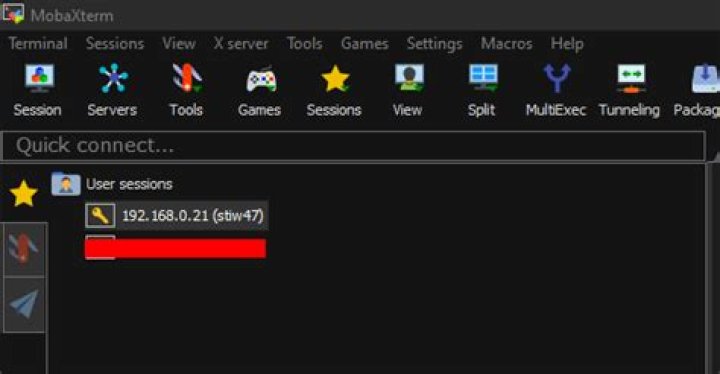
ssh -i 'C:\Users\stiw4\Documents\keys\id_rsa' stiw47@192.168.0.21- everything is ok again - If I try to use bookmark in MobaXterm (I like bookmark), then I get "Server refused our key" message
MobaXterm Bookmarks area screenshot
I have to mention that same that bookmark, with same private key, worked normally before openssh package upgrade on server and also working now if I downgrade openssh on server back to 8.7p1-2 I already deleted MobaXterm known_hosts file on Windows machine, but nothing changed.
I tried to debug it with running following on server:
sudo `which sshd` -p 2020 -Dd And connecting from bookmark on port 2020, this is the log, I'm not understanding it good:
[sudo] password for stiw47: debug1: sshd version OpenSSH_8.8, OpenSSL 1.1.1l 24 Aug 2021 debug1: private host key #0: ssh-rsa SHA256:uMBMgYez8RvbToK8ZpuVIOT6Kt9DtjwvEEmObduXSaw debug1: private host key #1: ecdsa-sha2-nistp256 SHA256:s/mpg8gbKeFRefGxYjuHYgXFkL8KrklpgivPk9veSXI debug1: private host key #2: ssh-ed25519 SHA256:MopYaB4XAi8QBkE+RumfZl6IT3y17c3Mu85X+11+wRY debug1: rexec_argv[0]='/usr/bin/sshd' debug1: rexec_argv[1]='-p' debug1: rexec_argv[2]='2020' debug1: rexec_argv[3]='-Dd' debug1: Set /proc/self/oom_score_adj from 0 to -1000 debug1: Bind to port 2020 on 0.0.0.0. Server listening on 0.0.0.0 port 2020. debug1: Bind to port 2020 on ::. Server listening on :: port 2020. debug1: Server will not fork when running in debugging mode. debug1: rexec start in 5 out 5 newsock 5 pipe -1 sock 8 debug1: sshd version OpenSSH_8.8, OpenSSL 1.1.1l 24 Aug 2021 debug1: private host key #0: ssh-rsa SHA256:uMBMgYez8RvbToK8ZpuVIOT6Kt9DtjwvEEmObduXSaw debug1: private host key #1: ecdsa-sha2-nistp256 SHA256:s/mpg8gbKeFRefGxYjuHYgXFkL8KrklpgivPk9veSXI debug1: private host key #2: ssh-ed25519 SHA256:MopYaB4XAi8QBkE+RumfZl6IT3y17c3Mu85X+11+wRY debug1: inetd sockets after dupping: 3, 3 Connection from 192.168.0.53 port 50385 on 192.168.0.21 port 2020 rdomain "" debug1: Local version string SSH-2.0-OpenSSH_8.8 debug1: Remote protocol version 2.0, remote software version MoTTY_Release_0.73 debug1: compat_banner: no match: MoTTY_Release_0.73 debug1: permanently_set_uid: 65534/65534 [preauth] debug1: list_hostkey_types: rsa-sha2-512,rsa-sha2-256,ecdsa-sha2-nistp256,ssh-ed25519 [preauth] debug1: SSH2_MSG_KEXINIT sent [preauth] debug1: SSH2_MSG_KEXINIT received [preauth] debug1: kex: algorithm: diffie-hellman-group-exchange-sha256 [preauth] debug1: kex: host key algorithm: ssh-ed25519 [preauth] debug1: kex: client->server cipher: aes256-ctr MAC: hmac-sha2-256 compression: none [preauth] debug1: kex: server->client cipher: aes256-ctr MAC: hmac-sha2-256 compression: none [preauth] debug1: expecting SSH2_MSG_KEX_DH_GEX_REQUEST [preauth] debug1: SSH2_MSG_KEX_DH_GEX_REQUEST received [preauth] debug1: SSH2_MSG_KEX_DH_GEX_GROUP sent [preauth] debug1: expecting SSH2_MSG_KEX_DH_GEX_INIT [preauth] debug1: SSH2_MSG_KEX_DH_GEX_INIT received [preauth] debug1: rekey out after 4294967296 blocks [preauth] debug1: SSH2_MSG_NEWKEYS sent [preauth] debug1: expecting SSH2_MSG_NEWKEYS [preauth] debug1: SSH2_MSG_NEWKEYS received [preauth] debug1: rekey in after 4294967296 blocks [preauth] debug1: KEX done [preauth] debug1: userauth-request for user stiw47 service ssh-connection method none [preauth] debug1: attempt 0 failures 0 [preauth] debug1: PAM: initializing for "stiw47" debug1: PAM: setting PAM_RHOST to "192.168.0.53" debug1: PAM: setting PAM_TTY to "ssh" debug1: userauth-request for user stiw47 service ssh-connection method publickey [preauth] debug1: attempt 1 failures 0 [preauth] userauth_pubkey: key type ssh-rsa not in PubkeyAcceptedAlgorithms [preauth] Received disconnect from 192.168.0.53 port 50385:14: No supported authentication methods available [preauth] Disconnected from authenticating user stiw47 192.168.0.53 port 50385 [preauth] debug1: do_cleanup [preauth] debug1: monitor_read_log: child log fd closed debug1: do_cleanup debug1: PAM: cleanup debug1: Killing privsep child 64262 Very strange situation for me, do you have some ideas?
Thanks.
1 Answer
This is caused by OpenSSH 8.8 disabling RSA signatures using the SHA-1 hash algorithm:
This release disables RSA signatures using the SHA-1 hash algorithm by default. This change has been made as the SHA-1 hash algorithm is cryptographically broken, and it is possible to create chosen-prefix hash collisions for <USD$50K
(see OpenSSH 8.8 - Potentially-incompatible changes).
You can also see the corresponding message in your provided log:
userauth_pubkey: key type ssh-rsa not in PubkeyAcceptedAlgorithms [preauth]
The functionality of these old keys can be restored by adding PubkeyAcceptedKeyTypes +ssh-rsa to /etc/ssh/sshd_config and restarting sshd. This however should only be treated as a temporary solution to replace the keys with ones using more modern and secure algorithms like Ed25519 (see ArchWiki - SSH keys - Ed25519) due to the security implications.
It seems the reason why they key is working from the terminal is a more recent implementation of the SSH protocol (compared to the one used in MobaXterm) which automatically uses SHA-256/512 instead of SHA-1 with these old keys. I was not able to verify this, but according to OpenSSH 8.8 - Potentially-incompatible changes:
2[...] existing ssh-rsa keys will automatically use the stronger algorithm where possible.




