
I have a working script to disable 4 usb joysticks using their respective InstanceID's
$pnpIds = 'HID\VID_0079&PID_0006\7&1699A0E&198&0000', 'HID\VID_0079&PID_0006\7&5438EB5&19D&0000', 'HID\VID_0079&PID_0006\7&390C5738&17D&0000','HID\VID_0079&PID_0006\7&2652A693&16C&0000' foreach ($pnpId in $pnpids) Disable-PnpDevice -InstanceId $pnpId -Confirm:$false } It works fine when executing, problem is upon reboot the ID's change.. only 3 characters change at the end in between the "&" characters (HID\VID_0079&PID_0006\7&1699A0E&198&0000 The rest remains the same. Anyway to use wildcards for those 3 characters? It uses letters and numbers.
If not is there a way to write a script that will fetch the current InstanceID's for the USB joysticks then disable/enable them with the script I currently am using? Way out of my league here..
1 Answer
You can! The best place to start is with just Get-PnpDevice, to make sure that you're only selecting the devices you expect to:
# use * as a wildcard Get-PnpDevice -InstanceId 'HID\VID_0079&PID_0006\7&1699A0E&*&0000' # example output on my PC: Status Class FriendlyName InstanceId ------ ----- ------------ ---------- OK Keyboard HID Keyboard Device HID\VID_0079... OK Mouse HID-compliant mouse HID\VID_0079... Then you can use basically the same script (I'm guessing on where the wildcard goes):
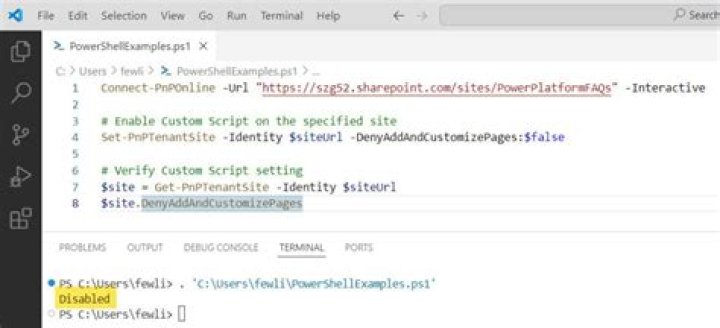
$pnpIds = 'HID\VID_0079&PID_0006\7&1699A0E&*&0000', 'HID\VID_0079&PID_0006\7&5438EB5&*&0000', 'HID\VID_0079&PID_0006\7&390C5738&*&0000', 'HID\VID_0079&PID_0006\7&2652A693&*&0000' foreach ($pnpId in $pnpids) { Get-PnpDevice -InstanceID $pnpId | Where Status -Like 'OK' | Disable-PnpDevice -Confirm:$false } You cannot use a wildcard in Disable-PnpDevice, but it will disable any device(s) piped to it, including lists of multiple devices, so be careful that you don't disable anything accidentally.
Get-PnpDevice can also use a wildcard for searching by -FriendlyName or -Class if that's easier.