I was using an addon to save pages to pdf in Firefox, but that is not working in the reader view.

The Firefox reader view page greater improves readability.
Is it possible to save that page as pdf?
01 Answer
The idea is to print the page to pdf.
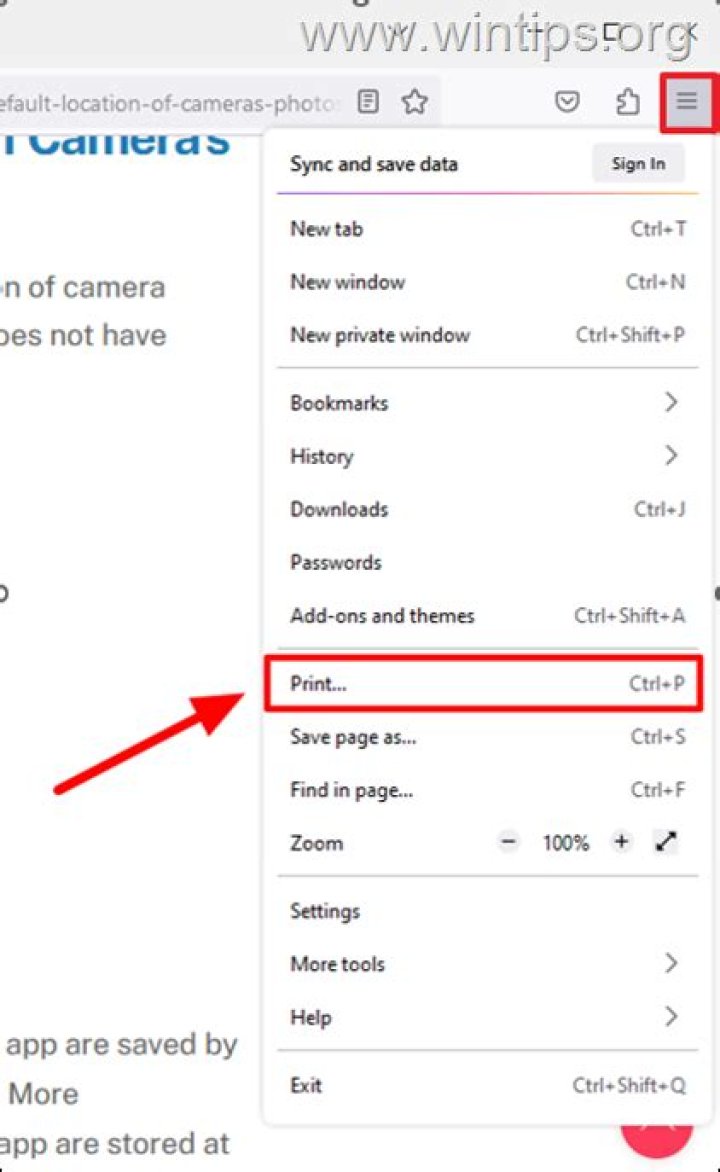
In Linux and Windows: in Firefox Menu > Print (or just clicking the "Print this page" icon if that is added under "Customize") opens the Firefox printing interface, with various settings
Selecting "Print" on that page shows the printers list.
Save the page as pdf by selecting accordingly: "Prin to file" in Linux, "Microsoft print as pdf" in Windows, within the printers list; on Mac, click the PDF button in printers interface and select "Save as PDF".
The shortkey CTRL-P shows the printers list directly. (Cmd-P on Mac, where it seems that the print button in Firefox doesn't open that Firefox printing options page anyway, but the printers list directly.)
While some addons meant for saving pages as pdf do not work on the reader page, some do (and can add a context menu and button for that operation):
It seems that some addons print/save as pdf by processing text and image in some ways that do not work with the reader page.
In my opinion using an addon speeds up this process on any operating system, given no action with printing menus in needed. The page is saved as pdf with one click.




