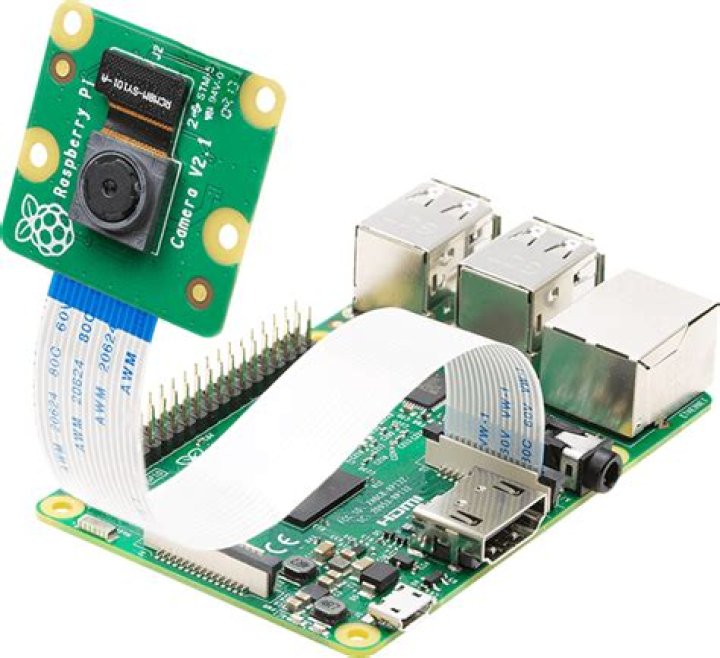

I have a Raspberry Pi 4, 32 bit OS; GStreamer 1.18, Arducam 64MP Hawkeye camera.
I'm trying to create a RTSP stream using GStreamer. I'm using VLC on a secondary computer to verify the stream.
I built GStreamer RTSP Server (test-launch) successfully demonstrated by:
./test-launch --gst-debug=3 '( videotestsrc ! video/x-raw,width=1280,height=720,format=I420,framerate=10/1 ! queue ! x264enc ! queue ! h264parse ! rtph264pay name=pay0 pt=96 )' The above pipeline works well - no warnings, errors etc. So, I would think I could just substitute the test source w/ libcamerasrc.
./test-launch --gst-debug=3 '( libcamerasrc ! video/x-raw,width=1280,height=720,format=I420,framerate=10/1 ! queue ! x264enc ! queue ! h264parse ! rtph264pay name=pay0 pt=96 )' 0:00:00.002252699 2750 0x130f680 WARN GST_PERFORMANCE gstbuffer.c:496:_priv_gst_buffer_initialize: No 64-bit atomic int defined for this platform/toolchain! stream ready at rtsp://127.0.0.1:8554/test [2:28:52.686563784] [2752] INFO Camera camera_manager.cpp:297 libcamera v0.0.0+4367-ad9428b4 [2:28:52.726008528] [2753] WARN CameraSensorProperties camera_sensor_properties.cpp:261 No static properties available for 'arducam_64mp' [2:28:52.726127063] [2753] WARN CameraSensorProperties camera_sensor_properties.cpp:263 Please consider updating the camera sensor properties database [2:28:52.818015917] [2753] INFO RPI vc4.cpp:444 Registered camera /base/soc/i2c0mux/i2c@1/arducam_64mp@1a to Unicam device /dev/media3 and ISP device /dev/media1 0:00:04.291297745 2750 0xf5d420e8 FIXME default gstutils.c:4025:gst_pad_create_stream_id_internal:<libcamerasrc0:src> Creating random stream-id, consider implementing a deterministic way of creating a stream-id [2:28:52.850803303] [2758] INFO Camera camera.cpp:1033 configuring streams: (0) 1280x720-YUV420 [2:28:52.852476027] [2753] INFO RPI vc4.cpp:572 Sensor: /base/soc/i2c0mux/i2c@1/arducam_64mp@1a - Selected sensor format: 1280x720-SRGGB10_1X10 - Selected unicam format: 1280x720-pRAA 0:00:24.149406551 2750 0x14c7100 WARN rtspmedia rtsp-media.c:3576:wait_preroll: failed to preroll pipeline 0:00:24.149480328 2750 0x14c7100 WARN rtspmedia rtsp-media.c:3946:gst_rtsp_media_prepare: failed to preroll pipeline 0:00:24.665921409 2750 0x14c7100 ERROR rtspclient rtsp-client.c:1087:find_media: client 0x14c1a08: can't prepare media 0:00:24.666612957 2750 0x14c7100 ERROR rtspclient rtsp-client.c:3346:handle_describe_request: client 0x14c1a08: no media I'm assuming my understanding of the source is wrong. Has anyone created a GStreamer based RTSP stream with Arducam 64 MP Hawkeye camera on a Raspberry Pi 4? (I'm going to consume the stream w/ NVIDIA Deepstream.)
31 Answer
Read the manual - found a lot more information here: (I)
The native libcamera-vid driver app provides more than enough functionality that I abandoned GStreamer for simple RTSP streaming. The documentation cited above also explains the correct way to provide a source in a GStreamer pipeline. I'm assuming using the libcamera driver is faster than the overhead of a full GStreamer pipeline so I am sticking with libcamera.
Here is my final libcamera pipeline:
libcamera-vid -n --framerate=2 -t 0 --denoise=cdn_off --autofocus-mode=manual --lens-position=0 --level=4.2 --width=1248 --height=384 --inline -o - | cvlc stream:///dev/stdin --sout '#rtp{sdp=rtsp://:8554/stream1}' :demux=h264 This works but not very well. The performance was generally lousy. Conclusion: awesome camera, awesome driver but not enough encoding performance on the RPI. I did not fine tune this pipeline as a result. I didn't get the manual focus to work as expected. I also abandoned the ROI functionality (which would be useful for Deepstream). I went back to using NVIDIA Jetsons. I hope Arducam makes this camera compatible with Jetsons like their IMX477 products.
If anyone can recommend how to improve the performance and stability on the above DAG, please reply. I am impressed with the camera and would like to make better use of it.




