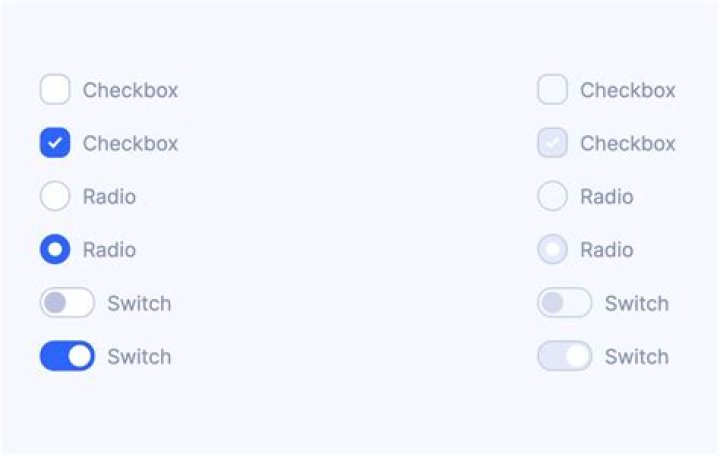

I have radio buttons arranged in a table
<input type="radio"> In Chrome it is possible to select radio buttons – but not able to unselect them. [Which I understand as a standard behavior]
In IE it is not allowing me to select the radio buttons at all. [Tested in IE9].
I tried various approaches like giving name and value - but didn't get it resolved. Any idea how we can fix it?
<html> <table border="0" cellpadding="0" cellspacing="0"> <thead> <tr> <td align="center"> Container ID </td> <td align="center"> Receive </td> </tr> </thead> <tbody> <tr> <td align="center"> <div name="a" value = "a"> ~~3957515 </div> </td> <td align="center"> <input type="radio"> </td> </tr> <tr> <td align="center"> <div name="b" value = "c"> ~~3957514 </div> </td> <td align="center"> <input type="radio"> </td> </tr> <tr> <td align="center"> <div> ~~3957513 </div> </td> <td align="center"> <input type="radio"> </td> </tr> <tr> <td align="center"> <div> ~~3957512 </div> </td> <td align="center"> <input type="radio"> </td> </tr> <tr> <td align="center"> <div> ~~3957511 </div> </td> <td align="center"> <input type="radio"> </td> </tr> <tr> <td align="center"> <div> ~~3957510 </div> </td> <td align="center"> <input type="radio"> </td> </tr> <tr> <td align="center"> <div> ~~3957509 </div> </td> <td align="center"> <input type="radio"> </td> </tr> </tbody> </table> </html> 5 Answers
So what you're trying to do is a checkbox that has a look and feel as a radio-button am I wrong?
If so, the checkbox four on this page might be what you're looking for, with a different CSS.
And, here's the whole demo of all checkboxes he has made.
I added a possible example of this other page I found. Look at this JSFiddle.
HTML
<h3>CSS3 Custom Checkbox</h3> <div> <input type="checkbox" value="check1" name="check"> <label for="check1">Checkbox No. 1</label> <br> <input type="checkbox" value="check2" name="check"> <label for="check2">Checkbox No. 2</label> </div> CSS
label { cursor: pointer; display: inline-block; font-size: 13px; margin-right: 15px; padding-left: 25px; position: relative; } .wrapper { margin: 50px auto; width: 500px; } input[type="radio"], input[type="checkbox"] { display: none; } label:before { background-color: #aaa; bottom: 1px; box-shadow: 0 2px 3px 0 rgba(0, 0, 0, 0.3) inset, 0 1px 0 0 rgba(255, 255, 255, 0.8); content: ""; display: inline-block; height: 16px; left: 0; margin-right: 10px; position: absolute; width: 16px; } .checkbox label:before { border-radius: 8px; } input[type="checkbox"]:checked + label:before { color: #f3f3f3; content: "•"; font-size: 30px; line-height: 18px; text-align: center; } You cannot unselect radio buttons. That's because they're used if you want the user to select either option1 or option2 or option3 but prohibit selecting multiple values or leaving it empty (e.g. in case of selecting a Gender). See Specification at w3c:
when one is switched "on", all others with the same name are switched "off".
To unselect "male" if "female" is selected, you have to tell the browser that the radios belong to the same group. That's done by adding the name-attribute:
<input checked type="radio" name="sex" value="male"> <input type="radio" name="sex" value="female"> if you wish to give the user the possibility of boxes he can check/uncheck as he likes (e.g. "want to receive our newsletter?"), you should use type="checkbox".
Radio buttons get their name from the old-style car radios where you physically pushed one of a group of buttons to change the station. You can only listen to one station at a time, so only one radio button can be pressed at a time.
"input type="radio"> defines a radio button. Radio buttons let a user select ONLY ONE of a limited number of choices" [see Radio Buttons]
Following is what I did to resolve the issue.
- Added
nameproperty to all the radio buttons - Made sure that the names are distinct for each radio button. [Since I need to select multiple radio buttons at once, based on the requirement - though the intention of
"radio" buttonis not to do so]
Wikipedia says:
A radio button or option button is a graphical control element that allows the user to choose only one of a predefined set of options, an exclusive or.
Etymology
Radio buttons were named after the physical buttons used on older car radios to select preset stations – when one of the buttons was pressed, other buttons would pop out, leaving the pressed button the only button in the "pushed in" position.
Everything is correct you just need to add name attribute to all radio buttons. All of them should have the same name.
Example:
<input type="radio" name="one"> <input type="radio" name="one"> Radio button are meant to provide functionality of selecting only one at a time. If you want to select multiple, you have to use checkbox.
Example:
<input type="checkbox" name="two"> <input type="checkbox" name="two"> 



