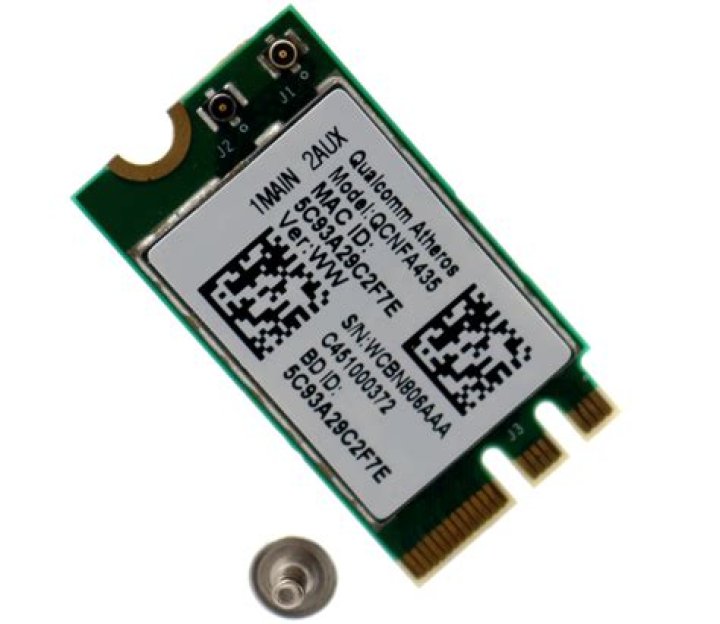

Help, I've tried the other fixes used for ubuntu 15.10 and the Qualcomm adapter but nothing is working for my lenovo ideapad 500 with the Qualcomm Atheros QCA9377 wireless adapter running 14.04.3. could i be using the wrong terminal commands? im using this set of commands found in another post:
sudo apt-get install build-essential linux-headers-$(uname -r) git echo "options ath10k_core skip_otp=y" | sudo tee /etc/modprobe.d/ath10k_core.conf wget unzip backp...-11-05.tar.bz2 cd backports-ath10k-2015-11-05 make defconfig-ath10k make sudo make install git clone sudo cp -r ath10k-firmware/ath10k/ /lib/firmware/ sudo cp -r ath10k-firmware/QCA9377 /lib/firmware/ath10k/ cp firmware-5.bin_WLAN.TF.1.0-00267-1 firmware-5.bin Reboot any help appreciated
3 Answers
Please try:
sudo apt-get update sudo apt-get install linux-headers-generic build-essential wget tar -zxvf backports-20151120.tar.gz cd backports-20151120 make defconfig-ath10k make sudo make install Reboot and tell us if it's working.
2This is how I fixed the WiFi issue in my Laptop
Identify your WiFi device. Open a terminal and issue:
lspci | grep Network # It should display the name of your WiFi card # If the output is similar to the one below, you are in luck, we can fix this easily mansoor ~ $ lspci | grep Network 03:00.0 Network controller: Qualcomm Atheros Device 0042 (rev 30) Once you have made sure that the Network device is the one above, follow the below steps to install the driver for WiFi ##### Install git and tools to compile the driver:
sudo apt-get install build-essential linux-headers-$(uname -r) git Issue the following commands one by one. Anything written after "#" is a comment and you don't have to execute it. # Modify the config files echo "options ath10k_core skip_otp=y" | sudo tee /etc/modprobe.d/ath10k_core.conf # Download the backport wget # Extract it tar zxvf backports-20151120.tar.gz # cd to the directory, compile and install it. The commands 'make' and 'make install' will take some time to finish cd backports-20151120 make defconfig-wifi make sudo make install # Download the firmware for the WiFi card git clone # Copy the firmware to appropriate locations. sudo cp -r ath10k-firmware/QCA9377 /lib/firmware/ath10k/ sudo cp /lib/firmware/ath10k/QCA9377/hw1.0/firmware-5.bin_WLAN.TF.1.0-00267-1 /lib/firmware/ath10k/QCA9377/hw1.0/firmware-5.bin Reboot your machine. That’s it. Your WiFi should work now until you do a kernel update.
@joucoski
It happened on my Asus Laptop and I've Tried something like this,
rfkill list all Then it will show something like this:
0: hci0: Bluetooth Soft blocked: no Hard blocked: no 1: phy0: Wireless LAN Soft blocked: no Hard blocked: no 2: acer-wireless: Wireless LAN Soft blocked: yes Hard blocked: no See the acer-wireless: Wireless LAN has a Soft blocked?Then do this,
sudo modprobe -r acer-wmi Check if there's blocked wifi like example above, and Check your Setting on Wifi, if it's change to "Enabled" after you do the last sudo above on terminal.