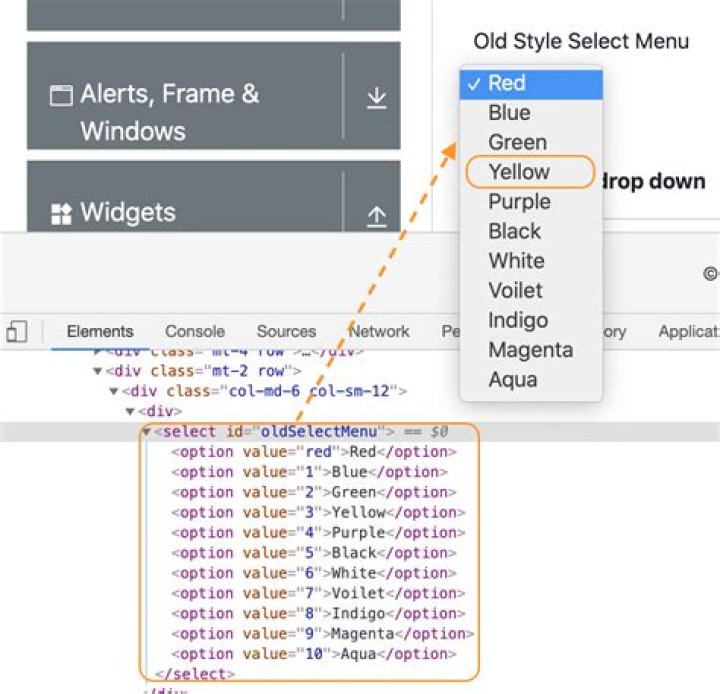

I'm using Selenium in Python to open a web page and I'm trying to get the list of values from a specific dropdown list. Let's say the HTML code for the dropdown list looks like this:
<select name="nouveau-num"> <option value="" selected="selected"></option> <option value="351 8320175">351 8320175</option> <option value="351 8652736">351 8652736</option> <option value="351 8783295">351 8783295</option> <option value="351 8094085">351 8094085</option> <option value="351 8861691">351 8861691</option> <option value="351 8271705">351 8271705</option> <option value="351 8970191">351 8970191</option> <option value="351 8965848">351 8965848</option> <option value="351 8353924">351 8353924</option> <option value="351 8988158">351 8988158</option> </select> And I want to retrieve all the values between <option> tags. I tried to do a browser.page_source which returns the HTML source of the web page and then do a regular expression (something like <option value="[0-9 ]*">) but the result is empty. For some reason however, the HTML code above is not in the HTML page source code retrieved by Selenium. Any ideas how I can approach this differently/what is wrong with the current approach?
2 Answers
You can create a Select object and iterate over the amount of options with a loop.
For example:
from selenium.webdriver.support.ui import Select selector = Select(driver.find_element_by_name("nouveau-num")) options = selector.options for index in range(0, len(options)-1): print(options[index]) Edit:
I tried the code on the link you provided and there seems to be a delay until the dropdown's values are loaded. In addition I forgot that options has a list of elements so you need to specify .text. On top of all that By.NAME seems to work better than find_element_by_name
Here is the corrected code:
from selenium.webdriver.support.ui import Select from selenium.webdriver.support.ui import WebDriverWait from selenium.webdriver.support import expected_conditions as EC from selenium.webdriver.common.by import By dropdown = driver.find_element(By.NAME, "nouveau-num") selector = Select(dropdown) # Waiting for the values to load element = WebDriverWait(driver, 10).until(EC.element_to_be_selected(selector.options[0])) options = selector.options for index in range(1, len(options)-1): print(options[index].text) Using this code I receive the following results:
351 8631174 351 8586821 351 8014561 351 8831839 351 8957001 351 8673968 351 8612034 351 8585995 351 8438130 According to this brilliant answer parsing HTML with Regex is never a good idea.
You better use find_elements_by_css_selector or find_elements_by_xpath.
Example with css selectors:
for tag in browser.find_elements_by_css_selector('select[name=nouveau-num] option'): value = tag.get_attribute('value') text = tag.text 



