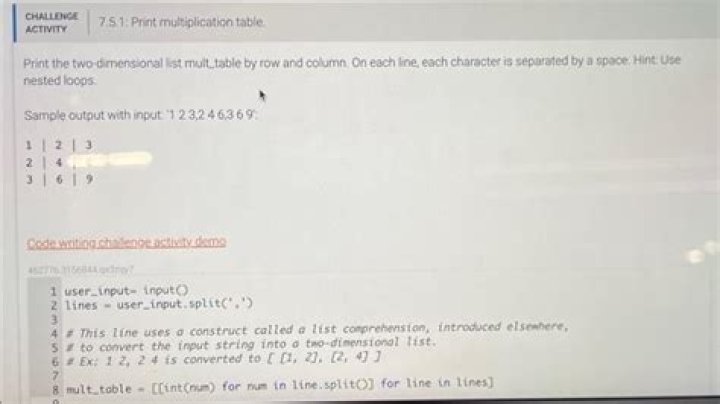

Print the 2-dimensional list mult_table by row and column. Using nested loops. Sample output for the given program(without spacing between each row):
1 | 2 | 3
2 | 4 | 6
3 | 6 | 9
This is my code: I tried using a nested loop but I have my output at the bottom. It has the extra | at the end
for row in mult_table: for cell in row: print(cell,end=' | ' ) print() 1 | 2 | 3 |
2 | 4 | 6 |
3 | 6 | 9 |
15 Answers
Try
for row in mult_table: print(" | ".join([str(cell) for cell in row])) The join() joins the given elements into one string, using " | " as the separator. So for three in a row, it only uses two separators.
Try this:
for x in mult_table: for x1 in x: if x1 == x[-1]: print (x1) else: print(x1 , end=' | ') Try this:
# To convert the input string into a two-dimensional list. # Ex: 1 2, 2 4 is converted to [ [1, 2], [2, 4] ] mult_table = [[int(num) for num in line.split()] for line in lines] for row in mult_table: i=0 for num in row: if i<len(row)-1: print(row[i],end=' | ') i=i+1 else: print(row[i]) This is what I got:
user_input= input() lines = user_input.`enter code here`split(',') # This line uses a construct called a list comprehension, introduced elsewhere, # to convert the input string into a two-dimensional list. # Ex: 1 2, 2 4 is converted to [ [1, 2], [2, 4] ] mult_table = [[int(num) for num in line.split()] for line in lines] for row in mult_table: for cell in row: if cell == row[len(row) - 1]: print(cell, end='') else: print(cell, end=' | ') print() I know my answer is a little long, but it works.
mult_table = [ [1, 2, 3], [2, 4, 6], [3, 6, 9] ] ''' Your solution goes here ''' if len(mult_table) <= 3: mult_table[0].insert(1, ' | ') mult_table[0].insert(3, ' | ') mult_table[1].insert(1, ' | ') mult_table[1].insert(3, ' | ') mult_table[2].insert(1, ' | ') mult_table[2].insert(3, ' | ') else: mult_table[0].insert(1, ' | ') mult_table[0].insert(3, ' | ') mult_table[0].insert(5, ' | ') mult_table[1].insert(1, ' | ') mult_table[1].insert(3, ' | ') mult_table[1].insert(5, ' | ') mult_table[2].insert(1, ' | ') mult_table[2].insert(3, ' | ') mult_table[2].insert(5, ' | ') mult_table[3].insert(1, ' | ') mult_table[3].insert(3, ' | ') mult_table[3].insert(5, ' | ') for x in mult_table: for y in x: print(y, end='') print() 



