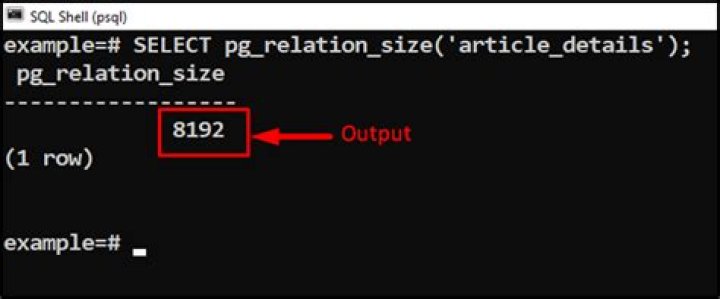

How can I list all the tables of a PostgreSQL database and order them by size?
413 Answers
select table_name, pg_relation_size(quote_ident(table_name)) from information_schema.tables where table_schema = 'public' order by 2 This shows you the size of all tables in the schema public if you have multiple schemas, you might want to use:
select table_schema, table_name, pg_relation_size('"'||table_schema||'"."'||table_name||'"') from information_schema.tables order by 3 List of all object size functions in the manual.
7This will show you the schema name, table name, size pretty and size (needed for sort).
SELECT schema_name, relname, pg_size_pretty(table_size) AS size, table_size FROM ( SELECT pg_catalog.pg_namespace.nspname AS schema_name, relname, pg_relation_size(pg_catalog.pg_class.oid) AS table_size FROM pg_catalog.pg_class JOIN pg_catalog.pg_namespace ON relnamespace = pg_catalog.pg_namespace.oid ) t WHERE schema_name NOT LIKE 'pg_%' ORDER BY table_size DESC; I build this based on the solutions from here list of schema with sizes (relative and absolute) in a PostgreSQL database
3This will be more clear.
pg_size_pretty(<numeric_value>) - converts no.of bytes to human-readable format.
pg_database_size(<db_name>) - gets database size in bytes.
pg_total_relation_size(<relation_name>) - gets total size of table and its index in bytes.
pg_relation_size(<relation_name>) - gets relation (table/index) size in bytes.
pg_indexes_size(<relation_name>) - gets index size of the relation in bytes.
current_database() - gets the currently used database on which this query is being performed.
Query:
select current_database() as database, pg_size_pretty(total_database_size) as total_database_size, schema_name, table_name, pg_size_pretty(total_table_size) as total_table_size, pg_size_pretty(table_size) as table_size, pg_size_pretty(index_size) as index_size from ( select table_name, table_schema as schema_name, pg_database_size(current_database()) as total_database_size, pg_total_relation_size(table_name) as total_table_size, pg_relation_size(table_name) as table_size, pg_indexes_size(table_name) as index_size from information_schema.tables where table_schema=current_schema() and table_name like 'table_%' order by total_table_size ) as sizes; Result:
database | total_database_size | schema_name | table_name | total_table_size | table_size | index_size -----------+---------------------+-------------+------------+------------------+------------+------------ vigneshdb | 1586 MB | corpdata | table_aaa | 16 kB | 0 bytes | 8192 bytes vigneshdb | 1586 MB | corpdata | table_bbb | 24 kB | 0 bytes | 16 kB vigneshdb | 1586 MB | corpdata | table_ccc | 640 kB | 112 kB | 488 kB vigneshdb | 1586 MB | corpdata | table_ddd | 9760 kB | 3152 kB | 6568 kB vigneshdb | 1586 MB | corpdata | table_eee | 1120 MB | 311 MB | 808 MB The humanized format is represent in bytes, kB, MB, GB, and TB.
bytes to kB - begins from 10240 bytes
bytes to MB - begins from 10485248 bytes = 10239.5 kB ~ 10 MB
bytes to GB - begins from 10736893952 bytes = 10239.5 MB ~ 10 BG
bytes to TB - begins from 10994579406848 bytes = 10239.5 GB ~ 10 TB
All unit conversions starts from 10 + <unit>.
For reference - Postgres Official Documentation
3SELECT relname as "Table", pg_size_pretty(pg_total_relation_size(relid)) As "Size", pg_size_pretty(pg_total_relation_size(relid) - pg_relation_size(relid)) as "External Size" FROM pg_catalog.pg_statio_user_tables ORDER BY pg_total_relation_size(relid) DESC; I like following statement:
SELECT table_name, pg_size_pretty( pg_total_relation_size(quote_ident(table_name))), pg_total_relation_size(quote_ident(table_name)) FROM information_schema.tables WHERE table_schema = 'public' ORDER BY pg_total_relation_size(quote_ident(table_name)) DESC You can see total size in a pretty format, but it is ordered correctly too.
2I needed to find which tables use the most space.
Based on other answers, I used that query:
select table_name, pg_size_pretty( pg_relation_size(quote_ident(table_name)) ) from information_schema.tables where table_schema = 'public' order by pg_relation_size(quote_ident(table_name)) desc I get the following result:
table_name pg_size_pretty -------------------------------------- trade_binance 96 GB closs_v2_binance_stash 46 GB closs_bitfinex_stash 5725 MB trade_bitfinex 5112 MB ... api_requests 0 bytes trade_huobi 0 bytes I should have bought a bigger SSD.
SELECT nspname || '.' || relname AS "relation", pg_size_pretty(pg_total_relation_size(C.oid)) AS "total_size" FROM pg_class C LEFT JOIN pg_namespace N ON (N.oid = C.relnamespace) WHERE nspname NOT IN ('pg_catalog', 'information_schema') AND C.relkind <> 'i' AND nspname !~ '^pg_toast' ORDER BY pg_total_relation_size(C.oid) DESC ; select table_name,n_live_tup, pg_size_pretty(pg_relation_size(table_name)) from information_schema.tables inner join pg_stat_user_tables on table_name=relname where table_schema = 'public' order by 2 desc Another alternative
select table_name, pg_size_pretty(pg_total_relation_size(quote_ident(table_name))) from information_schema.tables where table_schema = 'public' order by pg_total_relation_size(quote_ident(table_name)); pg_total_relation_size would include size of indexes as well as tables. If you want only the table size, then pg_relation_size would be enough.
If you're looking for a breakdown in total, toast and index sizes use this:
SELECT *, pg_size_pretty(total_bytes) AS total , pg_size_pretty(index_bytes) AS INDEX , pg_size_pretty(toast_bytes) AS toast , pg_size_pretty(table_bytes) AS TABLE FROM ( SELECT *, total_bytes-index_bytes-COALESCE(toast_bytes,0) AS table_bytes FROM ( SELECT c.oid,nspname AS table_schema, relname AS TABLE_NAME , c.reltuples AS row_estimate , pg_total_relation_size(c.oid) AS total_bytes , pg_indexes_size(c.oid) AS index_bytes , pg_total_relation_size(reltoastrelid) AS toast_bytes FROM pg_class c LEFT JOIN pg_namespace n ON n.oid = c.relnamespace WHERE relkind = 'r' ) a ) a ORDER BY total_bytes DESC; select uv.a tablename, pg_size_pretty(uv.b) sizepretty from (select tb.tablename a, pg_table_size('schemaname.'||tb.tablename::text) b from pg_tables tb where tb.schemaname ilike 'schemaname' order by 2 desc ) uv You can get total relation size and relation size, which may be different depending on your tables relationships. Now here's how to get top 100 tables on your database:
SELECT schemaname AS table_schema, relname AS table_name, PG_SIZE_PRETTY(PG_TOTAL_RELATION_SIZE(relid)) AS total_size, PG_SIZE_PRETTY(PG_RELATION_SIZE(relid)) AS data_size, PG_SIZE_PRETTY(PG_TOTAL_RELATION_SIZE(relid) - PG_RELATION_SIZE(relid)) AS external_size FROM pg_catalog.pg_statio_user_tables ORDER BY PG_TOTAL_RELATION_SIZE(relid) DESC, PG_RELATION_SIZE(relid) DESC LIMIT 100; Most of the answers here use pg_size_pretty which is very useful, but if you want to the output as a numerical value you can calculate this yourself like
SELECT tab_size /1024 AS size_kb ,tab_size /1024 /1024 AS size_mb ,tab_size /1024 /1024 / 1024 AS size_gb ,tab_size /1024 /1024 / 1024 / 1024 AS size_tb FROM ( SELECT pg_total_relation_size(relid) AS tab_size FROM pg_catalog.pg_statio_user_tables WHERE schemaname = 'your_schema' AND relname = 'your_table' ) AS tabs; 



