
I've got two NICs in my Windows 8 Pro (x64) box each connected to different networks. I would like to release and renew the DHCP lease for just one of the NICs. So far I can't find any way to do it within the ipconfig command.
Is this possible? (perhaps another command or GUI even)
Similar question here, however I'm asking specifically about release/renew functionality.
4 Answers
Yes you can do this. If you look at ipconfig /? you will see the option for ipconfig /renew [adapter] and ipconfig /release [adapter]. So you just need to know the adapter name by typing ipconfig by itself.
ipconfig /release "adapter name" ipconfig /renew "adapter name" The name shown by ipconfig is - strangely - not the name you supply to the renew and reconfig options, so get the NetConnectionID of the NIC using this command in a command window to show you the necessary id to use in the next command, matching the MAC address if necessary:
C:\>wmic nic get Name,NetConnectionID,MACAddress MACAddress Name NetConnectionID Microsoft Kernel Debug Network Adapter F8:CA:B8:55:7F:A3 Intel(R) Ethernet Connection (3) I218-LM Ethernet 10:02:B5:82:71:16 Intel(R) Dual Band Wireless-AC 7265 Wi-Fi 10:02:B5:82:71:1A Bluetooth Device (Personal Area Network) Bluetooth Network Connection Then use the name in an ipconfig command such as:
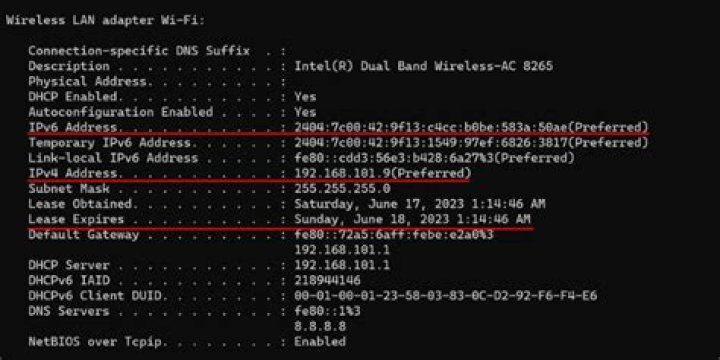
C:\> ipconfig /release Wi-Fi C:\> ipconfig /renew Wi-Fi In the example above, ipconfig shows the name Wireless LAN adapter Wi-Fi, but the name to use with ipconfig is just Wi-Fi as discovered from the wmic command.
Old but this is great info. by using renew /? I actually found you can also do /renew ethernet* and it will reset all adapters starting with ethernet. Pretty cool to know.
ipconfig /renew ... renew all adapters > ipconfig /renew EL* ... renew any connection that has its name starting with EL > ipconfig /release *Con* ... release all matching connections, eg. "Wired Ethernet Connection 1" or "Wired Ethernet Connection 2" > ipconfig /allcompartments ... Show information about all compartments > ipconfig /allcompartments /all ... Show detailed information about all compartments 



