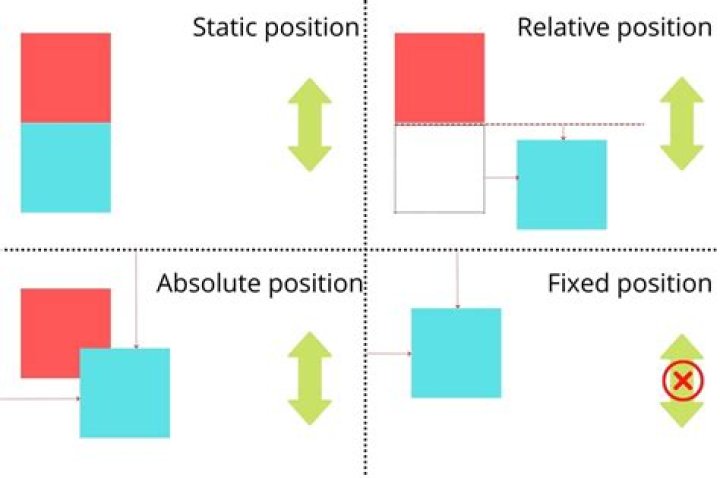

I want to position four divs relative to another. I have a rectangle div, and I want to insert 4 divs at its corners. I know that CSS has an attribute "position:relative", but this is relative to the normal position of that element. I want to position my divs not relative to their normal position, but relative to another element (the rectangle). What should I do?
2 Answers
position: absolute will position the element by coordinates, relative to the closest positioned ancestor, i.e. the closest parent which isn't position: static.
Have your four divs nested inside the target div, give the target div position: relative, and use position: absolute on the others.
Structure your HTML similar to this:
<div> <div></div> <div></div> <div></div> <div></div> </div> And this CSS should work:
#container { position: relative; } #container > * { position: absolute; } .left { left: 0; } .right { right: 0; } .top { top: 0; } .bottom { bottom: 0; } ... I would suggest using absolute positioning within the element.
I've created this so you can visualize it.
#parent { width:400px; height:400px; background-color:white; border:2px solid blue; position:relative; } #div1 {position:absolute;bottom:0;right:0;background:green;width:100px;height:100px;} #div2 {width:100px;height:100px;position:absolute;bottom:0;left:0;background:red;} #div3 {width:100px;height:100px;position:absolute;top:0;right:0;background:yellow;} #div4 {width:100px;height:100px;position:absolute;top:0;left:0;background:gray;}<div> <div></div> <div></div> <div></div> <div></div> </div>



