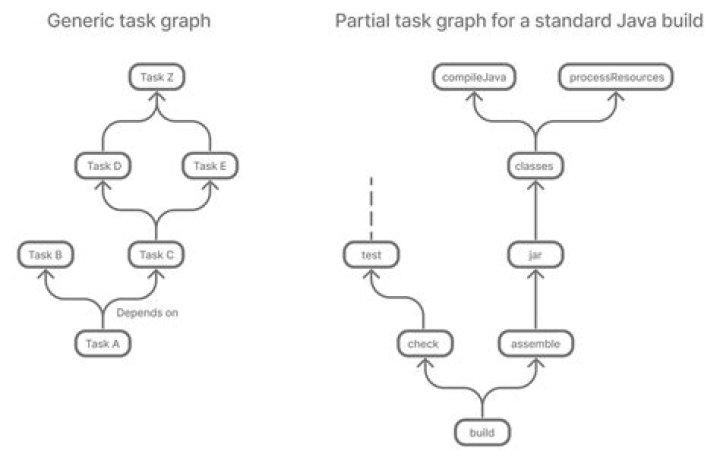

I am new to Java and it's build tools. In build.gradle file I do not see java or javalibrary id under plugins, which makes me think, which of the following plugin causes the creation of CompileJava task(or calls Java plugin), the list of plugins I see in build.gradle is as follows
plugins { id "jacoco" id "org.springframework.boot" version "1.5.22.RELEASE" id "com.abc.tools.aws.build.docker" version "2.0.2" id "com.abc.tools.aws.build.abb-bom-management" version "2.0.2" id "com.abc.tools.aws.build.microservice" version "2.0.2" } Based on the readings, I did not think that jacoco's one of the task is to compile java.
2 Answers
Plugins in Gradle can apply1 other plugins to a project because a gradle project is also a PluginAware object.
My guess is that org.springframework.boot is the one that applied the java plugin.
Indeed, I just checked it and they do apply the plugin.
Note that later versions of the plugin do not do this. If you are bothered about it, it is probably best to update the version you use, however later versions will require later versions of gradle, so upgrade judiciously.
1. IMO, they shouldn't be doing this and should rely on using PluginManager.withPlugin method.
The Java plugin adds Java compilation along with testing and bundling capabilities to a project, as well as compileJava, test, jar etc. tasks. More on this here.
plugins { id 'java' } Jacoco is the plugin which is used for test coverage reporting.
There is no clear way to get full list of tasks from each plugin, however you can print tasks difference after each plugin has been applied to see how your plugin list is changed i.e.
build.gradle
def tasksBefore = [], tasksAfter = [] project.tasks.each { tasksBefore.add(it.name) } // get all tasks apply(plugin: 'jacoco') // apply plugin project.tasks.each { tasksAfter.add(it.name) } // get all tasks tasksAfter.removeAll(tasksBefore); // get the difference println 'jacoco tasks: ' + tasksAfter; 



