If you already have the recipient in your contact list outlook will display just the name of them recipient i.e.
TO: John Doe
Is there a way I can make it format the TO: field so it will also display the recipients full email address? i.e.
TO: John Doe<>
I have been all over the view settings and advanced options, but I can't find anything to change the formatting of the to field in new emails
2 Answers
Are you using Exchange account? Email addresses are not shown for internal (Exchange) messages but do show for external addresses.
You can refer to this explanation in TechNet Forum: How do I get Outlook 2016 to show ACTUAL email address I am sending to in "To:" fields?
How to show email address not just name in From and To fields
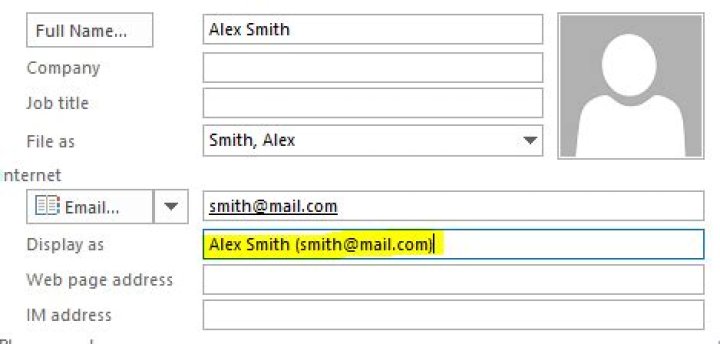
Actually, Outlook makes use of "Display As" field of the contact's email. Just edit it to suite your needs:





