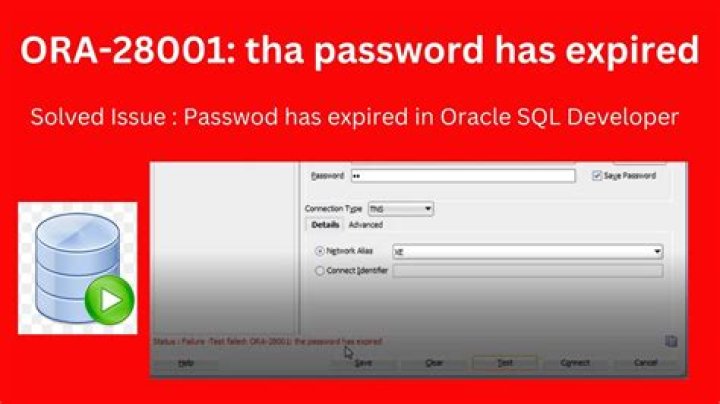
I'm facing the problem about my database in Oracle, When I opened my database, it appear a message with: "ORA-28001: The password has expired"
I have updated my account with somes:
sqlplus /nolog SQL> connect / as SYSDBA Connected. SQL> SELECT username, account_status FROM dba_users WHERE ACCOUNT_STATUS LIKE '%EXPIRED%'; SQL> ALTER USER system IDENTIFIED BY system; User altered. SQL> ALTER USER system ACCOUNT UNLOCK; User altered. SQL> ALTER PROFILE DEFAULT LIMIT PASSWORD_LIFE_TIME UNLIMITED; Profile altered. SQL> exit I check and see that, my account: 'system' has OPEN, but I open it on Oracle SQL Developer, it still have alert:
ORA-28001: The password has expired I have refered very much links but it still same the problem, how to fix this?
713 Answers
ALTER PROFILE DEFAULT LIMIT PASSWORD_LIFE_TIME UNLIMITED; alter user EPUSR100 identified by EPUSR100 account unlock; commit; I have fixed the problem, just need to check:
open_mode from v$database and then check:
check account_status to get mode information and then use:
alter user myuser identified by mynewpassword account unlock; Try to connect with the users in SQL Plus, whose password has expired. it will prompt for the new password. Enter the new password and confirm password.
It will work
Check "PASSWORD_LIFE_TIME" by
Sql > select * from dba_profiles;
Set to Never expire
Sql> ALTER PROFILE DEFAULT LIMIT PASSWORD_LIFE_TIME UNLIMITED;
Then reset the password of locked user.
1C:\>sqlplus /nolog SQL> connect / as SYSDBA SQL> select * from dba_profiles; SQL> alter profile default limit password_life_time unlimited; SQL> alter user database_name identified by new_password; SQL> commit; SQL> exit; - Connect to Oracle
sqlplus sys/root as sysdba 
- Check the status and expiry date for the user
SELECT username, account_status, expiry_date FROM dba_users;

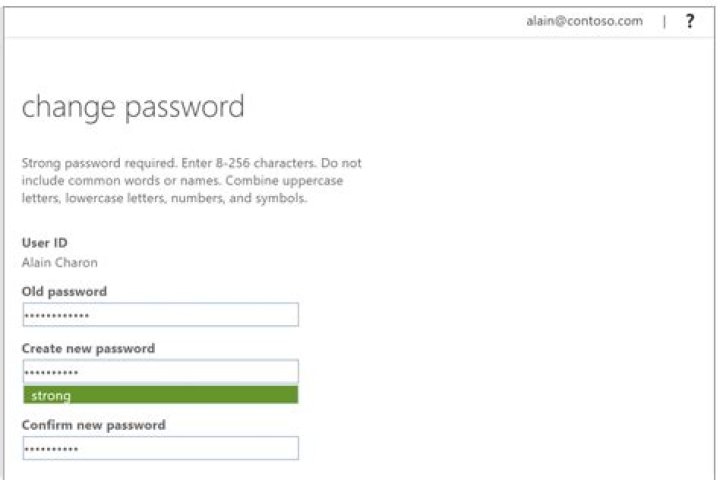
- Change the password for the user to resolve expiry
ALTER USER dummy_user IDENTIFIED BY dummy_password;
- Unlock the user account if it locked
ALTER USER dummy_user ACCOUNT UNLOCK;
- Set the password expiry limit to unlimited to avoid issue in the future
ALTER PROFILE DEFAULT LIMIT PASSWORD_LIFE_TIME UNLIMITED;
- Again check the status of the user to verify the expiry date. The account status is now open and the expiry date is unlimited.
SELECT username, account_status, expiry_date FROM dba_users;

SQL commands:
sqlplus sys/root as sysdba
SELECT username, account_status, expiry_date FROM dba_users;
ALTER USER dummy_user IDENTIFIED BY dummy_password;
ALTER USER dummy_user ACCOUNT UNLOCK;
ALTER PROFILE DEFAULT LIMIT PASSWORD_LIFE_TIME UNLIMITED;
I had same problem even after changing the password, it wasn't getting reflected in SQLDEVELOPER.
Atlast following solved my problem :
- Open Command Propmt
- Type sqlplus
- login as sysdba
- Run following command : alter user USERNAME identified by NEW_PASSWORD;
I had same problem, i am trying to login database it appear a message with: "ORA-28001: The password has expired" , I have fixed the problem simple steps
1.open command prompt 2.type sqlplus 3.It will ask Enter Password, you can give old password, it will show password has expired ORA-28001 4.It will ask new password and retype password 5.It will change with new password 6.Go to the sql database and try to connect with new password, it will connect.
To know which users are expired, run command SELECT * FROM <DATABASE USERS/PROFILES>;
To unlock users, run command alter user identified by account unlock;
I am running Oracle 18c in a Docker container, where the problematic database is a Pluggable database, so I had to take a different approach:
Log in to SYSDBA
Switch to Pluggagle Database
ALTER SESSION SET CONTAINER=XEPDB2;Remove Password Expiry
ALTER PROFILE DEFAULT LIMIT PASSWORD_LIFE_TIME UNLIMITED;Get Current User Details
SELECT dbms_metadata.get_ddl('USER','username') stmt from dual;Replace the
usernameabove with your own.The output will be something like:
CREATE USER "…" IDENTIFIED BY VALUES '…'To reset the password, run as:
ALTER USER "…" IDENTIFIED BY VALUES '…' ACCOUNT UNLOCK;… using the username and password from the previous step.
This is a combination of other answers here and elsewhere.
Simple.. Goto Command prompt and type SQLPLUS /@connect string Hit Enter.
It says password expired and provide the option to enter new password. Enter new password and you are done.
1Just go to the machine where your database resides, search windows -> search SqlPlus Type the user name, then type password, it will prompt you to give new password. On providing new password, it will say successfully changed the password.
you are in wrong cdb/pdb so connect to right pdb




