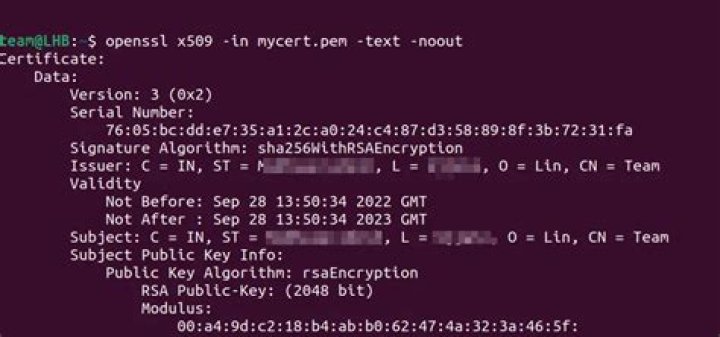

I'm trying to run an openssl command to narrow down what the SSL issue might be when trying to send an outbound message from our system.
I found this command in another topic: Using openssl to get the certificate from a server
openssl s_client -connect ip:port -prexit The output of this results in
CONNECTED(00000003) 15841:error:140790E5:SSL routines:SSL23_WRITE:ssl handshake failure:s23_lib.c:188: --- no peer certificate available --- No client certificate CA names sent --- SSL handshake has read 0 bytes and written 121 bytes --- New, (NONE), Cipher is (NONE) Secure Renegotiation IS NOT supported Compression: NONE Expansion: NONE --- Does this mean the server isn't presenting any certificate? I tried other systems on a different ip:port and they present a certificate successfully.
Does mutual authentication affect this command with -prexit?
--Update--
I ran the command again
openssl s_client -connect ip:port -prexit And I get this response now
CONNECTED(00000003) write:errno=104 --- no peer certificate available --- No client certificate CA names sent --- SSL handshake has read 0 bytes and written 121 bytes --- New, (NONE), Cipher is (NONE) Secure Renegotiation IS NOT supported Compression: NONE Expansion: NONE --- I added -ssl3 to the command
openssl s_client -connect ip:port -prexit -ssl3 Response:
CONNECTED(00000003) write:errno=104 --- no peer certificate available --- No client certificate CA names sent --- SSL handshake has read 0 bytes and written 0 bytes --- New, (NONE), Cipher is (NONE) Secure Renegotiation IS NOT supported Compression: NONE Expansion: NONE SSL-Session: Protocol : SSLv3 Cipher : 0000 Session-ID: Session-ID-ctx: Master-Key: Key-Arg : None Krb5 Principal: None Start Time: 1403907236 Timeout : 7200 (sec) Verify return code: 0 (ok) --- Also trying -tls1
CONNECTED(00000003) write:errno=104 --- no peer certificate available --- No client certificate CA names sent --- SSL handshake has read 0 bytes and written 0 bytes --- New, (NONE), Cipher is (NONE) Secure Renegotiation IS NOT supported Compression: NONE Expansion: NONE SSL-Session: Protocol : TLSv1 Cipher : 0000 Session-ID: Session-ID-ctx: Master-Key: Key-Arg : None Krb5 Principal: None Start Time: 1403907267 Timeout : 7200 (sec) Verify return code: 0 (ok) --- 6 Answers
I was debugging an SSL issue today which resulted in the same write:errno=104 error. Eventually I found out that the reason for this behaviour was that the server required SNI (servername TLS extensions) to work correctly. Supplying the -servername option to openssl made it connect successfully:
openssl s_client -connect domain.tld:443 -servername domain.tld Hope this helps.
115841:error:140790E5:SSL routines:SSL23_WRITE:ssl handshake failure:s23_lib.c:188: ... SSL handshake has read 0 bytes and written 121 bytes This is a handshake failure. The other side closes the connection without sending any data ("read 0 bytes"). It might be, that the other side does not speak SSL at all. But I've seen similar errors on broken SSL implementation, which do not understand newer SSL version. Try if you get a SSL connection by adding -ssl3 to the command line of s_client.
I encountered the write:errno=104 attempting to test connecting to an SSL-enabled RabbitMQ broker port with openssl s_client.
The issue turned out to be simply that the user RabbitMQ was running as did not have read permissions on the certificate file. There was little-to-no useful logging in RabbitMQ.
1In my case the ssl certificate was not configured for all sites (only for the www version which the non-www version redirected to). I am using Laravel forge and the Nginx Boilerplate config
I had the following config for my nginx site:
/etc/nginx/sites-available/timtimer.at
server { listen [::]:80; listen 80; server_name timtimer.at include h5bp/directive-only/ssl.conf; # and redirect to the https host (declared below) # avoiding -> -> https:// chain. return 301 } server { listen [::]:443 ssl spdy; listen 443 ssl spdy; # listen on the wrong host server_name timtimer.at; ### ERROR IS HERE ### # You eighter have to include the .crt and .key here also (like below) # or include it in the below included ssl.conf like suggested by H5BP include h5bp/directive-only/ssl.conf; # and redirect to the www host (declared below) return 301 } server { listen [::]:443 ssl spdy; listen 443 ssl spdy; server_name include h5bp/directive-only/ssl.conf; # Path for static files root /home/forge/default/public; # FORGE SSL (DO NOT REMOVE!) ssl_certificate /etc/nginx/ssl/default/2658/server.crt; ssl_certificate_key /etc/nginx/ssl/default/2658/server.key; # ... # Include the basic h5bp config set include h5bp/basic.conf; } So after moving (cutting & pasting) the following part to the /etc/nginx/h5bp/directive-only/ssl.conf file everything worked as expected:
# FORGE SSL (DO NOT REMOVE!) ssl_certificate /etc/nginx/ssl/default/2658/server.crt; ssl_certificate_key /etc/nginx/ssl/default/2658/server.key; So it is not enough to have the keys specified only for the www version even, if you only call the www version directly!
1I was getting the below as well trying to get out to github.com as our proxy re-writes the HTTPS connection with their self-signed cert:
no peer certificate available No client certificate CA names sent
In my output there was also:
Protocol : TLSv1.3
I added -tls1_2 and it worked fine and now I can see which CA it is using on the outgoing request. e.g.:
openssl s_client -connect github.com:443 -tls1_2
I had a similar issue. The root cause was that the sending IP was not in the range of white-listed IPs on the receiving server. So, all requests for communication were killed by the receiving site.




