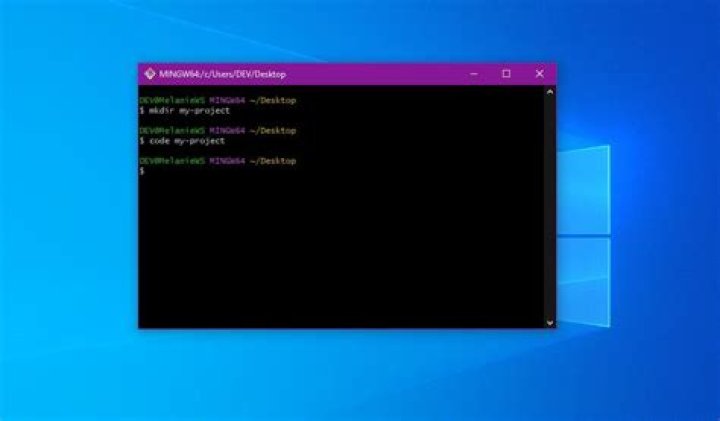

I want to open a file through Git Bash command prompt using a particular software then what is the command for it. Example:- I am in the directory /c/users/user and I want to open a file named text.txt which is already present in the directory using Atom text editor. The command I am using is (after reaching the appropriate directory) $ start atom text.txt and $ start atom . text.txt but both of these are not working. (FOR WINDOWS)
2 Answers
To have either cmd or bash find executables (binaries) you need to have the the PATH variable contain the folder(s) where the executable file(s) can be found.
GNU/Linux, Cygwin, MINGW, Git Bash:
$ echo $PATH # will display current setting, where to look for executables $ PATH=$PATH:/home/bin # add /home/bin temporarily, # add this line to e.g. $HOME/.bashrc to have it set every time you log in.
In a similar manner for windows; To set it permanently though you need to run "system" from "control panel" and click on "Environment variables" to find the PATH variable, and there is one that is system wide (for all users) and one for you only.
Later windows versions e.g. W10 has a hiding cloak for the System settings; i.e. find "Advanced System settings" which will reveal the very same / original dialog from earlier versions. - that for making things "easier".
The GNU/Linux equivalent of Windows `start` depends on which window manager you run:
xdg-open args ... # generally, but you might need to do gnome-open args ... # for GNOME, or kde-open args ... # for KDE
Create a file named start and type, this into it:
#!/bin/bash xdg-open "$*"
... then also do...
- place it in e.g. $HOME/bin/ and
- do
chmod 755 $HOME/bin/start# set 'exceutable' permissions - put
$HOME/bin/in your PATH (as shown above)
Start command will not work in Git Bash, make sure Atom is in the bin directory, and run:
$ atom ./text.txt 



