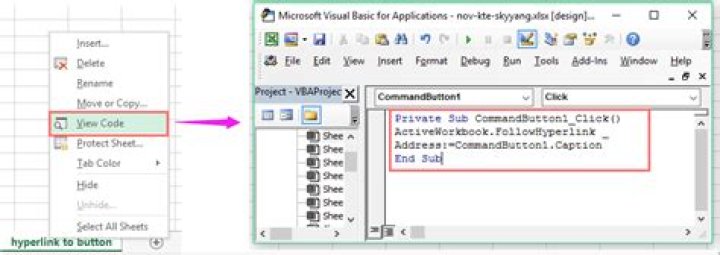

So, this is basically what I'm trying to do. I have a column of employee #'s in a file that's generated from MSSQL. I want to create a function in a cell where the URL would be,
So far all of the examples that I've found aren't detailed enough for me to figure out what to do with it. I know this isn't correct, but this is what I ended up with so far
Function openurl(strSKU As String) ActiveWorkbook.FollowHyperlink Address:="" & strSKU, NewWindow:=True End Function I think I'm mixing up methods with functions but I'm not sure where to go with it. I basically want to add it in as a function to make it easier to insert into the column.
2 Answers
I see someone provided you with a work-around for accomplishing this, but I'll give you the method you were asking for (just in case). FYI the intellisense sucks in VBA when referencing OLE objects (i.e., some methods may not appear to belong to the button objects, but they do).
The script below will create the buttons for you automatically, and will send the user to the site you specified when clicked. **I included notes which explain what each line does.
This creates the buttons in columns B and gets the URL parameter from column A:
Sub CreateButtons() Dim btn As Button 'Create a variable for our button Application.ScreenUpdating = False 'Speed up the process by disabling ScreenUpdating ActiveSheet.Buttons.Delete 'Delete existing buttons. Dim Report As Worksheet 'Create our worksheet variable. Set Report = Excel.ActiveSheet 'Set our worksheet to the worksheet variable. Dim t As Range 'Create a variable for the cells we will reference. For i = 1 To Report.UsedRange.Rows.Count 'This will loop through each row in the used range of our worksheet. If Report.Cells(i, 1).Value <> "" Then 'If the value of the first cell is not empty, then do the following... Set t = Report.Range(Cells(i, 2), Cells(i, 2)) 'Assign the cell in the second column of the current row to the cell variable. Set btn = Report.Buttons.Add(t.Left, t.Top, t.Width, t.Height) 'Create a button and place it in the cell in the second column. With btn .OnAction = "openurl" 'Set the button to trigger the openurl sub-routine when it is clicked. .Caption = Report.Cells(i, 1).Value 'Set the caption of the button to equal the value of the cell in the first column. .Name = i 'Set the name of the button to equal the row on which it resides. This name will be used in the openurl sub; So don't change it. End With End If Next i End Sub This is the macro performed when the user clicks a button:
Sub openurl() Dim Report As Worksheet 'Create a variable for the worksheet Set Report = Excel.ActiveSheet 'Assign the worksheet to our variable Dim i As Integer 'Create a variable for our row number i = Application.Caller 'Assign name of the button to our row number. Dim address As String 'Create a variable for our address address = "" & Report.Cells(i, 1).Value 'Assign the URL to our address variable. ActiveWorkbook.FollowHyperlink address:=address, NewWindow:=True 'Send the user to the URL you specified (with the URL parameter at the end). End Sub BONUS INFO:
Follow the next step to have the entire process done for you automatically:
When you say the current data is populated from a MSSQL database, you probably mean you are pulling the data into Excel using another VBA sub or function. If so, then if you place a script to call the "CreateButtons()" subroutine after the script that pulls the data, this entire process will be done for you automagically. Example:
Sub getEmployeeData() 'This represents your sub that pulls your data from MSSQL '================================================================ 'This represents your script to get your information into Excel. '================================================================ Call CreateButtons 'This runs the CreateButtons() subroutine. End Sub Enjoy!
You can do this without VBA. You can use a formula.
=Hyperlink(""&A1,A1) Where A1 would have the employee ID.
Check out this post I made about creating hyperlinks from External Data:
Scroll down to the "Add Hyperlinks" section for more info.
0



